| Bytes | Lang | Time | Link |
|---|---|---|---|
| 050 | Uiua | 240528T165953Z | noodle p |
| 178 | Setanta | 240729T011355Z | bb94 |
| 140 | C GCC | 230907T170303Z | matteo_c |
| 051 | x86 realmode COM file | 240722T150955Z | Paolo Bo |
| 212 | Chipmunk BASIC | 230906T065315Z | roblogic |
| 157 | BASH | 230906T171238Z | Ivan |
| 156 | NES 6502 Assembly | 230503T182620Z | testc |
| 334 | Go + github.com/fogleman/gg | 230316T155427Z | bigyihsu |
| 130 | Pikchr | 230320T160358Z | xigoi |
| 048 | MATL | 160711T122613Z | Luis Men |
| 100 | Perl 5 + p0513 | 160711T141649Z | Dom Hast |
| 150 | Desmos | 220505T194746Z | naffetS |
| 108 | pdfTeX | 220503T022127Z | plante |
| 267 | JavaScript + HTML | 160711T101530Z | Neil |
| 226 | Batch | 220410T223750Z | Youserna |
| 149 | PostScript | 190425T101136Z | Thomas F |
| 159 | JavaScript + HTML | 181130T160928Z | dana |
| 092 | PICO8/Lua | 160712T195212Z | acrolith |
| 085 | Bash + Imagemagick 7 | 160711T150032Z | bodqhroh |
| 074 | TIBasic TI84 Plus CE | 170403T215008Z | pizzapan |
| 124 | Befunge | 170108T230053Z | James Ho |
| 177 | OCL | 180718T032746Z | Tux1 |
| 215 | Small Basic | 180716T165056Z | Taylor R |
| 149 | PaperScript | 170902T065842Z | DLosc |
| 111 | Excel VBA | 170105T034629Z | Taylor R |
| 158 | Tcl/Tk | 170708T151250Z | sergiol |
| 180 | C Win32 GDI | 170404T141946Z | jdt |
| 194 | AHK | 170403T200826Z | Engineer |
| 083 | J | 160712T133616Z | Dan Oak |
| 176 | Python Turtle | 161229T041613Z | cdlane |
| 156 | Python IDLE | 161220T162017Z | FlipTack |
| 730 | KVlang | 160713T085650Z | KeyWeeUs |
| 143 | Python 3 | 160711T123425Z | Gáb |
| 084 | Postscript 148 characters | 161015T234113Z | Morgan H |
| 112 | Python | 160711T235758Z | Karl Nap |
| 047 | ZX Spectrum Z80 assembly | 160729T170631Z | Z80 code |
| 233 | Python Turtle | 160807T052201Z | cdlane |
| 055 | ZX Spectrum Z80 assembly | 160724T151737Z | Z80 code |
| 231 | Maple | 160804T034132Z | DSkoog |
| 133 | TRS80 Color Computer BASIC | 160715T203715Z | GuitarPi |
| 734 | Minecraft 1.10.2 | 160801T153736Z | quat |
| 195 | Lua + LÖVE | 160730T182115Z | Master_e |
| 179 | GLSL + shadertoy | 160716T145822Z | Display |
| 092 | ZX Spectrum BASIC | 160711T230023Z | Philip K |
| 049 | Vim | 160719T215419Z | Jordan |
| 242 | Javascript console | 160712T204927Z | Charlie |
| 153 | Excel VBA | 160711T122813Z | tjb1 |
| 278 | Java with ANSI escape codes | 160713T003730Z | slady |
| 465 | Common Lisp Lispworks | 160718T051023Z | sadfaf |
| 335 | Java | 160717T140745Z | Marco13 |
| 079 | KA Processing | 160716T203226Z | bleh |
| 212 | Lua + LÖVE | 160716T101640Z | manatwor |
| 277 | PHP CLIOnly | 160712T180206Z | Sainan |
| 272 | C# | 160714T195138Z | Matthew |
| 286 | PowerShell v2+ | 160711T195148Z | AdmBorkB |
| 051 | ZX Spectrum Z80 Assembly | 160713T134951Z | Ralph Be |
| 250 | SVG pattern | 160715T105656Z | Klaus Hi |
| 270 | R/ggplot2 | 160714T150849Z | Mhairi M |
| 258 | R | 160711T212832Z | Michal |
| 321 | HTML+CSS | 160715T074401Z | Joey |
| 225 | HTML+CSS | 160715T070147Z | scottlim |
| 134 | SVG+HTML | 160715T051604Z | Joey |
| 048 | FLIF | 160715T025002Z | algmyr |
| 188 | Logo | 160712T145536Z | GuitarPi |
| 264 | CSS | 160711T152237Z | gcampbel |
| 219 | Scala | 160713T201933Z | Heinrich |
| nan | C# | 160713T142144Z | soema |
| 200 | Javascript ES6 | 160713T140248Z | Ismael M |
| 149 | Ruby with Shoes | 160713T084322Z | manatwor |
| 062 | x86 realmode machine code for DOS COM | 160711T194509Z | Margaret |
| 238 | PHP with GD | 160713T000557Z | Titus |
| 265 | GLSL | 160712T002849Z | Gáb |
| 184 | FFmpeg | 160712T215718Z | Gyan |
| 161 | bash | 160712T234259Z | Titus |
| 183 | C | 160711T143729Z | Giacomo |
| 187 | R | 160711T133824Z | plannapu |
| 235 | Python 3.5 + Tkinter | 160713T033546Z | R. Kap |
| 527 | JavaFX | 160713T025256Z | David Co |
| 145 | ImageScript | 160712T202032Z | MCMaster |
| 447 | Java 8 | 160712T022511Z | R. Kap |
| 128 | Perl | 160712T112849Z | Toby Spe |
| 323 | TIBASIC noncompeting | 160711T100036Z | charredg |
| 150 | SpecaBAS | 160712T094538Z | Brian |
| 065 | ZX Spectrum Z80 Assembly | 160712T092940Z | impomati |
| 231 | JavaScript ES6 | 160711T145941Z | edc65 |
| 157 | Mathematica | 160711T205502Z | martin |
| 123 | Atari 8bit executable | 160712T045826Z | Locoluis |
| 234 | HTML+CSS | 160711T205722Z | nicael |
| 136 | Processing | 160711T180446Z | Cody |
| 164 | SVG+Javascript | 160711T154406Z | nicael |
Uiua, 51 50 bytes
≡▽⟜▽9÷99⨬(0_28_87|↯3∞|⊂84⊟.16)↻9_¯9↧2⊞↧∩↧∩⟜⇌⇡18⇡25
In 0..18 and 0..25, take the minimum of each with the reversed range, then take the addition table of the two. This gives sort of a border, we take the minimum of each with 2 to get the blue then white then the rest red border. Rotate (offset) the image by 9 and -9, giving the flag with blue pixels as 0s, white as 1s, and red as 2. Convert each to its RGB triplet ratio, then scale up to the right size.
Instead of using [1 1 1] for white, I used [∞ ∞ ∞] because it doesn't need a space after ↯3, saving a byte.
Setanta, 178 bytes
S:=staitse C:=dath@S D:=gniomh(a,b,c,d){cruth_lan@S([[a,b],[a,d],[c,d],[c,b]])}C("#0048e0")D(0,0,100,72)C("ban")D(28,0,44,72)D(0,28,100,44)C("#d72828")D(32,0,40,72)D(0,32,100,40)
C (GCC), 167 140 bytes
- ~25 bytes thanks to @ceilingcat
i=-36;main(j,g){for(write(1,"P6 100 72 255 ",14);i<37;i-=~!i)for(j=-36;j<65;j-=~!j)g=abs(i*i<j*j?i:j),write(1,g>4?g>8?"\0Hà":"ÿÿÿ":"×((",3);}
Set encoding to ANSI, so each character corresponds to a single byte, and replace \0 with a NUL byte. Outputs to stdout a PPM image.
x86 real-mode COM file, text mode, 57 56 55 54 53 51 bytes
Because text mode is 80x25, one column of the flag corresponds to two on screen. One could actually save one byte by producing the flag with the wrong aspect ratio.
Another byte could be saved by using the CMOVA instruction instead of JBE+MOV at 125/127, but I'm sticking to x86 lowest common denominator.
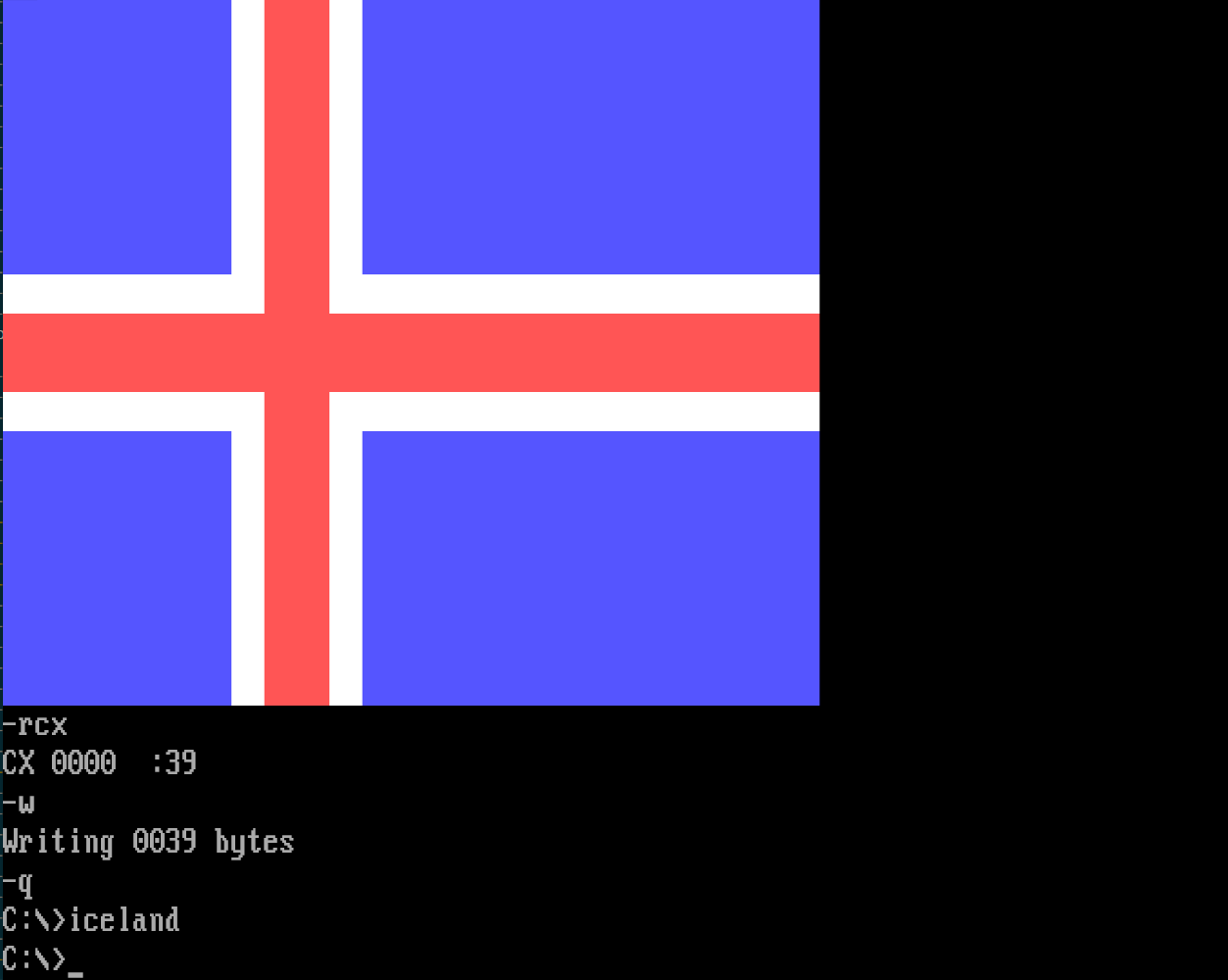
Use DEBUG to assemble (remove everything after the semicolon on each line; I suggest using an ICELAND.SCR file and running DEBUG<ICELAND.SCR).
a100
mov ah,b8                        ;100  point to text vram
mov es,ax                        ;102
stosw                            ;104  bx=di=0
mov ch,11                        ;105  cx=11ff
mov ax,bx                        ;107  get row and column in ah/al
cmp al,28                        ;109  column >=40? draw nothing until bh is incremented
jae 12f                          ;10b
cmp al,19                        ;10d  column>=25? draw black
jae 12c                          ;10f
sub al,9                         ;111  compute x<9 ? 8-x : x-9
xor al,ff                        ;113
js 113                           ;115
xor bx,sp                        ;117  execute 111..11b twice (bx positive, sp=0fffe)
xchg ah,al                       ;119  swap row and column
js 111                           ;11b (not taken if coming from 11f)
cmp al, ah                       ;11d take minimum coordinate: if al>ah...
jg 119                           ;11f ...exchange them
sub al,1                         ;121 al=ff if red, al=0 if white, else positive
mov ah,4f                        ;123 we want red bg if al=0, white fg if al=1
jbe 129                          ;125
mov ax,si                        ;127 otherwise blue block (si=100)
or al,db                         ;129 al=255 if it was 0, else 219
db a8                            ;12b test al,... to skip 1 byte
cbw                              ;12c ah=0
stosw                            ;12d draw two characters
stosw                            ;12e
inc bx                           ;12f increment (row, column)
loop 107                         ;130 loop until 18 rows have been drawn
ret                              ;132

niceland.com
rcx
33
w
q
57->56: use CX + LOOP for iteration instead
56->55: use space character instead of block when AL=0
55->54: use SALC instruction followed by OR to pick AL=ff or AL=db
54->53: replace CMP AL,1 with SUB to avoid SALC
53->51: reuse XCHG instruction
Chipmunk BASIC, 238 235 212 bytes
Chipmunk Basic v368b2.02 on MacOS. The RGB range is [0,100].
graphics 0
k(0,28,88):f(0,0,150,108)
k(100,100,100):f(42,0,66,108):f(0,42,150,66)
k(84,16,16):f(0,48,150,60):f(48,0,60,108)
sub f(a,b,c,d):graphics fillrect a,b,c,d:return
sub k(r,g,b):graphics color r,g,b:return

BASH - 157 bytes
r=\\e[41m;b=\\e[44m;w=\\e[47m;d=\\e[0m;for i in {1..18};{ n=$b;j=$w;((i==8||i==11))&&n=$w;((i==9||i==10))&&n=$r j=$r;printf "$n%14s$j $r%4s$j $n%28s$d\n";}
Ungolfed version for better readability:
r=\\e[41m
b=\\e[44m
w=\\e[47m
d=\\e[0m

for i in {1..18};{
    n=$b;j=$w
    ((i==8||i==11))&&n=$w
    ((i==9||i==10))&&n=$r j=$r
    printf "$n%14s$j  $r%4s$j  $n%28s$d\n"
}
The result
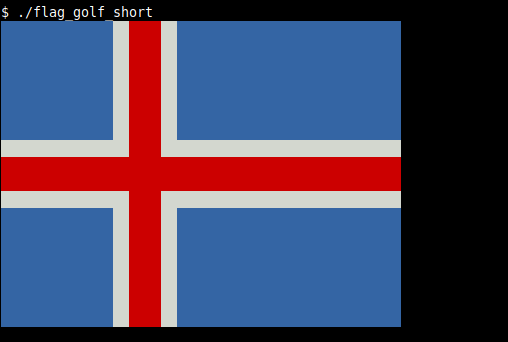
NES 6502 Assembly, 156 Bytes
This might not be the most impressive implementation, but it felt like between all the other popular assembly languages this one was still missing. I don't even know if this is a valid answer, as it requires CHR ram to be enabled and the reset vector to point to $8000, something that cannot be done through code (as far as I know). At least it fills the entire screen.
.org $8000
waitvblank:
LDA $2002           AD0220
BPL waitvblank      10FB
ldx #$ff            A2FF
txs                 9A
ldx #$00            A200
lda #$07            A907
sta $00             8500
lda #$20            A920
sta $01             8501
ldy #$0c            A00C
lda #$02            A902
loop_a_a:
pha                 48
dey                 88
bne loop_a_a        D0FC
txa                 8A
pha                 48
lda #$01            A901
pha                 48
pha                 48
pha                 48
pha                 48
txa                 8A
pha                 48
ldy #$0c            A00C
lda #$02            A902
loop_a_b:
pha                 48
dey                 88
bne loop_a_b        D0FC
lda #$3f            A93F
sta $2006           8D0620
txa                 8A
sta $2006           8D0620
sta $2001           8D0120
lda #$12            A912
sta ($00,x)         8100
lda #$16            A916
sta ($00,x)         8100
lda #$30            A930
sta ($00,x)         8100
txa                 8A
sta $2006           8D0620
sta $2006           8D0620
ldy #$08            A008
jsr dmaloop         200081
lda #$ff            A9FF
ldy #$10            A010
jsr dmaloop         200081
txa                 8A
ldy #$18            A018
jsr dmaloop         200081
lda #$20            A920
sta $2006           8D0620
txa                 8A
sta $2006           8D0620
loop_b:
ldx #$00            A200
ldy #$09            A009
pla                 68
jsr dmaloop         200081
pha                 48
and #$01            2901
pha                 48
sta ($00,x)         8100
lda #$01            A901
sta ($00,x)         8100
sta ($00,x)         8100
sta ($00,x)         8100
pla                 68
sta ($00,x)         8100
ldy #$12            A012
pla                 68
jsr dmaloop         200081
tsx                 BA
inx                 E8
bne loop_b          D0DD
txa                 8A
ldy #$40            A040
jsr dmaloop         200081
lda #$0a            A90A
sta $2001           8D0120
loop_so_i_dont_break_anything:
bne loop_so_i_dont_break_anything   D0FE
.org $8100
dmaloop:
sta ($00,x)         8100
dey                 88
bne dmaloop         D0FB
rts                 60

Go + github.com/fogleman/gg, 343 334 bytes
import(."image/color";."github.com/fogleman/gg";."os")
func f(){C,W,R:=NewContext(100,72),White,RGBA{255,0,0,255}
for _,i:=range[]struct{c Color;x,y,w,h float64}{{RGBA{0,72,224,255},0,0,100,72},{W,0,28,100,16},{W,28,0,16,72},{R,0,32,100,8},{R,32,0,8,72}}{C.SetColor(i.c)
C.DrawRectangle(i.x,i.y,i.w,i.h)
C.Fill()}
C.EncodePNG(Stdout)}
A whopping -11 -20 bytes from using an external package. Does the same thing as the one below without an external package.
Changelog
- -9 bytes from using an anonymous struct.
Go, 376 354 bytes (no external packages)
import(."image";c"image/color";d"image/draw";p"image/png";."os")
func f(){N,S,R,D,P:=NewUniform,d.Src,Rect,d.Draw,Point{0,0}
F,x,y:=NewRGBA(R(0,0,100,72)),N(c.RGBA{255,0,0,255}),N(c.White)
D(F,F.Bounds(),N(c.RGBA{0,72,224,255}),P,S)
D(F,R(0,28,100,44),y,P,S)
D(F,R(28,0,44,72),y,P,S)
D(F,R(0,32,100,40),x,P,S)
D(F,R(32,0,40,72),x,P,S)
p.Encode(Stdout,F)}
Writes a PNG to STDOUT.
Changelog
- -22 bytes by @The Thonnu
Ungolfed Explanation
func iceland() {
    N, S, R, D, P := NewUniform, d.Src, Rect, d.Draw, Point{0, 0}
    F := NewRGBA(R(0, 0, 100, 72))                           // create the image
    D(F, F.Bounds(), N(c.RGBA{0, 72, 224, 255}), P, S)       // background
    D(F, R(0, 28, 100, 44), N(c.White), P, S)                // horizontal white stripe
    D(F, R(28, 0, 44, 72), N(c.White), P, S)                 // vertical white stripe
    D(F, R(0, 32, 100, 40), N(c.RGBA{255, 0, 0, 255}), P, S) // horizontal red stripe
    D(F, R(32, 0, 40, 72), N(c.RGBA{255, 0, 0, 255}), P, S)  // vertical red stripe
    p.Encode(Stdout, F)                                      // output a PNG to STDOUT
}
Pikchr, 130 bytes
color=-1
boxwid=50
boxht=36
define@{
box at-$1,0fill}
box fill 18656@(7)white wid 8@(0)white ht 8@(7)0xd72828wid 4@(0)0xd72828ht 4
Output
<svg xmlns="http://www.w3.org/2000/svg" class="xd-pikchr" viewBox="0 0 7204.32 5188.32">
<path d="M2,5186L7202,5186L7202,2L2,2Z" style="fill:rgb(0,72,224);"></path>
<path d="M2018,5186L3170,5186L3170,2L2018,2Z" style="fill:rgb(255,255,255);"></path>
<path d="M2,3170L7202,3170L7202,2018L2,2018Z" style="fill:rgb(255,255,255);"></path>
<path d="M2306,5186L2882,5186L2882,2L2306,2Z" style="fill:rgb(215,40,40);"></path>
<path d="M2,2882L7202,2882L7202,2306L2,2306Z" style="fill:rgb(215,40,40);"></path>
</svg>
Explanation
color = -1: disable outlinesboxwid = 50: set the default box width to 50boxht = 36: set the default box height to 36define @ {…}: define a macro named@which expands to the content of the curly braces, replacing$1with its argumentbox fill 18656: draw a rectangle with the center at (0,0) filled with color #0048e0box at -7,0 fill white wid 8: draw a rectangle with the center at (-7,0) with width 8 filled whitebox at -0,0 fill white ht 8: draw a rectangle with the center at (0,0) with height 8 filled whitebox at -7,0 fill 0xd72828 wid 4: draw a rectangle with the center at (-7,0) with width 4 filled with color #d72828box at -0,0 fill 0xd72828 ht 4: draw a rectangle with the center at (0,0) with height 4 filled with color #d72828
MATL, 57 56 52 49 48 bytes
7:g2IvtPvt!9Mh2$X>2YG[0E28]8*255/7B[43DD]51/v2ZG
This produces the following figure (tested with the compiler running on Matlab and on Octave).

EDIT: You can experimentally try at MATL Online! (you may need to reload the page if it doesn't work initially).
How it works
7:g         % Range from 1 to 7 converted to logical: push array [1 1 1 1 1 1 1]
2           % Push 2
I           % Push 3
v           % Concatenate vertically into a 9×1 array
tPv         % Duplicate, flip vertically, concatenate. Gives a 18×1 array
t!          % Duplicate, transpose: 1×18 array
9M          % Push [1 1 1 1 1 1 1] again
h           % Concatenate horizontally: gives 1×25 array
2$X>        % Maximum of the two arrays, with broadcast. Gives a 18×25 array
            % with 1 for blue, 2 for white, 3 for red
2YG         % Show image with default colormap
[0E28]8*    % Push array [0 72 224] (blue)
255/        % Divide each entry by 255. Colors are normalized between 0 and 1
7B          % 7 converted into binary: push array [1 1 1] (white, normalized)
[43DD]51/   % Push array [215/255 40/255 40/255] (red, normalized)
v           % Concatenate vertically. Gives a 3×3 array
2ZG         % Use as colormap
Perl 5 + -p0513, 100 bytes
$b="..."x28;$}=1x12;$@="..."x8;print"P6 100 72 31",$_="$b$}$@$}$b$b"x28,$\=($}x8 .$@.$}x15)x4,$@x100Outputs a PBM image.
Perl 5 + -M5.10.0 -p0513, 107 bytes
($},$@,$;)=map".[48;5;${_}m ",18,15,1;$}x=7;say$\="$}$@$; $@$}$}
"x7,$_=$@x8 .$;.$;.$@x15 ."
",$;x=25,"
",$
Uses ANSI escape sequences and assumes a Linux terminal to display the flag. Looks a bit weird using the measurements provided.
Perl 5 + -M5.10.0 -p0513, 109 bytes
This version looks a bit closer to the expected dimensions...
($},$@,$;)=map".[48;5;${_}m  ",18,15,1;$}x=7;say$\="$}$@$;$;$@$}$}
"x7,$_=$@x8 .$;.$;.$@x15 ."
",$;x=25,"
",$
Perl 5 + -M5.10.0 -p0513, 103 bytes
Using the standard ANSI colours (as specified in the question) saves another 4 bytes!
($},$@,$;)=map".[${_}m ",44,47,41;$}x=7;say$\="$}$@$; $@$}$}
"x7,$_=$@x8 .$;.$;.$@x15 ."
",$;x=25,"
",$Desmos, 150 bytes
b=rgb(0,72,224)
r=rgb(215,40,40)
w=hsv(0,0,1)
0<=x<=25\{0<=y<=18\}
7<=x<=11\{0<=y<=18\}
0<=x<=25\{7<=y<=11\}
0<=x<=25\{8<=y<=10\}
8<=x<=10\{0<=y<=18\}
This should work, but it doesn't due to a bug where it shows white lines:
Desmos, 124 bytes
r=rgb(215,40,40)
w=hsv(0,0,1)
c=[rgb(0,72,224),w,w,r,r]
[0,7,0,0,8]<=x<=[25,11,25,25,10]\{[0,0,7,8,0]<=y<=[18,18,11,10,18]\}
pdfTeX, 108 bytes
\def~{ w 9 0 m 9 18 l s 0 9 m 25 9 l s }\pdfliteral{0 .28 .88 rg 0 0 25 18 re f 1 G 4~.84 .16 .16 RG 2~}\bye
JavaScript + HTML, 267 bytes
document.write("<div style='width:250px;height:180px;background:"+[[b="bottom",44.4,d="d72828",55.6],[r="right",32,d,40],[b,38.9,e="fff",61.1],[r,28,e,44]].map(([d,a,c,o])=>`linear-gradient(to ${d+(t=",transparent ")+a}%,#${c} ${a}%,#${c} ${o}%${t+o}%)`)+",#003897'")Batch, 226 bytes
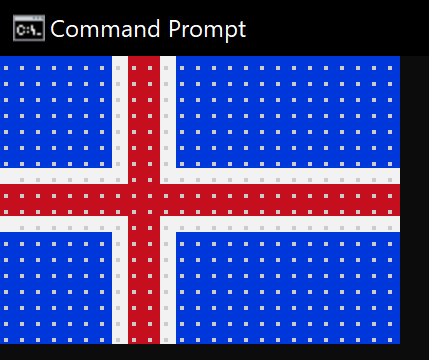
@echo off&set a=.......
set l=␛[107m.%a%␛[41m..␛[107m.%a%%a%
:s
for /l %%i in (1,1,7)do echo ␛[44m%a%␛[107m.␛[41m..␛[107m.␛[44m%a%%a%
if not defined t echo %l%&echo ␛[41m%a%....%a%%a%&echo:%a%....%a%%a%&echo %l%&set t=0&goto:s
␛ is used to represent the nonprintable character.
PostScript, 152 150 149 bytes
Golfed version:
9 9 scale 0 .282 .878 setrgbcolor 0 0 25 18 rectfill 1 setgray[0 7 25 4 7 0 4 18]rectfill .843 .157 dup setrgbcolor[0 8 25 2 8 0 2 18]rectfill showpage
Ungolfed version:
9 9 scale                     % over-all scaling
0 .282 .878 setrgbcolor       % set blue color
0 0 25 18 rectfill            % blue rectangle
1 setgray                     % set white color
[0 7 25 4 7 0 4 18] rectfill  % white cross
.843 .157 dup setrgbcolor     % set red color
[0 8 25 2 8 0 2 18] rectfill  % red cross
showpage
Result:
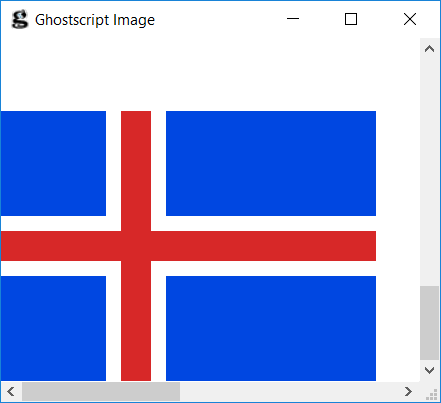
JavaScript + HTML, 159 bytes
c=C.getContext`2d`;r=(o,w,s)=>{c.fillStyle=s;c.fillRect(o,0,w,72);if(o)c.fillRect(0,o,100,w)};r(0,100,'#0048e0');r(28,16,'#fff');r(32,8,'#d72828')<canvas id=C>I noticed that this question mentioned "HTML canvas" in the description mentioned, but there were no answers that used one (yet). As a bonus, you can run this in your browser. Here is a less-golfed version:
// get canvas's 2D drawing context
c=C.getContext`2d`;

// function to draw a rectangle
r=(o,w,s)=> {
    c.fillStyle=s;
    c.fillRect(o,0,w,72);
    if(o)c.fillRect(0,o,100,w)
};

// the blue background
r(0,100,'#0048e0');

// the white stripes
r(28,16,'#fff');

// the red stripes
r(32,8,'#d72828')
PICO-8/Lua, 108 100 92 bytes (non-competing)
rectfill(0,0,24,17,12)
rect(0,7,24,10,7)
rect(7,0,10,17,7)
rect(0,8,24,9,8)
rect(8,0,9,17,8)

Bash + Imagemagick 7, 94 90 86 85 bytes
magick -size 84x56 xc:#0048e0 ${s=-splice 8x8}+28+28 -background \#d72828 $s+32+32 x:

Saved 8 bytes, thanks to @manatwork, and 1 byte, thanks to @GlennRanders-Pehrson
TI-Basic (TI-84 Plus CE), 76 74 bytes
9→Ymax
-9→Ymin
16→Xmax
-9→Xmin
AxesOff
For(A,-9,9,.2
DrawF A/(X2>4 and A2>4),10
DrawF A/not(X2>1 and A2>1),11
End
This was created independently of charredgrass's answer.
-2 bytes from lirtostat
TI-Basic is a tokenized language. Ymax, Ymin, Xmax, Xmin, and AxesOff are two-byte tokens; all other tokens used are one-byte tokens.
Possibly non-competing due to color values (blue 0x0000FF, white 0xFFFFFF, red 0xFF0000).
It takes quite a while to run, but it works.
9→Ymax                           # 5 bytes, adjust window
-9→Ymin                          # 6 bytes
16→Xmax                          # 6 bytes
-9→Xmin                          # 6 bytes
AxesOff                          # 3 bytes, remove axes
For(A,-9,9,.2                    # 11 bytes, for each Y-value, -9 to 9, by 0.2
DrawF A/(X2>4 and A2>4),10       # 20 18 bytes, draw a blue point if Y^2>4 and X^2>4
DrawF A/not(X2>1 and A2>1),11    # 18 bytes, draw a red point if Y^2 or X^2 is less than 1
End                              # 1 byte
Befunge, 126 124 bytes
99>+1-:00p0 >:01-\100g>:::9`\55+`+\8\v
@_^#!:,+55$_^#`*46:+1<|!`\0:\*+`\7\+`<
"[",5g,4g,3g," m",:,,^>$1+2/::39*,
174
404
010
2 bytes golfed thanks to Zacharý
This is a text solution using ANSI escape sequences to set the colours. It outputs 50x18 characters rather than 25x18 (doubling the horizontal resolution), since that more closely matches the required dimensions when the characters aren't square. If you prefer the 25x18 resolution, though, you can simply replace the :, on line 3 with two spaces.
Sample Output

(exact colours may vary depending on the operating system)
OCL, 232 177 bytes
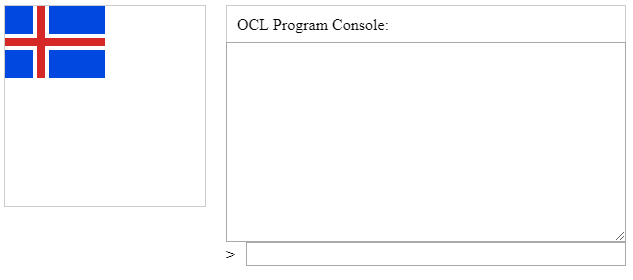
Function a b c d e DrawRectangle b c d e End ShowCanvas SetFillColor 0 72 224 a 0 0 28 28 a 44 0 56 28 a 0 44 28 28 a 44 44 56 28 SetFillColor 215 40 40 a 32 0 8 72 a 0 32 100 8
I made the DrawRectangle function shorter, and removed the canvas resize. Produces this image:
Small Basic, 215 bytes
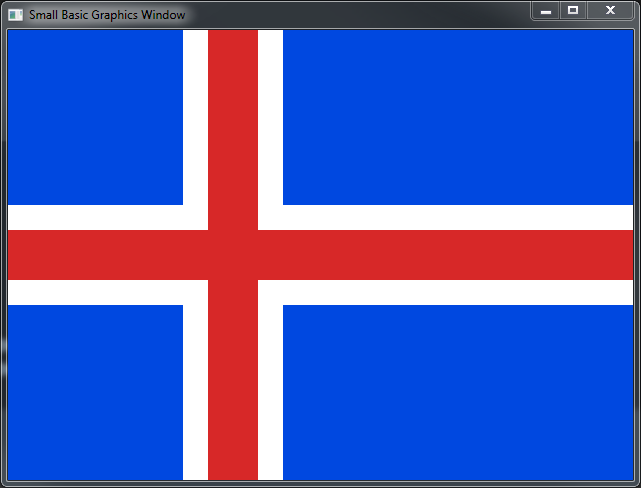
A Script that takes no input and outputs to the GraphicsWindow Object
a=0
b=0
c=25
d=9
x="#0048E0
p()
b=7
d=2
x="White
p()
a=7
b=0
c=4
d=9
p()
a=0
b=8
c=25
d=1
x="#D72828
p()
a=8
b=0
c=2
d=9
p()
Sub p
GraphicsWindow.BrushColor=x
GraphicsWindow.FillRectangle(a*25,b*25,c*25,d*50)
EndSub
Try it at SmallBasic.com! Requires IE/Silverlight
Output
PaperScript, 149 bytes
R=Path.Rectangle
for(y=0;y<88;y+=44)R(0,y,28,28).fillColor=R(44,y,56,28).fillColor="#0048e0"
R(0,32,100,8).fillColor=R(32,0,8,72).fillColor="#d72828"
PaperScript is an extension of JavaScript based on the Paper.js vector graphics library. You can run PaperScript code directly, without having to mess with the HTML and CSS, at sketch.paperjs.org.
The code uses a loop to draw the top two blue rectangles, then the bottom two. It then adds two red rectangles to complete the flag. Try it at Paper.js Sketch!
Ungolfed
for (var y = 0; y < 88; y += 44) {
    new Path.Rectangle({
        point: [0, y],
        size: [28, 28],
        fillColor: "#0048e0"
    });
    new Path.Rectangle({
        point: [44, y],
        size: [56, 28],
        fillColor: "#0048e0"
    });
}
new Path.Rectangle({
   point: [0, 32],
   size: [100, 8],
   fillColor: "#d72828"
});
new Path.Rectangle({
   point: [32, 0],
   size: [8, 72],
   fillColor: "#d72828"
});
Output

Excel VBA, 126 112 111 Bytes
This is an immediates window function that outputs to the Application.ThisWorkbook.Activesheet object
Golfed:
Cells.RowHeight=48:[A1:G7,A12:G18,L1:Y7,L12:Y18].Interior.Color=-2078720:[A9:Y10,I1:J18].Interior.Color=2631895
Ungolfed:
Sub MakeIcelandicFlag()
    Let Cells.RowHeight = 48
    Let Range("A1:G7,A12:G18,L1:Y7,L12:Y18").Interior.Color = -2078720
    Let Range("A9:Y10,I1:J18").Interior.Color = 2631895
End Sub
-14 Bytes by converting Range(/*Address*/) calls to [/*Address*/]calls
-1 Byte for converting Cells.ColumnWidth=2to Cells.RowHeight=48
Output:

Tcl/Tk, 180 162 158
pack [canvas .c -w 100 -he 72 -bg #0048e0]
proc D {L f\ d72828} {.c cr r $L -w 0 -f #$f}
D "28 2 44 74" fff
D "2 28 102 44" fff
D "32 2 40 74"
D "2 32 102 40"
Stupid margin at the end forced me to use 102 instead of 99; I could save two bytes.
C - Win32 GDI 180 bytes
#include <Windows.h>
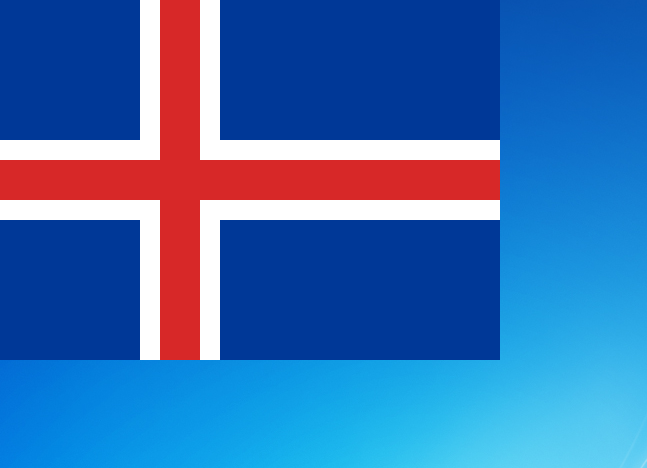
main(i,x,y,h,v){for(i=0;i<180000;i++)h=(x=i%500)/20,v=(y=i/500)/20,SetPixelV(GetDC(0),x,y,h>7&&h<10||v>7&&v<10?2631895:h>6&&h<11||v>6&&v<11?16777215:9910272);}
Very slowly draws the flag onto the desktop:
AHK, 194 Bytes
s=w100 h72 x0 y0 Q0048E0|wp h16 x0 y28 QWhite|w16 h72 x28 y0 QWhite|w100 h8 x0 y32 QD72828|w8 h72 x32 y0 QD72828
s:=StrReplace(s,"Q","Background")
Loop,Parse,s,"|"
GUI,Add,Progress,%A_LoopField%
GUI,Show
Is the initial string for all the parameters that eats up all the bytes.
J, 86 84 83 bytes
   load'viewmat'
   (255,0 72 224,:215,2#40)viewmat _9 _9|.2(b=.[,~[,.~[,[,.])0 b 14 21$1
The approach is the same as @Gábor Fekete's with Python.
Left argument colors for viewmat is an array of RGB values, in our case:
255 255 255
  0  72 224
215  40  40
And the right argument is a matrix of indices of colors.
(_9 _9 |. matrix) instructs to shift matrix 9 items in each dimension.
Scary construction (border ([,~[,.~[,[,.]) matrix) wraps matrix with number border.
And (14 21 $ 1) makes 14×21 matrix of ones.
The output is displayed in separate resizable window, pretty large by default.

Thanks
miles - saved 2 bytes with reordering the colors, used the feature of , that duplicates the numbers (255) for the shape agreement.
Python Turtle, 176 bytes
Another Python Turtle implementation but this time based on stamping instead of drawing:
from turtle import*
shape("square")
c=color
c("navy")
z=shapesize
z(18,25)
s=stamp
s()
c("white")
z(4,25)
s()
bk(70)
seth(90)
s()
c("#d72828")
z(2,18)
s()
home()
z(2,25)
done()
Using stamping, and not making it easily scalable, saves about 60 bytes of code.

The fun part is you can replace the "square" polygon option with the "turtle" polygon option in the shape() call and get an ecogroovy logo:

Python IDLE, 191 172 156 bytes
IDLE is Python's standard IDE. Unless it has a custom theme, STDOUT is blue, STDERR is red, and the background is white. So, the following code:
from sys import*
x=[1]*7;y=[0]*7;z=[0,2,2,0]
f=[x+z+x*2]*4+[y+z+y*2,[2]*25]
for s in f+f[::-1]:[[stderr,stdout][-x].write(' █'[x>0]*2)for x in s];print()
Produces this output:

As printed characters as not square, this is slightly off, but if we take 1 unit to be 2 chars across and 1 char tall, then the proportions are exact.
This could be golfed, by halfing the width dimension, and using an ASCII character for the blocks such as '#', but it doesn't exactly have the same effect.
Explanation
The code itself seems quite sloppy at the moment, and can definitely be golfed, but the basic idea is:
- Construct a matrix where
0represents whitespace,1represents a blue block, and2represents a red block.- The first half is constructed (mainly through list slicing / multiplication), and added to the reverse of itself to generate the full flag.
- Loop through the matrix, printing each value as either whitespace or a block to
STDERR/STDOUTaccordingly. Print a newline after each row.
KV(lang), 730 B :D
Not a competing answer, rather showing a language Kivy uses to make designing its widgets easier. The language requires indentation and newlines, therefore I'm forced to leave it in this shape. Kivy also takes rgb(a) as a color input, so I need to convert it and although there's a built-in, it's surely not suitable for golfing. :D
I'm traveling and with Kivy I'm able to code even on android. + its code is already crossplatform in I think 9/10 cases. ^^
#:import h kivy.utils.rgba
<F>:
    canvas:
        Color:
            rgb: h('#d72828')
        Rectangle:
            size: [100,72]
        Color:
            rgb: h('#ffffff')
        Rectangle:
            pos: [40,0]
            size: [60,32]
        Rectangle:
            pos: [40,40]
            size: [60,32]
        Rectangle:
            pos: [0,40]
            size: [32,32]
        Rectangle:
            size: [32,32]
        Color:
            rgb: h('#0048e0')
        Rectangle:
            pos: [44,0]
            size: [56,28]
        Rectangle:
            pos: [44,44]
            size: [56,28]
        Rectangle:
            pos: [0,44]
            size: [28,28]
        Rectangle:
            size: [28,28]
To run it you need to install Kivy and either save it as a .kv file, or have something like this in Python to parse it as a string:
from kivy.lang import Builder
from kivy.base import runTouchApp
from kivy.uix.boxlayout import BoxLayout
Builder.load_string('''KVstring''')
class F(BoxLayout):pass
runTouchApp(F())
Python 3, 190 172 171 169 167 160 159 147 143 bytes
Using PIL version 1.1.7 which has a deprecated but not removed offset method.
from PIL.ImageDraw import*
i=Image.new('RGB',(25,18),'#d72828')
Draw(i).rectangle((1,1,23,16),'#0048e0',~0)
i.offset(9).resize((100,72)).show()
Creates a 25*18 pixel image filled with red then draws a 23*16 pixel rectangle filled with blue with white outline of one pixel. It then offsets the image by (9,9) which wraps on the edges, resizes it to 100*72 then shows it in a window.
Flag before offsetting:
 (resized to 100*72)
Output:

Animated:

Edit1: Golfed 18 bytes by removing the cropping by initially creating a 25*18 image.
Edit2: Golfed 1 byte by using #fff instead of white.
Edit3: Golfed 2 bytes by aliasing imports.
Edit4: Golfed 2 bytes by removing the second argument of the offset method .
Edit5: Golfed 7 bytes by showing the image instead of saving. (needs imagemagick installed on Unix)
Edit6: Golfed 1 byte by rewriting imports.
Edit7: Golfed 12 bytes by rewriting imports again. (thanks by @Dennis)
Edit8: Added animation.
Edit9: Updated animation as it was missing the last frame.
Edit10: Golfed 4 bytes thanks to Albert Renshaw!
Postscript 148 characters (84 bytes when using binary shortcuts)
First of all, there are two versions: One optimized for characters, and one optimized for binary shortcuts.
Golfed character version:
/s{setrgbcolor}def/R{rectfill}def 0.843 0.157 0.157 s 0 8 25 2 8 0 2 18 R R 0 0.282 0.878 s 0 0 7 7 0 11 7 7 8 copy R R 11 0 translate 2 1 scale R R
Less golfed version (character optimised):
/s {setrgbcolor} def
/R {rectfill} def
0.843 0.157 0.157 s
0 8 25 2
8 0 2 18
R
R
0 0.282 0.878 s
0 0 7 7
0 11 7 7
8 copy
R
R
11 0 translate
2 1 scale
R
R
Less golfed version (binary optimised):
0.843 0.157 0.157 setrgbcolor
0 8 25 2
8 0 2 18
rectfill
rectfill
0 0.282 0.878 setrgbcolor
0 0 7 7
0 11 7 7
8 copy
rectfill
rectfill
11 0 translate
2 1 scale
rectfill
rectfill
Hex of the binary representation version:
30 2E 38 34 33 20 30 2E 31 35 37 20 30 2E 31 35 37 92 9D 30 20 38 88 19 32 88 08 30 20 32 88 12 92 80 92 80 30 20 30 2E 32 38 32 20 30 2E 38 37 38 92 9D 30 88 00 37 88 07 30 88 0B 37 88 07 38 92 19 92 80 92 80 88 0B 30 92 AD 32 20 31 92 8B 92 80 92 80
Python, 119 118 114 112 bytes
Nothing special, straightforward:
b,w,r="\0H\xe0"*28,"\xff"*12,"\xd7(("*8
A,B=28*(b+w+r+w+2*b),4*(8*w+r+15*w)
print"P6 100 72 255 "+A+B+100*r+B+A
Output as binary PPM, usage
python golf_iceland.py > iceland.ppm
- Edit1: shoved a byte between
printand the quotation mark - Edit2: slighty shorter as binary PPM
- Edit3: Figured that
\0can be used instead of\x00
If someone knows how to use the non-printable ASCII-character directly, please let know.

ZX Spectrum Z80 assembly, 49, 47 46, 47 bytes
Program when running uses 47 bytes + 4 for stack usage
stack usage is 2 bytes to store return address and 2 for internal use
It uses no other programs and uses no other external Ram/Rom The output is the modification of the video Ram.
Brief idea of how program draws flag.
The background is coloured blue.
Then if vertically or horizontally in the red area draw red. (offset 9 and 10)
Then if vertically or horizontally in the white area draw white, only if the background is not already coloured in red. (offset 8 and 11)
          org   8000H
red:      equ   16
white:    equ   120
blue:     equ   8
;
start:

          ld    hl,5800h
          ld    c,18
main:
          ld    b,25
loop:
          ld   de,red*256+blue
          ld   (hl),e
          ld   a,c
          call check
          ld   a,l
          and  31
          call check
          inc  hl
          djnz loop
          ld   d,b
          add  hl,de
          dec  hl
          dec  c
          jr   nz,main
          ret

check:
          sub   e
          ret   c
          jr    z,white_line
          sub   3
          jr    z,white_line
          ret   nc
          ld    (hl),d
white_line:
          ld    a,d
          cp    (hl)
          ret   z
          ld    (hl),white
          ret

          end


;         47 bytes
Original code 49 bytes
edit 1 47 bytes changed logic flow
edit 2 46 bytes removed a ret
edit 3 47 bytes. fixed output to exact dimensions
Python Turtle, 233 bytes
from turtle import*
import tkinter as _
_.ROUND=_.BUTT
S=8
c=color
w=width
h=18*S
c("navy")
w(h)
fd(25*S)
c("white")
w(4*S)
home()
pu()
goto(9*S,-9*S)
lt(90)
pd()
fd(h)
c("#d72828")
w(S+S)
bk(h)
pu()
home()
pd()
fd(25*S)
ht()
done()

One feature of this implementation is that I sacrificed 15 bytes to make it scalable so you can set S to anything from 1:

to however large you wish. If you want to run it under Python 2, simply change tkinter to Tkinter.
ZX Spectrum Z80 assembly, 55 Bytes
1st attempt.
     org 8000H

start:

     ld hl,5800h
     ld c,18
main:


     ld de,120*256+8
     ld a,c
     sub e
     jr c, line
     jr z,white_line
     sub 3
     jr c,red_line
     jr nz,line

white_line:

     ld e,d
     jr line

red_line:

     ld de,16*256+16

line:

     ld a,16
     ld b,7

first_bit:

     ld (hl),e
     inc hl
     djnz first_bit
     ld (hl),d
     inc hl
     ld (hl),a
     inc hl
     ld (hl),a
     inc hl
     ld (hl),d
     ld b,15

next_bit:

     inc hl
     ld (hl),e
     djnz next_bit
     ld de,7
     add hl,de
     dec c
     jr nz,main
     ret


     end
Maple 231 bytes
macro(t=thickness,w=white,c=color):
plots:-display(
plot([],background=blue),
plot(9,0..25.2,t=48,c=w),
plot([9,y,y=0..18.2],t=48,c=w),
plot(9,0..25.2,t=24,c=red),
plot([9,y,y=0..18.2],t=24,c=red),
scaling=constrained,view=[0..25,0..18]);
Added newlines for readability. This code uses a couple of aliases for repeated terms.

Another method, which is slightly cleaner and produces a slightly more crisp image but longer (285 without aliases) is:
plots:-display(
plottools:-rectangle([0,8],[25,10],color=red),
plottools:-rectangle([8,0],[10,18],color=red),
plottools:-rectangle([0,7],[25,11],color=white),
plottools:-rectangle([7,0],[11,18],color=white),
plottools:-rectangle([0,0],[25,18],color=blue),
style=polygon,scaling=constrained);
TRS-80 Color Computer BASIC, 133 bytes
This one is a little off on the widths, but some of that is due to characteristics of the semi-graphics mode. In the emulator, the screen is 512x384 even though the actual programming is lower resolution. This color mode only supports 8 colors plus black, and the algorithm is a sort of threshold heat map which is using math to determine the color value to use if it gets within a certain range of the cross axes. The number 3 is blue, 5 is white, and 4 is red. Logical TRUE is -1, and FALSE is 0, so I leveraged that to add two to blue to make white, and subtract one to made red. I could have golfed further and removed some decimals sacrificing accuracy to gain 16 bytes.
1FORY=0TO31:FORX=0TO63:C=3-2*((ABS(21.5-X)<5.5)OR(ABS(15.5-Y)<4.5))+((ABS(21.5-X)<3.5)OR(ABS(15.5-Y)<2.5)):SET(X,Y,C):NEXT:NEXT:GOTO1
 Ungolfed, and more conventional styling:
10 FOR Y=0 TO 31
20 FOR X=0 TO 63
30 C=3-2*((ABS(21.5-X)<5.5) OR (ABS(15.5-Y)<4.5)) + ((ABS(21.5-X)<3.5) OR (ABS(15.5-Y)<2.5))
40 SET(X,Y,C)
50 NEXT X
60 NEXT Y
70 GOTO 10
I used the JS Mocha online interpreter, which made me feel all warm and fuzzy and want to take my CoCos out of the attic.
Technically, I didn't need to have the last GOTO statement (6 bytes), but I left it in to keep the final result from scrolling off the screen a couple of lines as soon as it finished drawing.
Minecraft 1.10.2, 734 characters
It might be 734 characters, but it's the only submission so far made of actual wool!
summon FallingSand ~ ~1 ~ {Block:log,Time:1,Passengers:[{id:FallingSand,Block:redstone_block,Time:1,Passengers:[{id:FallingSand,Block:activator_rail,Time:1,Passengers:[{id:MinecartCommandBlock,Command:"fill 0 ~ 0 100 ~ 72 wool 11"},{id:MinecartCommandBlock,Command:"fill 28 ~ 0 44 ~ 72 wool"},{id:MinecartCommandBlock,Command:"fill 0 ~ 28 100 ~ 44 wool"},{id:MinecartCommandBlock,Command:"fill 32 ~ 0 40 ~ 72 wool 14"},{id:MinecartCommandBlock,Command:"fill 0 ~ 32 100 ~ 40 wool 14"},{id:MinecartCommandBlock,Command:setblock ~ ~ ~1 command_block 0 replace {Command:fill ~ ~-3 ~-1 ~ ~ ~ air}},{id:MinecartCommandBlock,Command:setblock ~ ~-1 ~1 redstone_block},{id:MinecartCommandBlock,Command:kill @e[type=MinecartCommandBlock]}]}]}]}
Go to about -5x -5z, paste into an Impulse command block, set it to "Always Active" and press Done.
Flag spans from 0, 0 to 100, 72; and is 3 blocks above the command block as placed. It casts a fairly large shadow, and monsters spawn under it. Whether this is accurate to the country of Iceland, however, is anyone's guess.
Fair warning - will /kill all MinecartCommandBlocks in the world in the interest of saving four characters. Don't run this in a world you're overly attached to.

Used MrGarretto's command combiner and tweaked the output a little bit (808 -> 734)
Lua + LÖVE, 195 bytes
Very close to the other Lua + LÖVE answer but a bit different and shorter.
l=love
g=l.graphics
c=g.setColor
r=g.rectangle
m=255
e=100
p=72
f='fill'function
l.draw()c(0,p,224,m)r(f,0,0,e,p)c(m,m,m,m)r(f,0,28,e,16)r(f,28,0,16,p)c(215,40,40,m)r(f,0,32,e,8)r(f,32,0,8,p)end
Output:
GLSL + shadertoy, 193 190 187 179 bytes
void mainImage(out vec4 f,vec2 p){vec2 a=abs(p/iResolution.xy*vec2(25,18)-9.);int c=int(min(a.x,min(a.y,2.)));f=vec4(c==0?vec3(215,40,40):c==1?vec3(255):vec3(0,72,224),255)/255.;}
The aspect ratio will be correct as long as the window/screen size is 25:18.
Can be tested at https://www.shadertoy.com/new
I wanted to use an array lookup in the last statement, but it seems I can't really make an array of vectors :/
Additional thanks going to @GáborFekete for tips for further golfing.
Screenshot:

ZX Spectrum BASIC, 210 141 92 bytes
1 LET n=-VAL "8.5": FOR y=n TO -n: FOR x=n TO VAL "16": LET p=VAL "271"(PI-(ABS x<SQR PI OR ABS y>SQR PI)-NOT INT ABS x*INT ABS y): PRINT PAPER p; BRIGHT p>PI;" ";: NEXT x: PRINT : NEXT y

Size determined as the size of the BASIC program on tape via SAVE. A lot of the golfing credit to some members of the ZX Spectrum group on Facebook, in particular @impomatic and Johan Koelman.
Vim, 49 keystrokes
25i<Ctrl+k>:S<Esc>yy17pqal<Ctrl+v>G$khhqr<Space>j@akhr<Ctrl+k>?SGV8kdggP<Ctrl+v>G15ld$p
I'm certain it could be golfed more, but there you have it. I spent some extra keystrokes on the :S (MEDIUM SHADE) and ?S (DARK SHADE) digraphs for a result I'm pretty happy with:

Explanation:
25i<Ctrl+k>:S<Esc>yy17p  " Draw 18 lines of "blue" blocks
qa                       " Start recording macro "a"
  l<Ctrl+v>G$khh           " Visual-block select the inner rectangle
q                        " Stop recording
r<Space>                 " Replace rectangle with spaces
j@akh                    " Select next inner rectangle
r<Ctrl+k>?S              " Replace rectangle with "red" blocks
GV8kdggP                 " Cut the last 9 lines and paste them before the first line
<Ctrl+v>G15ld$p          " Cut the first 16 columns and paste them after the last column
If I have some time later I'll try to record a GIF of it in action.
Javascript console, 242 bytes
c='background:#';r=c+'d72828;';b=c+'0048e0;';w=c+'fff;';console.log(('%c '[E='repeat'](25)+'\n')[E](18),...((t=(v='b'[E](7))+'wrrw'+v+v)[E](7)+(o=(j='w'[E](7))+'wrrw'+j+j)+'r'[E](50)+o+t[E](7)).replace(/(.)/g,a=>eval(a)).slice(0,-1).split`;`)

Excel VBA, 254 228 153 bytes
Couldn't really find a way to set column/row size to pixels(thereby making them square) because of the way Excel handles it so make them nice and square first.
Edit 1: Replaced RGB with returned values for colors, -26 bytes
Edit 2: Tried to add as many suggestions as I could, -75 bytes. I was not able to use &48e0 as a color and I am not sure why. Thanks everyone
Sub e()
c "A1:CV72", rgbBlue
c "AC1:AR72", -1
c "A29:CV44", -1
c "AG1:AN72", 255
c "A33:CV40", 255
End Sub

Sub c(d, f)
Range(d).Interior.Color = f
End Sub
Picture:

Java with ANSI escape codes, 278 bytes
interface R{static void main(String[]a){String x=o(0,0)+"\n",l=o(4,7)+o(7,1)+o(1,2)+o(7,1)+o(4,14)+x,t=l+l+l+l+l+l+l,r=o(1,12)+o(1,13)+x,q=o(7,8)+o(1,2)+o(7,15)+x;System.out.print(t+q+r+r+q+t);}static String o(int c,int l){return"\33[4"+c+"m"+" ".substring(0,l);}}
Common Lisp (Lispworks), 465 bytes
(capi:contain(make-instance'capi:output-pane :display-callback #'(lambda(#4=pane x y #5=width #6=height)(let((a(/ #5# 25))(b(/ #6# 18)))(progn(#1=gp:draw-rectangle #4# x y #5# #6# #2=:filled t #3=:foreground :blue)(#1# #4# x(+ y(* b 7))#5#(+ y(* b 4))#2# t #3# :white)(#1# #4#(+ x(* a 7))y(+ x(* a 4)) #6# #2# t #3# :white)(#1# #4# x(+ y(* b 8))#5#(+ y(* b 2))#2# t #3# :red)(#1# #4#(+ x(* a 8))y(+ x(* a 2))(+ y(* b 18))#2# t #3# :red)))):width 200 :height 144))
ungolfed:
    (defun draw-a-flag (pane x y width height)
      (let ((a (/ width 25)) (b (/ height 18)))
        (progn
          (gp:draw-rectangle pane x y width height :filled t :foreground :blue)
          (gp:draw-rectangle pane x (+ y (* b 7)) width (+ y (* b 4)) :filled t :foreground :white)
          (gp:draw-rectangle pane (+ x (* a 7)) y (+ x (* a 4)) height :filled t :foreground :white)
          (gp:draw-rectangle pane x (+ y (* b 8)) width (+ y (* b 2)) :filled t :foreground :red)
          (gp:draw-rectangle pane (+ x (* a 8)) y (+ x (* a 2)) (+ y (* b 18)) :filled t :foreground :red))))


    (capi:contain
     (make-instance
      'capi:output-pane
      :display-callback 'draw-a-flag)
     :best-width 200
     :best-height 144)
Usage:
Java, 335 bytes
The function is
void w()throws Exception{int w=100,h=72;BufferedImage i=new BufferedImage(w,h,1);Graphics g=i.getGraphics();g.setColor(new Color(18656));g.fillRect(0,0,w,h);g.setColor(WHITE);g.fillRect(0,28,w,16);g.fillRect(28,0,16,h);g.setColor(new Color(14100520));g.fillRect(0,32,w,8);g.fillRect(32,0,8,h);ImageIO.write(i,"png",new File("f.png"));}
And it writes the desired image as f.png, with a size of 100x72
(Note that this is not a direct competitor to the Answer by R. Kap, because it writes a file, and does not display the image on the screen)
Here is the ungolfed version that can be compiled and run:
import static java.awt.Color.WHITE;

import java.awt.Color;
import java.awt.Graphics;
import java.awt.image.BufferedImage;
import java.io.File;

import javax.imageio.ImageIO;

public class Iceland
{
    public static void main(String[] args) throws Exception
    {
        Iceland i = new Iceland();
        i.w();
    }

    void w() throws Exception
    {
        int B=0x0048e0,R=0xd72828,w=100,h=72;
        BufferedImage i=new BufferedImage(w,h,1);
        Graphics g=i.getGraphics();
        g.setColor(new Color(B));
        g.fillRect(0,0,w,h);
        g.setColor(WHITE);
        g.fillRect(0,28,w,16);
        g.fillRect(28,0,16,h);
        g.setColor(new Color(R));
        g.fillRect(0,32,w,8);
        g.fillRect(32,0,8,h);
        ImageIO.write(i,"png",new File("f.png"));
    }
}
A side note, regarding the related questions: Maybe one should create a challenge to paint the flags of
- Indonesia
- Poland
- Finland
- France
- Netherlands
- Thailand
- Norway
at the same time:

KA Processing, 79 bytes
stroke(255);background(0,72,224);fill(215,40,40);rect(0,8,25,2);rect(8,0,2,18);
Try it here!
Lua + LÖVE, 212 characters
f="fill"l=love
g=l.graphics
c=g.setColor
r=g.rectangle
l.window.setMode(100,72)function
l.draw()g.setBackgroundColor(0,72,224)c(-1,-1,-1)r(f,28,0,16,72)r(f,0,28,100,16)c(215,40,40)r(f,32,0,8,72)r(f,0,32,100,8)end
Sample output:

PHP (CLI-Only), 277 chars
<?f();r(7,25);r(1,25);r(1,25);r(7,25);f();function f(){for($c=0;$c<7;$c++){r(4);b(7);b(1);b(1);b(7);r(4,14);echo"\n";}}function r($c,$w=7){for($i=0;$i<$w;$i++)if($c==7&&$w==25)if($i==8||$i==9)b(1);else b($c);else b($c);if($w==25)echo"\n";}function b($c){echo"\033[01;3{$c}m█";}
I'm using console colors and these blocky things to make it look like this:
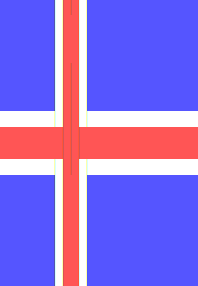
It looks odd because the height is like 2.5x the width.
C#, 356 272 bytes
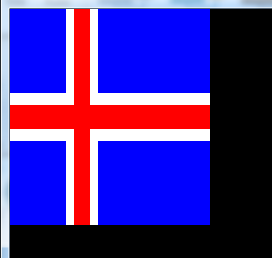
Golfed
()=>{Action f=Console.WriteLine;Action<int,int>o=(c,l)=>{Console.BackgroundColor=(ConsoleColor)c+8;Console.Write(new char[l]);};for(int d=1,i=0;i>-1;i+=d){if(i<7){o(1,7);o(7,1);o(4,2);o(7,1);o(1,14);}if(i==7){o(7,8);o(4,2);o(7,15);}if(i>7){o(4,25);f();o(4,25);d=-1;}f();}}
Ungolfed
() =>
{
    Action f = Console.WriteLine;
    Action<int, int> o = (c, l) =>
    {
        Console.BackgroundColor = (ConsoleColor)c + 8;
        Console.Write(new char[l]);
    };
    for (int d = 1, i = 0; i > -1; i += d)
    {
        if (i < 7)
        {
            o(1, 7);
            o(7, 1);
            o(4, 2);
            o(7, 1);
            o(1, 14);
        }
        if (i == 7)
        {
            o(7, 8);
            o(4, 2);
            o(7, 15);
        }
        if (i > 7)
        {
            o(4, 25);
            f();
            o(4, 25);
            d = -1;
        }
        f();
    }
}
By the rules anonymous delegates are allowed as long as the answer includes an example of how to run it...
using System;
class P
{
    static void Main()
    {
        new Action(
/*replace this with delegate*/
        )();
    }
}
PowerShell v2+, 379 340 289 286 bytes
nal n New-Object
Add-Type -A *.Dr*g,S*ms
$x='$g.FillRectangle((n Drawing.SolidBrush '
($f=n Windows.Forms.Form).Add_paint({$g=$args[1].Graphics;"$x'#0048e0'),0,0,100,72);$x white),28,0,16,72);$x white),0,28,100,16);$x'#d72828'),32,0,8,72);$x'#d72828'),0,32,100,8)"|iex})
$f.ShowDialog()
Linebreaks and semicolons count the same, so linebreaks left in for clarity. ;-)
So, drawing in PowerShell is not its strong suit -- it needs to use lengthy .NET assembly imports and GDI+ function calls.
Saved 39 bytes saved thanks to TessellatingHeckler's answer, and another 51 bytes thanks to Joey's impressive golfing commentary. Thanks to them both!
We start with creating a New-Alias n and assign it New-Object. We can thus reference just n instead of New-Object elsewhere in the program. Next is the import calls, with wildcards -- we're importing System.Drawing and System.Windows.Forms. We then create a variable $x that we use for several repeated calls in the future, so we're not needing to type it out every time.
The next line is the meat-and-potatoes of the program. We start with setting $f as a new Windows.Forms.Form and immediately call the Add_paint() routine on it.
Inside the paint routine, the first line is to create our graphics component, $g, that we'll use as our canvas. The next line is actually a constructed string that we pass to iex (similar to eval) so that we can leverage the $x variable from above. We're simply drawing the blue background, then two white rectangles, followed by two red rectangles. We adjust the values appropriately each time and pipe it to the Invoke-Expression.
The final line simply shows the dialog form as we've drawn it above.

Note that since we're creating a form object, and PowerShell is all about the pipeline, closing the pop-up form will pass along a System.Enum.DialogResult object of Cancel, since that's technically what the user did. Since we're not capturing or otherwise doing anything with that result, the word Cancel will be displayed to STDOUT when the program concludes, as it was left on the pipeline. That can be suppressed by adding >$a to the end of the last line, if so required, so the output redirects into a throwaway variable.
ZX Spectrum Z80 Assembly, 51 bytes
https://github.com/ralphbecket/Z80/blob/master/IcelandFlag/IcelandFlag.asm
                zeusemulate "48K", "ULA+"
ZeusEmulate_PC  equ Main
ZeusEmulate_SP  equ $FF40

                org $8000

MinWhite        equ 7
MinRed          equ MinWhite + 1
TopRed          equ MinRed + 2
TopWhite        equ TopRed + 1
Height          equ TopWhite + MinWhite - 2
Width           equ TopWhite + 2 * MinWhite - 1

White           equ %01111000
Red             equ %01010000
Blue            equ %01001000

Main            ld hl, $5800 + ((Height - 1) * 32) + (Width - 1)
                ld c, Height

YLoop           ld b, Width

XLoop           ld (hl), Red
                ld de, MinRed * $100 + TopRed
                call Test
                jr c, Next

                ld (hl), White
                ld de, MinWhite * $100 + TopWhite
                call Test
                jr c, Next

                ld (hl), Blue

Next            dec hl
                djnz XLoop
                ld de, -(32 - Width)
                add hl, de
                dec c
                jr nz, YLoop
                ret

Test            equ *
TestX           ld a, b
                cp d
                jr c, TestY
                cp e
                ret c
TestY           ld a, c
                cp d
                ccf
                ret nc
                cp e
                ret

SVG pattern, 250
<svg><pattern id="a"width=9 height=9 patternUnits="userSpaceOnUse"patternTransform="translate(55,55),scale(10)"><path d="M0,0H7V7H0" fill="#0048e0"/><path d="M8,0V9M9,8H0"stroke="#d72828"fill="none"/></pattern><path d="M0,0H125V90H0" fill="url(#a)"/>
A square blue path, a red stroke (of default stroke-width) and all that scaled and offset into another path. Needs to be placed into HTML to work.
R/ggplot2, 273 bytes 270 bytes
Since we have a couple base R answers we obviously need a ggplot answer. One of the few areas where base might be better ;)
library(ggplot2);ggplot(data.frame(a=c(0,7,0,8,0),b=c(25,11,25,10,25),c=c(0,0,7,0,8),d=c(18,18,11,18,10),e=paste(c(1,2,2,3,3))),aes(xmin=a,xmax=b,ymin=c,ymax=d,fill=e))+geom_rect()+scale_fill_manual(values=c('#0048e0','white','#d72828'),g=F)+theme_void();ggsave('o.png')
Output

Ungolfed
library(ggplot2)

ggplot(
  data.frame(xmin = c(0,  7,  0,  8,  0),
             xmax = c(25, 11, 25, 10, 25),
             ymin = c(0,  0,  7,  0,  8),
             ymax = c(18, 18, 11, 18, 10),
             fill = paste(c(1, 2, 2, 3, 3)))
) +
aes(xmin = xmin, xmax = xmax, ymin = ymin, ymax = ymax, fill = fill)+
geom_rect() +
scale_fill_manual(values = c('#0048e0', 'white', '#d72828'), g = FALSE) +
theme_void()

ggsave('o.png')
Edit: Thanks to plannapus for suggesting a way to shorten the fill specification.
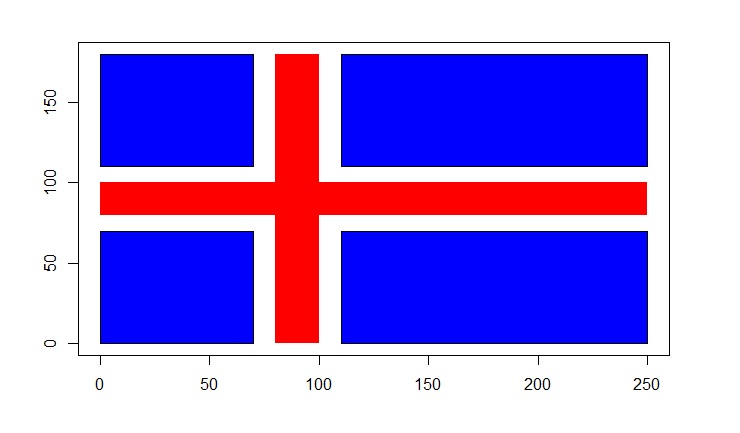
R, 258 bytes
plot(c(0,250),c(0,180),type="n",ann=F)
rect(0,110,70,180,col="blue")
rect(0,0,70,70,col="blue")
rect(110,0,250,70,col="blue")
rect(110,110,250,180,col="blue")
rect(0,80,250,100,col="red",border="transparent")
rect(80,0,100,180,col="red",border="transparent")
HTML+CSS, single element, 321
<p style="width:100;height:72;background:linear-gradient(0deg,transparent 44.4%,#D72828 44.5%,#D72828 55.6%,transparent 55.7%),linear-gradient(90deg,transparent 28%,#fff 28.1%,#fff 32%,#D72828 32.1%,#D72828 40%,#fff 40.1%,#fff 44%,transparent 44.1%),linear-gradient(0deg,#0047E0 38.9%,#fff 39%,#fff 61.1%,#0047E0 61.2%)">
Needs quirks mode to run, so the snippet below has the errors fixed:
<p style="width:100px;height:72px;background:linear-gradient(0deg,transparent 44.4%,#D72828 44.5%,#D72828 55.6%,transparent 55.7%),linear-gradient(90deg,transparent 28%,#fff 28.1%,#fff 32%,#D72828 32.1%,#D72828 40%,#fff 40.1%,#fff 44%,transparent 44.1%),linear-gradient(0deg,#0047E0 38.9%,#fff 39%,#fff 61.1%,#0047E0 61.2%)">HTML+CSS, 225 bytes
I liked Nicael's answer, but I found a way to draw the bars in less bytes.
*{position:fixed;width:100px;margin:0}a{background:#0048E0;height:72px}b,c{box-shadow:0 0 0 4px #FFF;}b,c,d{background:#D72828}b,d{width:8px;left:32px}b{height:72px}c{height:8px;top:32px}d{height:16px;top:28px<a><b></b><c><d>SVG+HTML, 134
<svg><path d="m0,2h100v72H0"fill="#0048e0"/><path d="M0 32H30V0h12V32h60v12H42V76H30V44H0"fill='#d72828'stroke="#fff"stroke-width='4'>Cheated a bit in that the rectangle is slightly offset so that I can use a second path with a red fill and white outline to draw the cross. This emerged as an idea while making suggestions to golf nicael's SVG+JS answer further and ended up as a complete rewrite of the SVG in question. In fact, this is pure SVG anyway, it just needs the HTML parser, so has to be put into an HTML file.
FLIF, 48 bytes
I'm surprised that no (bitmap) image formats have been used as answers here. A well compressed PNG comes in at a respectable 132 bytes (thanks to tools like pngout, pngcrush and optipng). However, I encountered another intriguing format that does even better! Using FLIF (Free Lossless Image Format) and some manual trimming I got down to 48 bytes:
4c46 4649 3133 6400 4800 4023 eb51 1272
9034 113b 7727 a2b6 fdac dc4e c1ae 6cf8
4a00 fc03 2064 7772 dc38 97a7 63f2 0a03
Viewing the image with viewflif gives the expected output:


EDIT: Added link to FLIF web site.
Logo, 216 188 bytes
Using Calormen.com's implementation. For you purists, the implementation uses some antialiasing which feathers the edges a little. I did waste 3 bytes hiding the turtle, though, so that should make up for it.
This could be reduced greatly if your Logo implementation lets you set the size of the window. Then you could wrap and make the turtle plow on through to make the cross in four strokes, and skip having to trim it up with a border.

TO X :C :S
setpc :C
setpensize :S
home
pd
setx 100
setx 36
bk 36
fd 72
pu
END
setpc "#48e0
fill
X 7 16
X "#d72828 8
fd 4
pe
pd
setx -4
bk 80
setx 104
fd 80
setx 0
ht
CSS, 285 284 264 bytes
*,:before,:after{background:#fff;width:100;height:72}body{background:#0048e0;margin:0}:before,:after{content:"";position:fixed}:after{background:#d72828}html:before{top:28;height:16}body:before{left:28;width:16}html:after{top:32;height:8}body:after{left:32;width:8
Saved 1 byte thanks to @insertusernamehere.
Saved 20 bytes thanks to @user2428118, by removing all the pxs. Note that this requires the page to be rendered in quirks mode, so it doesn't work in Stack Snippets.
I could copy the Python approach of wrapping an image around at an offset, but it wouldn't be interesting to.
Ungolfed:
*, *::before, *::after {
  background: #fff;
  width: 100px;
  height: 72px;
}

body {
  background: #0048e0;
  margin: 0;
}

*::before, *::after {
  content: "";
  position: fixed;
}

*::after { background: #d72828 }

html::before { top: 28px; height: 16px }
body::before { left: 28px; width: 16px }
html::after { top: 32px; height: 8px }
body::after { left: 32px; width: 8px }
This uses the pseudo-elements (elements that aren't written in HTML) ::before and ::after to create the lines on the flag. The reason it works with no HTML is that in HTML5 the <html> and <body> elements are optional, so browsers automatically create them if they're not present.
More fun:
*, *::before, *::after {
  background: white;
  width: 100px;
  height: 72px;
}

body {
  background: #0048e0;
  margin: 0;
}

*::before, *::after {
  content: "";
  position: fixed;
}

*::after { background: #d72828 }

html::before { top: 28px; height: 16px }
body::before { left: 28px; width: 16px }
html::after { top: 32px; height: 8px }
body::after { left: 32px; width: 8px }

@keyframes change-color {
  from { filter: none }
  50% { filter: hue-rotate(360deg) }
  to { filter: none }
}

@keyframes transformations {
  from { transform: translate(150%, 100%) rotateZ(0deg) scale(0.7) }
  15% { transform: translate(150%, 100%) rotateZ(54deg) scale(1.8) }
  to { transform: translate(150%, 100%) rotateZ(360deg) scale(0.7) }
}

html {
  animation:
    0.7s linear infinite change-color,
    1s linear infinite transformations;
}
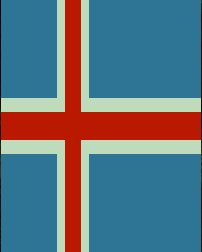
Scala, 219 bytes
Inspired by Titus' bash solution, not very Scala-like. Also, the colors are off and the "pixels" are not square.
object O{def main(a:Array[String])={val e="\u001B[";val(b,r,w,n,s)=(e+"44m",e+"41m",e+"47m",e+"0m\n"," "*7);val(x,y,z)=(s"$b$s$w $r $w $b$s$s$n",s"$w$s $r $w $s$s$n",s"$r${s*3} $n");print(s"${x*7}$y$z$z$y${x*7}")}}`
ungolfed:
object O{
  def main(a:Array[String])={
    val e="\u001B["; // escape sequence for color codes
    val(b,r,w,n,s)=(
      e+"44m", // blue background
      e+"41m", // red background
      e+"47m", // white background
      e+"0m\n",// color off + newline
      " "*7);  // seven spaces
    val(x,y,z)=(
      s"$b$s$w $r  $w $b$s$s$n", // 7*blue,white,red,red,white,14*blue
      s"$w$s $r  $w $s$s$n",     // 8*white,2*red,15*white
      s"$r${s*3}    $n");        // 3*7+4=25*red
    print(s"${x*7}$y$z$z$y${x*7}") // print the individual lines
  }
}
Idea: The program uses (bash) color escape sequences to set the background color on the console. It then draws a number of space characters in the respective background color. The image consists of 18 lines of 25 spaces; the first seven and the last seven lines represented by variable x, the two (completely red) middle lines by z, and y represents the two white-and-red lines above/below.
To save bytes, variable s represents seven consecutive spaces; for smaller cases, the spaces are used literally (i.e. the four consecutive spaces in variable z are necessary).
C#, 384 346 317 292 291 289 Bytes
Simple solution with Windows Forms and GDI
Func<int,int,Point>p=(x,y)=>new Point(x*10,y*10);var b=new Bitmap(250,180);var g=Graphics.FromImage(b);g.Clear(Color.Blue);g.DrawLines(new Pen(Color.White,40),new[]{p(0,9),p(50,9),p(9,-20),p(9,18)});g.DrawLines(new Pen(Color.Red,20),new[]{p(0,9),p(50,9),p(9,-20),p(9,18)});b.Save("b.png");
Usage
Start a new console-project and put the code above in the main-method, add System.Drawing-Namespace.
How it works
The code creates a new image and draws some lines on it. It saves the image to disk. Some of the ending points of the lines are outside the visible area.

Javascript ES6, 200 bytes
Yes, it is huge. I decided to do text outputting instead of table fiddling and stuff.
N='<br>',B=(_,t=1)=>`<font color=#${['fff','0048e0','d72828'][_|0]}>@`.repeat(t);C=B(1,7)+B()+B(2,2)+B()+B(1,14)+N;document.body.innerHTML=C+C+C+(L=B(0,8)+B(2,2)+B(0,15)+N)+B(2,25)+N+B(2,25)+N+L+C+C+CThis does not work well on Firefox, but works fully on Google Chrome.
Ruby with Shoes, 150 149 characters
Shoes.app(width:100,height:72){background'0048e0'
stroke fill'fff'
rect 28,0,15,72
rect 0,28,99,15
stroke fill'd72828'
rect 32,0,7,72
rect 0,32,99,7}
Thanks to:
- Eʀɪᴋ ᴛʜᴇ Gᴏʟғᴇʀ for suggesting to use hex code for white (-1 character)
Sample output:

x86 real-mode machine code for DOS COM, 69 65 63 62 bytes

The code is meant to be executed as a DOS COM executable.
Special thanks
Machine code (in hex bytes)
68 00 A0 07 B8 13 00 CD      10 BE 23 01 AD 91 AD 91
AC E3 FE 60 30 ED F3 AA      61 81 C7 40 01 FE CD 75
F2 EB E9 FA B4 00 00 09      28 B4 46 00 0F FA 28 80
57 0F 14 B4 0C 50 00 FA      14 0C 00 64 00 00
Assembly source
Source is for NASM.
ORG 100h

push 0a000h
pop es

mov ax, 13h
int 10h

mov si, data


_draw:
 lodsw
 xchg ax, cx

 lodsw
 xchg ax, di

 lodsb

_cycle:
 jcxz _cycle

 ;al = color
 ;cl = col
 ;ch = row

rect:
 pusha
 xor ch, ch
 rep stosb
 popa
 add di, 320
 dec ch
 jnz SHORT rect

jmp SHORT _draw


data:

        db 250d
        db 180d
        dw 0000h
        db 09h


        db 40d
        db 180d
        dw 0070d
        db 0fh


        db 250d
        db 40d
        dw 22400d
        db 0fh

        db 20d
        db 180d
        dw 80d
        db 0ch


        db 250
        db 20
        dw 25600d
        db 0ch


        dw 0000h
PHP with GD, 256 253 244 238 bytes
saved 9 bytes thanks to insertusernamehere, manatwork reminded me of another 6.
<?$a=imageColorAllocate;$f=imageFilledRectangle;$a($g=imagecreate(100,72),0,72,224);$f($g,28,0,43,71,$w=$a($g,-1,-1,-1));$f($g,0,28,99,43,$w);$f($g,32,0,39,71,$r=$a($g,215,40,40));$f($g,0,32,99,39,$r);header('Content-Type:');imagegif($g);
- call in web browser
- for Android: insert
image/gifbehindContent-Type:(+9)

GLSL, 266 265 bytes (non-competing)
Just for fun!
Only input it takes is the uniform which is the resolution of the texture it draws to. Needs an existing OpenGL context. The function r masks a rectangular area. The colors and the proportions are a bit off but looks believable.
#define r(p,w,h)step(abs(p.x),w)*step(abs(p.y),h)
uniform vec2 R;void main(){vec2 p=-1.+2.*gl_FragCoord.xy/R;p.y*=R.y/R.x*1.39;vec2 q=p;p.x+=.3;p=mod(p,2.)-1.;gl_FragColor.rgb=mix(mix(vec3(.83,.15,.15),vec3(1.),r(p,.9,.85)),vec3(0.,.28,.95),r(p,.8,.7))*r(q,1.,1.);}
FFmpeg, 339 184 bytes
ffplay -f lavfi color=d72828:100x36[r];color=white:64x32[w];color=0048e0:56x28[b];[w][b]overlay=4,split[x][y];[r][x]overlay=-32[d];[d][y]overlay=40,split[t][m];[m]vflip[n];[t][n]vstack
Will try to golf this down ..further.

bash, 239 161 bytes
took the closest colors I could find in ANSI
golfed by a third (an amazing 78 bytes) with manatwork´s tips
a="${u=${e=\e[48;5};20m}${s=       }${w=$e;231m} ${r=$e;124m}  $w $u$s$s${n=\e[0m
}"
printf "${t=$a$a$a$a$a$a$a}${b=$w$s $r  $w $s$s$n}${c=$r$s    $s$s$n}$c$b$t"
ungolfed (184 bytes + comments)
u='\e[48;5;20m'             # color blUe
r='\e[48;5;124m'            # color Red
w='\e[48;5;231m'            # color White
#presets:
n="\e[0m\n"                 # No color + New line
s='       '                 # 7*chr(32)

# lines:
a="$u$s$w $r  $w $u$s$s$n"  # blue-white-red-white-blue
b="$w$s $r  $w $s$s$n"      # white-red-white
c="$r$s    $s$s$n"          # all red

# output:
t="$a$a$a$a$a$a$a"          # 7* line $a
printf "$t$b$c$c$b$t"
output pretty distorted due to character aspect ratio:

C, 194 191 183 Bytes
#define C "\x1b["
#define A "@@@@@@"
y;f(){for(;y++<14;)printf(y>5&&y<10?y>6&&y<9?C"31m"A A A A"@\n":C"0m"A"@@"C"31m@@"C"0m"A A"@@@\n":C"34m"A"@"C"0m@"C"31m@@"C"0m@"C"34m"A A"@@\n");}
-3 adding one @ on the #define A
-8 adding [ on #define C
Usage
main(){f();}
Output

valid basing on this comment from the OP
Double Size Output, 204 Bytes
#define C "\x1b["
#define B "████"
#define A B B B
y;f(){for(;y++<28;)printf(y>10&&y<19?y>12&&y<17?C"31m"A A A A"██\n":C"0m"A B C"31m"B C"0m"A A B"██\n":C"34m"A"██"C"0m██"C"31m"B C"0m██"C"34m"A A B"\n");}
R, 197 195 187 bytes
w="white";r="#d72828";png(w=100,h=72);par(mar=rep(0,4),bg="#0048e0",xaxs="i",yaxs="i");frame();rect(c(0,7,0,8)/25,c(7,0,8,0)/18,c(1,.44,1,.4),c(11/18,1,5/9,1),c=c(w,w,r,r),b=NA);dev.off()
Indented, with new lines and explanations:
w="white"
r="#d72828"
png(w=100,h=72) #Creates in working directory a png called Rplot001.png
                #with a width and a height of 120 and 72 pixels respectively.
par(mar=rep(0,4), #No margin around the plot
    bg="#0048e0", #Blue background
    xaxs="i",yaxs="i") #Axes fits range exactly
frame() #Creates an empty plot which range is xlim=c(0,1) & ylim=c(0,1)
rect(c(0,7,0,8)/25, #Because rect is vectorized
     c(7,0,8,0)/18,
     c(1,.44,1,.4), #i. e. c(25,11,25,10)/25
     c(11/18,1,5/9,1), #i. e. c(11,18,10,18)/18
     c=c(w,w,r,r), # c= is the same as col=, thanks to argument name completion
     b=NA)#No borders
dev.off()

Edit: turns out frame(), contrary to plot() or plot.new() doesn't by default add a border to the plot, meaning bty="n" was unnecessary here.
Python 3.5 + Tkinter, 235 bytes:
from tkinter import*;C=Canvas(Tk(),height=126,width=175,bg='#d72828');C.pack();X=lambda*a:C.create_rectangle(a,fill='#0048E0',outline='#fff',width=7);X(0,0,8,8);X(0,11,8,19);X(11,0,26,8);X(11,11,26,19);C.scale('all',0,0,7,7);mainloop()
Really long, but happy with it regardless. Basically creates a canvas with a red background and then draws 4 blue rectangles with white borders over the background in the 4 corners. After the drawing is all done, the canvas is enlarged by a scale factor of 7. Displays the completed flag in a new window on a canvas with the dimensions 175 x 126.
Image of Output:

JavaFX, 527 bytes
import javafx.scene.*;import javafx.scene.paint.*;import javafx.scene.shape.Rectangle;public class I extends javafx.application.Application{public void start(javafx.stage.Stage s){Color w=Color.WHITE;Paint z=Paint.valueOf("#d72828");Group g=new Group();Scene n=new Scene(g,250,180,Color.valueOf("#0048e0"));g.getChildren().addAll(r(70,0,40,180,w),r(0,70,250,40,w),r(0,80,250,20,z),r(80,0,20,180,z));s.setScene(n);s.show();}Rectangle r(int x,int y,int w,int h,Paint p){Rectangle r=new Rectangle(x,y,w,h);r.setFill(p);return r;}}
Two red rectangles on two white rectangles on a blue background.
Ungolfed:
import javafx.scene.*;
import javafx.scene.paint.*;
import javafx.scene.shape.Rectangle;

public class I extends javafx.application.Application {
    public void start(javafx.stage.Stage s) {
        Color w = Color.WHITE;
        Paint z = Paint.valueOf("#d72828");
        Group g = new Group();
        Scene n = new Scene(g, 250, 180, Color.valueOf("#0048e0"));
        g.getChildren().addAll(
            r(70, 0, 40, 180, w),
            r(0, 70, 250, 40, w),
            r(0, 80, 250, 20, z),
            r(80, 0, 20, 180, z));
        s.setScene(n);
        s.show();
    }

    Rectangle r(int x, int y, int w, int h, Paint p) {
        Rectangle r = new Rectangle(x, y, w, h);
        r.setFill(p);
        return r;
    }
}
(Weirdly, if I change it to import javafx.scene.shape.*; it won't compile with Java 1.8.0_92. I'm not sure if that's a bug.)
ImageScript, 145 bytes
hex("0048e0");rect(0,0,156,156);rect(0,244,156,156);rect(244,0,366,156);rect(244,244,366,156);hex("d72828");rect(0,178,600,44);rect(178,0,44,400)
Fairly straightforward. Just changes colors and draws rectangles
NOTE: When this is loaded into the website, the website automatically adds new lines after semicolons. The program still works fine without them
(By default, image size is 600x400)
Try it online!
Java 8, 449 447 bytes:
import java.awt.*;import javax.swing.*;class A extends JPanel{public void paintComponent(Graphics G){super.paintComponent(G);G.setColor(new Color(0,72,224));G.fillRect(0,0,175,126);G.setColor(Color.WHITE);G.fillRect(49,0,28,126);G.fillRect(0,49,175,28);G.setColor(new Color(215,40,40));G.fillRect(56,0,14,126);G.fillRect(0,56,175,14);}public static void main(String[]a){JFrame J=new JFrame();J.add(new A());J.setSize(175,147);J.setVisible(true);}}
A very late answer, and also the longest one here, apparently. Uses the java.awt.Graphics class to create and open a window with the flag in it, which is created by 5 total rectangles consisting of 1 for the blue blocks, 2 for the white stripes, and 2 for the red stripes. Uses 7 pixels:1 unit ratio. In other words, for each unit, 7 pixels are used. Here is an image of the output on a Macintosh with OS X 10.11:

Now to find a way to golf this down a bit more...
Perl, 128 bytes
$b=" 0 9 27"x28;$w=" 31"x12;$r=" 26 5 5"x8;
$t="$b$w$r$w$b$b"x28;
$m=($w x8 .$r.$w x15)x4;
print"P3 100 72 31",$t,$m,$r x100,$m,$t;
(newlines added for readability, and not counted)
This is a straightforward compression of a PPM image. A PPM is supposed to have a line length of 70 or less, but in practice all readers will accept this image that's all on a single line. If you want to be properly portable, replace the first space in each of $b, $w and $r with a newline.
I've assumed that the RGB values supplied are in sRGB coordinates, so no need to apply any gamma correction for PPM.
TI-BASIC (non-competing), 323 bytes
Code is written for the TI-84, 83, and variants. I sure hope it isn't an issue that dimensions vary by device, and that the code isn't colored.
Setup:
:18→Xmax:¯18→Xmin
:10→Ymin:¯10→Ymin
:AxesOff
Drawing:
:Line(¯15,9,¯8,9)
:Line(¯8,9,¯8,2)
:Line(¯8,2,¯15,2)
:Line(¯15,2,¯15,9)

:Line(¯15,¯9,¯8,¯9)
:Line(¯8,¯9,¯8,¯2)
:Line(¯8,¯2,¯15,¯2)
:Line(¯15,¯2,¯15,¯9)

:Line(¯4,9,10,9)
:Line(¯4,2,10,2)
:Line(¯4,9,¯4,2)
:Line(10,9,19,2)

:Line(¯4,¯9,10,¯9)
:Line(¯4,¯2,10,¯2)
:Line(¯4,¯9,¯4,¯2)
:Line(10,¯9,19,¯2)

:Line(¯15,1,¯7,1)
:Line(¯15,¯1,¯7,¯1)
:Line(¯5,1,20,1)
:Line(¯5,¯1,¯20,¯1)
:Line(¯7,¯1,¯7,¯9)
:Line(¯5,¯1,¯5,¯9)
:Line(¯7,1,¯7,9)
:Line(¯5,1,¯5,9)
Golfed:
:18→Xmax:¯18→Xmin:10→Ymin:¯10→Ymin:AxesOff:Line(¯15,9,¯8,9:Line(¯8,9,¯8,2:Line(¯8,2,¯15,2:Line(¯15,2,¯15,9:Line(¯15,¯9,¯8,¯9:Line(¯8,¯9,¯8,¯2:Line(¯8,¯2,¯15,¯2:Line(¯15,¯2,¯15,¯9:Line(¯4,9,10,9:Line(¯4,2,10,2:Line(¯4,9,¯4,2:Line(10,9,19,2:Line(¯4,¯9,10,¯9:Line(¯4,¯2,10,¯2:Line(¯4,¯9,¯4,¯2:Line(10,¯9,19,¯2:Line(¯15,1,¯7,1:Line(¯15,¯1,¯7,¯1:Line(¯5,1,20,1:Line(¯5,¯1,¯20,¯1:Line(¯7,¯1,¯7,¯9:Line(¯5,¯1,¯5,¯9:Line(¯7,1,¯7,9:Line(¯5,1,¯5,9
Yes, the lack of ) is intentional.
Size:
Line( and all commands like that take up 1 byte, each number takes a byte. That's 323 bytes.
That was absolutely tedious. I'll get this on an emulator hopefully (I have to manually enter everything) but it's literally just lines in the shape of the flag.
SpecaBAS - 150 bytes
1 a=15,b=250,c=180: FOR i=1 TO 5: READ k,x,y,w,h: RECTANGLE INK k;x,y,w,h FILL: NEXT i
2 DATA 1,0,0,b,c,a,71,0,40,c,a,0,71,b,40,2,81,0,20,c,2,0,81,b,20
Reads the ink colour, x,y, width and height and draws a rectangle with those coordinates/dimensions.

ZX Spectrum Z80 Assembly, 65 bytes
    ld hl,22528
    ld b,7
    ld de,120*256+8 ; white, blue
    ld a,16         ; red

; create the first row

blueleft:
    ld (hl),e
    inc hl
    djnz blueleft

    ld (hl),d
    inc hl
    ld (hl),a
    inc hl
    ld (hl),a
    inc hl
    ld (hl),d
    inc hl

    ld b,14
blueright:
    ld (hl),e
    inc hl
    djnz blueright

; copy the first row to the next 17 rows

    ld l,b
    ld de,22528+32
    ld bc,17*32
    ldir

; add the horizontal stripe

    ld hl,22528+7*32
    dec d
    ld e,b
    ld c,2
midrep:
    ld b,25
midstripe:
    cp (hl)
    jr z,red
    ld (hl),120
red:
    ld (de),a
    inc hl
    inc de
    djnz midstripe

    ld hl,22528+10*32
    ld e,9*32
    dec c
    jr nz,midrep
    ret

JavaScript (ES6), 231 240
Code inside the snippet below. Run it to test.
d=(w,h,c)=>`<div style=float:left;width:${w}em;height:${h}em;background:#${['0048e0','fff','d72828'][~~c]}>`;document.write(d(25)+(a=[252,61,94,61,476]).concat(b=[261,70,485],810,b,a).map(v=>d(v>>5,v/4&7,v&3)).join(e='</div>')+e+e)Mathematica 174 157 bytes
Without builtins:
157 bytes
r=Rectangle;c=RGBColor;Graphics@{c[{0,72,224}/255],r[{0,0},{25,18}],White,r[{7,0},{11,18}],r[{0,7},{25,11}],c[{43,8,8}/51],r[{8,0},{10,18}],r[{0,8},{25,10}]}

or alternatively
232 bytes
x=Join[Unitize/@Range@7,{0},{2,2},{0},Unitize/@Range@14]&/@Range@7;y=Join[ConstantArray[0,8],{2,2},ConstantArray[0,15]];z=ConstantArray[2,25];ArrayPlot[Join[x,{y},{z,z},{y},x]/.{2->RGBColor[{43,8,8}/51],1->RGBColor[{0,72,224}/255]}]

Atari 8-bit executable, 123 bytes
Another "just for fun" entry, this program is meant to be run on an Atari 8-bit computer or emulator. For example, to load the program on Atari800, just run:
atari800 iceland.xex
Machine code (in hex bytes)
ff ff 00 06 74 06 a9 1b 8d 30 02 a9 06 8d 31 02
a9 44 8d c4 02 a9 0f 8d c5 02 a9 84 8d c6 02 d0
fe 70 70 70 48 57 06 48 57 06 48 57 06 48 57 06
48 57 06 48 57 06 48 57 06 48 61 06 48 6b 06 48
6b 06 48 61 06 48 57 06 48 57 06 48 57 06 48 57
06 48 57 06 48 57 06 48 57 06 41 1b 06 ff fe 5b
ff ff ff c0 00 00 00 aa aa 5a aa aa aa 80 00 00
00 55 55 55 55 55 55 40 00 00 00
Assembler source code (can be compiled with MADS):
        org $0600
        lda <dlist
        sta $0230
        lda >dlist
        sta $0231
        lda #$44
        sta $02c4
        lda #$0f
        sta $02c5
        lda #$84
        sta $02c6
loop    bne loop
dlist   dta $70, $70, $70
        dta $48, a(line1), $48, a(line1), $48, a(line1), $48, a(line1), $48, a(line1), $48, a(line1), $48, a(line1)
        dta $48, a(line2)
        dta $48, a(line3), $48, a(line3)
        dta $48, a(line2)
        dta $48, a(line1), $48, a(line1), $48, a(line1), $48, a(line1), $48, a(line1), $48, a(line1), $48, a(line1)
        dta $41, a(dlist)
line1   dta $ff, $fe, $5b, $ff, $ff, $ff, $c0, $00, $00, $00
line2   dta $aa, $aa, $5a, $aa, $aa, $aa, $80, $00, $00, $00
line3   dta $55, $55, $55, $55, $55, $55, $40, $00, $00, $00
How it works:
The program uses a custom display list that's based on ANTIC Mode 8 (40 pixels per line, 2 bpp). Repeated lines are loaded from the same memory location. After setting up the display, the program enters an infinite loop.
Screenshot:

HTML+CSS, 276 258 254 234 bytes
Ridiculously quite long compared to the SVG+JS solution.
*{position:fixed;background:#fff}e,f{background:#d72828}a{background:#0048e0}c{top:36px;height:16px}d{left:36px;width:16px}e{top:40px;height:8px}f{left:40px;width:8px;}d,f,a{height:72px;top:8px}a,c,e{left:8px;width:100px<a><c><d><e><fProcessing, 136 bytes
size(100,72);noStroke();background(#0048e0);fill(255);rect(28,0,16,72);rect(0,28,100,16);fill(#d72828);rect(0,32,100,8);rect(32,0,8,72);
Ungolfed
//open the window
size(100,72);
//turn off borders that surround shapes by default
noStroke();
//draw blue as the background
background(#0048e0);
//set color to white
fill(255);
//draw 2 white bars
rect(28,0,16,72);
rect(0,28,100,16);
//set color to red
fill(#d72828);
//draw 2 red bars
rect(0,32,100,8);
rect(32,0,8,72);
Output:

SVG+Javascript, 190 165 164 bytes
No expert there, repeating one path just to change the color and line width looks silly javascript ftw!
document.write(`<svg><rect width=100 height=72 fill="#0048e0"/>${a='<path d="M0 36L100 36M36 0L36 72"style="stroke-width:'}16;stroke:#fff"/>${a}8;stroke:#d72828">`)More readable:
document.write(`<svg><rect width=100 height=72 fill="#0048e0"/>
${a='<path d="M0 36L100 36M36 0L36 72"style="stroke-width:'}16;stroke:#fff"/>
${a}8;stroke:#d72828">`)