| Bytes | Lang | Time | Link |
|---|---|---|---|
| 217 | JavaScript Node.js | 241229T134506Z | noodle p |
| nan | 201006T214351Z | oskar | |
| 360 | [JavaScript Node.js] | 240728T085603Z | Andrew B |
| nan | 240222T074720Z | ROGUH | |
| 237 | Haskell | 230517T151706Z | Roman Cz |
| nan | Java/Processing | 220608T235823Z | Rick Com |
| 023 | FFmpeg | 221116T021335Z | autumn |
| 1131 | Batch | 211022T133315Z | T3RR0R |
| 284 | ><> | 210812T030736Z | tjjfvi |
| 420 | Vim | 210811T160750Z | Aaroneou |
| 715 | brainfuck | 210812T102611Z | Daniel C |
| 216 | PowerShell | 210411T155014Z | mazzy |
| 144 | R | 200531T151853Z | Dominic |
| 271 | QBasic | 200719T034037Z | DLosc |
| nan | C 811 806 800 783 753 Bytes | 200713T201414Z | Shipof12 |
| 032 | x86 Assembler | 200503T183723Z | HellMood |
| 653 | Lua + LÖVE/Love2D | 190710T125033Z | Sheepolu |
| 248 | HTML and Javascript | 190709T174915Z | Dave |
| 546 | VBA Excel | 180908T153637Z | seadoggi |
| 201 | PHP | 171208T010537Z | Titus |
| 2334 | Python 2 334 Bytes | 171207T231537Z | Alex Hul |
| nan | Processing 270 | 171205T214024Z | PrincePo |
| 006 | Stencil | 171205T192437Z | Adá |
| 367 | Java OpenJDK 8 | 170814T011239Z | NotBaal |
| 202 | Perl | 170306T183752Z | b_jonas |
| 115 | Mathematica | 110814T234325Z | JeremyKu |
| 519 | HTML5 Canvas with JavaScript | 110814T174717Z | Howard |
| 456 | Python 2 | 160323T145542Z | Raffi |
| 9687 | TIBASIC | 150621T175736Z | lirtosia |
| 153 | Octave | 141226T151545Z | Martin M |
| 152 | Matlab | 141006T115552Z | DenDenDo |
| 130 | JavaScript | 140419T104753Z | xem |
| 244 | Pure Bash | 140418T224841Z | Digital |
| 1035 | GWBASIC | 140303T132202Z | mirabilo |
| 676 | JavaScript | 140303T123414Z | Eliseo D |
| 039 | J | 131003T195518Z | kaoD |
| 532 | Processing | 130911T014002Z | Cereal |
| 045 | J | 130623T234948Z | copy |
| 515 | Postscript 529 | 130103T004715Z | luser dr |
| 1063 | C | 120805T073719Z | Kaslai |
| 314 | Ruby 1.9 + SDL 380 325 | 120801T065135Z | Paul Pre |
| 123 | Mathematica | 120802T011149Z | JOwen |
| 333 | Mathematica | 120730T211433Z | Vitaliy |
| 589 | Python | 110820T234504Z | Oleh Pry |
| 219 | Python | 110823T043215Z | Keith Ra |
| 799 | Scala | 110822T212903Z | DonMac |
| 675 | C# | 110822T014528Z | Igby Lar |
| 987 | Scala | 110814T133322Z | Gareth |
JavaScript (Node.js), 217 bytes
process.argv.map(c=>a[c]=1,a=Array(400).fill(0))
setInterval(c=>c.log(a.map((x,i)=>(i%20?"":`
`)+".#"[x],c.clear(a=a.map((x,i)=>[1,-1,21,-21,20,-20,19,-19].map(y=>n+=a.at(i+y),n=0)&&n==3|x&n==2))).join``),300,console)
This takes the indices of the live cells on a 20x20 grid as command line arguments, inspired by Keith Randall's Python solution's I/O -- example:

I've been working on this for several days trying to squeeze every last byte out. This started out as a golf of Andrew Bayly's Node.js solution, but it's barely recognizable at this point.
If you're feeling a little power-hungry, here's a slightly longer version where you can also input the board dimensions - 237 bytes:
v=process.argv;W=+v[2];v.map((c,i)=>a[c]+=i>3,a=Array(W*v[3]).fill(0))
setInterval(c=>c.log(a.map((x,i)=>(i%W?"":`
`)+".#"[x],c.clear(a=a.map((x,i)=>[1,-1,W+1,W,W-1,-W,1-W,~W].map(y=>n+=a.at(i+y),n=0)&&n==3|x&n==2))).join``),300,console)
Python with numpy and matplotlib
726 characters
This script is quite optimized, since it uses no loops: only numpy functions or animations loops (that are like recursion). So even if its quite long, I think that it was interesting to put it here (and it could be really shorter, but I just took my classic program, and simplified it).
import matplotlib.pyplot as P,numpy as N
from matplotlib.animation import FuncAnimation
neighbours=lambda G:N.sum([N.roll(N.roll(G,B,1),A,0)for A in(-1,0,1)for B in(-1,0,1)if A+B],axis=0)
A=N.array
class G:
    o=1
    def __init__(B,e,r):B.g=N.random.rand(e,r)<.3;B.r=lambda a,v:N.logical_or(N.any(A([v==3]),axis=0),N.logical_and(a,N.any(A([N.logical_or(v==2,v==3)]),axis=0)))
    def S(A):A.g=(A.r(A.g,neighbours(A.g)),A.g)[A.o];return A.g
    def P(A,x):A.o^=1
    def G(A,n):
        for B in[0]*n:A.S()
        return A.g
    def R(A,skip=0,t=0):B=P.figure();C=P.imshow(A.g,cmap='Greys');B.canvas.mpl_connect('button_press_event',A.P);FuncAnimation(B,lambda I:(C.set_array(A.G(skip+1)),[C])[-1],interval=1,blit=1);P.show()
life=G(100,100)
life.R(t=1)
If you want to change the grid, you can simply replace the statement:
life.fill()
That fills randomly the center part of the grid, by:
life.g=matrix
Where matrix is your grid, a numpy booleans array.
This code comes from a more complex code, this one :
import matplotlib.pyplot as plt
import numpy as np
from matplotlib.animation import FuncAnimation

out = __import__('sys').stdout.write

neighbours = lambda grid: np.sum([
    np.roll(np.roll(grid, y, 1), x, 0)
    for x in (-1, 0, 1) for y in (-1, 0, 1)
    if x or y
], axis=0)
neighbours.__doc__ = """# function that returns sum of neighbours of all the
cells for a given grid"""


class GOL:
    """Object to run a game of life - type Cellular Automaton"""
    on = True  # variable: bool; is the simulation runing ?
    i = 0  # generation number

    def __init__(self, dim_x=800, dim_y=400, R=None, show_gen=False):
        """dim_x and dim_y are the batch size

        R is the rule, specified as here: B___/S___
        example: B3/S23 for the classic game of life.
        default value: B3/S23"""
        if R is None:
            self.B, self.S = ([3], [2, 3])
        else:
            self.B, self.S = [list(map(int, p)) for p in R.split("/")]
        self.shape = (dim_y, dim_x)  # variable:tuple(int, int); grid shape
        self.g = np.zeros(self.shape) == 1  # variable:np.array()
        self.showGen = show_gen  # variable:bool; print the gen number ?

        if R is None:  # default rule: a bit speedier (no loops)
            # function to compute next generation for the conway's game of life
            self.rule = lambda actuel, voisins: \
                np.logical_or(
                    np.any(
                        np.array([voisins == 3]),
                        axis=0
                    ),
                    np.logical_and(
                        actuel,
                        np.any(
                            np.array([
                                np.logical_or(
                                    voisins == 2,
                                    voisins == 3
                                )
                            ]),
                            axis=0)
                    ))
        else:  # other rules
            # function to compute the next generation for any given rule
            self.rule = lambda actuel, voisins: \
                np.logical_or(
                    np.any(
                        np.array([voisins == b for b in self.B]),
                        axis=0
                    ),
                    np.logical_and(
                        actuel,
                        np.any(
                            np.array([voisins == s for s in self.S]),
                            axis=0)
                    ))

    def __str__(self):
        """how to print the automata (info : rule and rule number)"""
        return "I'm a life-like automata" \
               '\nmy rule : B' + ''.join(map(str, self.B)) +\
               '/S' + ''.join(map(str, self.S)) \
               + "\nmy hexa-code :  " + str(self.rule_number())

    def fill(self, mode, d=.3, n=10):
        """Random filling of the grid
        mode : {'rNoise', 'cloud', 'parse'}
        rNoise:
            fill all the grid with the density d
        cloud:
            fill a third of the grid with the density d
        parse:
            fill n cells exactly in the grid (no overlappings)
        """
        self.g &= False
        s0, s1 = self.shape
        if mode == "rNoise":
            self.g = np.random.rand(*self.g.shape) < d

        elif mode == "cloud":

            self.g[s0 // 3: s0 // 3 * 2, s1 // 3: s1 // 3 * 2] = (
                np.random.rand(s0 // 3, s1 // 3) < d)

        elif mode == "parse":
            for _ in range(n):
                x, y = np.random.randint(s1), np.random.randint(s0)
                while self.g[y, x]:
                    x, y = np.random.randint(s1), np.random.randint(s0)
                self.g[y, x] = True  # it's a boolean list !!!

    def step(self):
        """Compute the next generation and refresh the grid"""
        if self.on:
            self.i += 1
            # if self.showGen and not self.i % 10:
            #     out("generation " + str(self.i))
            self.g = self.rule(self.g, neighbours(self.g))
        return self.g

    def pause(self, x):
        """Action for the animation : swich the value of self.on"""
        self.on ^= True

    def gen(self, n):
        """Generate n generations """
        for _ in [0] * n:
            self.step()
        return self.g

    def run(self, skip=0, t=0, showGen=False):
        """Run the CA with a matplotlib animation graphics"""
        self.showGen = showGen
        fig = plt.figure()
        im = plt.imshow(self.g, cmap="Greys")
        fig.canvas.mpl_connect('button_press_event', self.pause)

        FuncAnimation(fig,
                      lambda i: (im.set_array(self.gen(skip + 1)), [im])[-1],
                      interval=t,
                      blit=True)
        plt.show()

    def rule_number(self):
        return sum(2 ** (np.hstack((np.array(self.B), np.array(self.S) + 9))))


new_rule = lambda: (
    np.arange(8)[np.random.rand(8) > .5],
    np.arange(8)[np.random.rand(8) > .5]
)

new_rule.__doc__ == """returns a random rule"""


life = GOL(600, 600, R="3/23")
life.fill("cloud")
print(life)
life.run(t=1, showGen=True)
This long version allows you to chose any life-like rule, and to fill the grid with different random modes.
[JavaScript (Node.js)], 479 360 bytes
s=setTimeout
console.log("\x1b[2J")
v=process.argv
W=+v[2]
S=W*v[3]
a=[...Array(S)].fill(0)
v.map((c,i)=>i>3?a[+c]=1:0)
m=_=>{b=a.slice()
for(i=0;i<S;i++){n=0;[1,-1,1-W,-W,-W-1,W+1,W,W-1].map(y=>n+=a[(i+y+S)%S])
b[i]=!a[i]&n==3|a[i]&n>1&n<4?1:0}
a=b.slice()
for(i=0;i<S;)process.stdout.write(`\x1b[${(i/W|0)+1};${(i%W)+1}H`+(a[i++]?'#':'.'))
s(m,1e3)}
s(m,1e3)
my program outputs a grid onto the console, like this:

to run, pass parameters: Width, Height, Initial Values...
for example,
node gol.js 20 20 0 1 2 22 4
will create a 20x20 grid with a glider in the top left corner.
These solutions all use roughly the same algorithm.
The input board is given as the first argument argv[1], the output is printed to stdout.
I wrote this runner https://github.com/roguh/gameoflife to use these programs as part of an animation. It can basically use any binary or script that accepts a GoL board as its first argv and outputs the next step.
Usage
python gol.py "$(cat board.txt)"
luajit gol.lua "$(cat board.txt)"
ocaml gol.ml "$(cat board.txt)"  # you can also compile the .ml file
OCaml, 209 bytes
Late but latest.
Sys.argv.(1)|>String.mapi(fun i c->match(c,List.fold_left(fun a d->a+if i+d>=0&&i+d<1055&&Sys.argv.(1).[i+d]=='#'then 1 else 0)0[-32;-33;-34;-1;1;32;33;34])with '\n',_->c|_,2->c|_,3->'#'|_->'.')|>print_endline
Python, 170 bytes
for i in range(1055):print(B[i]=='\n'and'\n'or f"..{B[i]}#......"[[0<=A+i<1055 and B[A+i]for A in[-33,33,-1,1,32,-34,34,-32]].count('#')],end='')
Lua, 211 bytes
io.write was key here.
b=arg[1]for i=1,#b do function x(d)j=i+d return j and j<#b and b:sub(j,j)=="#"and 1 or 0 end c=b:sub(i,i)t=x(34)+x(33)+x(32)+x(1)+x(-1)+x(-32)+x(-33)+x(-34)io.write((c=="\n"or t==2)and c or t==3 and"#"or".")end
Haskell, 237 bytes
import Data.Set
moore a=fromList$zipWith(+)a<$>[[-1,-1],[-1,0],[-1,1],[0,-1],[0,1],[1,-1],[1,0],[1,1]]
a#b=elem(size$intersection b$moore a)$3:[2|member a b]
step b=Data.Set.filter(#b)$union b$unions$moore<$>elems b
life b=iterate step b
Java/Processing, 289 287 bytes
This is my first submission to Code Golf.
- a grid of 100x100 that wraps around
- draw custom patterns with mouse
void draw(){if(mousePressed){line(pmouseX,pmouseY,mouseX,mouseY);return;}
loadPixels();PImage p=get();for(int i=0,x=0,y=0,n=0,w=100,h=100;i<w*h;i++,
x=i%w,y=i/w,n=0){for(int j=0;j<9;j++)n+=p.get((x+j%3-1+w)%w,(y+j/3-1+h)%h)
/color(0);if(n!=4)pixels[i]=color(n==3?0:255);}updatePixels();}
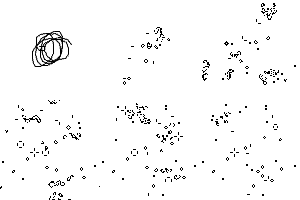
Ungolfed version
void draw() {
  if (mousePressed) {
    line(pmouseX, pmouseY, mouseX, mouseY);
    return;
  }
  loadPixels();
  PImage p=get();
  for (int i=0, x=0, y=0, n=0, w=100, h=100; i<w*h; i++, x=i%w, y=i/w, n=0) {
    for (int j=0; j<9; j++)
      n+=p.get((x+j%3-1+w)%w, (y+j/3-1+h)%h)/color(0);
    if (n!=4)
      pixels[i]=color(n==3?0:255);
  }
  updatePixels();
}
FFmpeg, 23 bytes
ffplay -f lavfi -i life
FFmpeg pulled a Mathematica here. This trick uses Libavfilter, a high-level library for video processing. It comes with a builtin filter for GoL.
Batch 1131 bytes
Golfed version of my answer here
- requires windows 10 with virtual terminal support
- version has been modified to allow for input of pattern if called with custom args for Y and X axis.
@Echo off&Set $=Set &Cls
For /f %%e in ('echo prompt $E^|cmd')Do %$%\E=%%e
%$%F=For /l %%# in (&Setlocal EnableDelayedExpansion
%$%/AY=20,X=20&If not "%~2"=="" %$%/AY=%1,X=%2,C=1
%F:#=n%0 1 9)Do %F:#=s%0 1 1)Do %$%#%%n%%s=0
%$%/A#21=1,#30=1,#31=1,D=1001001010
%$%t}=&%F:#=y%1 1 %Y%)Do %F:#=x%1 1 %X%)Do For /f %%v in ('%$%/a !random! %%9+1')Do (
%$%/An.%%y;%%x=%%y-1,e.%%y;%%x=%%x+1,s.%%y;%%x=%%y+1,w.%%y;%%x=%%x-1
If %%y==1 %$%n.%%y;%%x=%Y%
If %%y==%Y% %$%s.%%y;%%x=1
If %%x==1 %$%w.%%y;%%x=%X%
If %%x==%X% %$%e.%%y;%%x=1
%$%%%y;%%xN=}!n.%%y;%%x!;%%x+}%%y;!e.%%y;%%x!+}!s.%%y;%%x!;%%x+}%%y;!w.%%y;%%x!+}!n.%%y;%%x!;!e.%%y;%%x!
%$%%%y;%%xN=!%%y;%%xN!+}!n.%%y;%%x!;!w.%%y;%%x!+}!s.%%y;%%x!;!e.%%y;%%x!+}!s.%%y;%%x!;!w.%%y;%%x!
If .!c!==. (%$%t}=!t}!}%%y;%%xH!D:~%%v,1!,)Else (<nul %$%/p=%\E%[%%y;%%xH?&Title %%y;%%x 0/1:
For /f %%V in ('Choice /N /C:01')Do (%$%q=%%V&%$%t}=!t}!}%%y;%%xH%%V,&<nul %$%/p=%\E%[%%y;%%xH!q!)))
%F% in ()Do (%$%O=!t}:}=%\E%[!
Echo(!O:,=!%\E%[?25l
%$%/A!t}:H==!1&%$%t}=
For /f "tokens=1-2 delims=}=" %%1 in ('%$%}')Do (%$%/A[n]=!%%1N!
For %%s in ("![n]!%%2")Do %$%t}=!t}!}%%1H!#%%~s!,))
><>, 284 bytes
0fv   $ @$0$+1~<
+$>i:1+ ?!v:a=?^}$:@@:@{@p$1
@@:@(?$ &$>~&l1=?v:
       v    f0-e&<
v>     >   >$:{:}=?v:1+@$:@}}000102101220212280&
 ^v?=+f}}@:{{:+1$0~<
>:1-$?!v@${:}+1-${{:@}}+1-l2-[f-{{:@}}:@+$%f+${:}:@+$%$]g"!"=&+&
$@:${{~/]$r[5{{+" "+*@=3@=2:&="!"g}}@:
~~<00  v!?-4lf0]rpr[-2l~~
Try it at https://suppen.no/fishlanguage!
It takes the initial configuration as input, and uses a wrapping grid of the inputted size. Here's an example grid for a glider:
v   v
  !
   !
 !!!
v   v
s and vs are dead cells (vs can be used instead of s to avoid truncation), and !s are alive cells. The lines don't have to be of the same size; the maximum length will be used.
Here's a Gosper glider gun: (this takes a while)
v                       !                          v
                      ! !
            !!      !!            !!
           !   !    !!            !!
!!        !     !   !!
!!        !   ! !!    ! !
          !     !       !
           !   !
            !!


v                                                  v
It stores the input in the program grid and applies changes in place, so the current state can be seen in a visual interpreter like https://suppen.no/fishlanguage
Vim, 549 552 533 421 420 bytes
Nice.
+3 because of a bug where cells wouldn't die if no cells came to life.
-19 because I made a version that was generalized to any grid size and realized that I accidentally golfed it.
-112 bytes because of whatnot and hornswoggling.
-1 byte because yes.
Go0
if "<C-v><C-v><C-v><C-r>""=="<Esc>^"zC<C-v><C-v><C-v>
norm <Esc>^"yC<C-v><C-v><C-v>
en<C-v><C-v><Esc>^"xCyl'm:<C-r>z@"||"<C-v><C-r>""=="o"<C-r>y<C-v><C-v><C-v><C-a><C-r>x
<Esc>^"iC'm"myl`cyl:<C-r>z "&&<C-v><C-r>m==3<C-r>yr+<C-v>
else<C-r>z@"&&<C-v><C-r>m<2<C-r>yro<C-v>
else<C-r>z@"&&<C-v><C-r>m>3<C-r>yro<C-r>x
<Esc>^"aC`chyl:<C-r>z#"<C-r>y$h<C-r>x
mc<Esc>^"hC`cjyl:<C-r>z#"<C-v>
cal cursor(2,col('.'))<C-r>x
mc<Esc>^"jC`ckyl:<C-r>z#"<C-v>
cal cursor(line('$')-2,col('.'))<C-r>x
mc<Esc>^"kC`clyl:<C-r>z#"<C-r>y0l<C-r>x
mc<Esc>^"lC yl:<C-r>z!"<C-v>
%s/[+@]/@/g<C-v>
%s/o/ /g<C-v>
k<C-v>
else<C-r>z<BS><BS><BS>!="#" <C-r>ymc'mr0`c@h@i@k@i@l@i@l@i@j@i@j@i@h@i@h@i@k@l@a<C-r>x
@e<Esc>0"eDddmm
This was fun.
The input in the TIO is (obviously) the GoL grid. You can place living tiles as @, and each gg @e in the footer is a single step, so you can add or remove them as you want to see different iterations of the board.
For each cell in the grid, it goes to all of the surrounding tiles, wrapping if it hits a #, and if the tile is @ (alive) or o (about to die), it increments the counter. Depending on what the counter is after checking each surrounding tile, it marks the cell to live or die, or do nothing. After checking each tile in the grid, it replaces all of the + with @ and all of the o with . It's a bit slow, but on TIO, it's a bit faster than on my machine, which is nice.
This also works for any grid size, including rectangular grids.
brainfuck (715 bytes)
[life.b -- John Horton Conway's Game of Life
(c) 2021 Daniel B. Cristofani
http://brainfuck.org/]

>>>->+++++[>+>++++<<-]+>>[[>>>+<<<-]>+++++>+>>+[<<+>>>>>+<<<-]<-]>>>>[
  [>>>+>+<<<<-]+++>>+[<+>>>+>+<<<-]>>[>[[>>>+<<<-]<]<<++>+>>>>>>-]<-
]+++>+>[[-]<+<[>+++++++++++++++++<-]<+]>>[
  [+++++++++.-------->>>]+[-<<<]>>>[>>,----------[>]<]<<[
    <<<[
      >--[<->>+>-<<-]<[[>>>]+>-[+>>+>-]+[<<<]<-]>++>[<+>-]
      >[[>>>]+[<<<]>>>-]+[->>>]<-[++>]>[------<]>+++[<<<]>
    ]<
  ]>[
    -[+>>>-]+>>>>>>[<+<<]>->>[
      >[->+>+++>>++[>>>]+++<<<++<<<++[>>>]>>>]<<<[>[>>>]+>>>]
      <<<<<<<[<<++<+[-<<<+]->++>>>++>>>++<<<<]<<<+[-<<<+]+>->>->>
    ]<<+<<+<<<+<<-[+<+<<-]+<+[
      ->+>[-<-<<[<<<]>[>>[>>>]<<+<[<<<]>-]]
      <[<[<[<<<]>+>>[>>>]<<-]<[<<<]]>>>->>>[>>>]+>
    ]>+[-<<[-]<]-[
      [>>>]<[<<[<<<]>>>>>+>[>>>]<-]>>>[>[>>>]<<<<+>[<<<]>>-]>
    ]<<<<<<[---<-----[-[-[<->>+++<+++++++[-]]]]<+<+]>
  ]>>
]

[Type e.g. "be" to toggle the fifth cell in the second row, "q" to quit,
or a bare linefeed to advance one generation.]
PowerShell, 358 216 bytes
param($a)for(){cls;$a
$a=0..19|%{$l=-join($a[,-1+0..19+0]|%{$_[-1]+$_+$_[0]})[$_,++$_,++$_]
-join(23..42|%{$x=$_;switch(($l[(-23,-22,-21,-1,1,21,22,23|%{$x+$_})]-eq'X').count){2{$l[$x]}3{'X'}default{'.'}}})}
sleep 1}
R, 149 144 bytes
function(m)repeat{image(m)
p=apply(which(m|1,T),1,function(j)sum(m[t((j+t(which(m[1:3,1:3]|1,T)-3))%%20)+1]))
a=p==3|m&p==4;m[]=0;m[a]=1
scan()}
(Note that TIO version swaps image for print so that output is visible, and reduces the grid size to 12x12 to fit into the browser window)
Well, the challenge is still open so I guess it must be Ok to submit almost 9 years late! And there hasn't been an R submission yet.
The function is called using the full starting pattern in the form of a 20x20 matrix, and it then steps forward once every time the return key is pressed. Output is quite pretty using the R image function, or (for the same number of characters) quite ugly using only 1s and 0s.
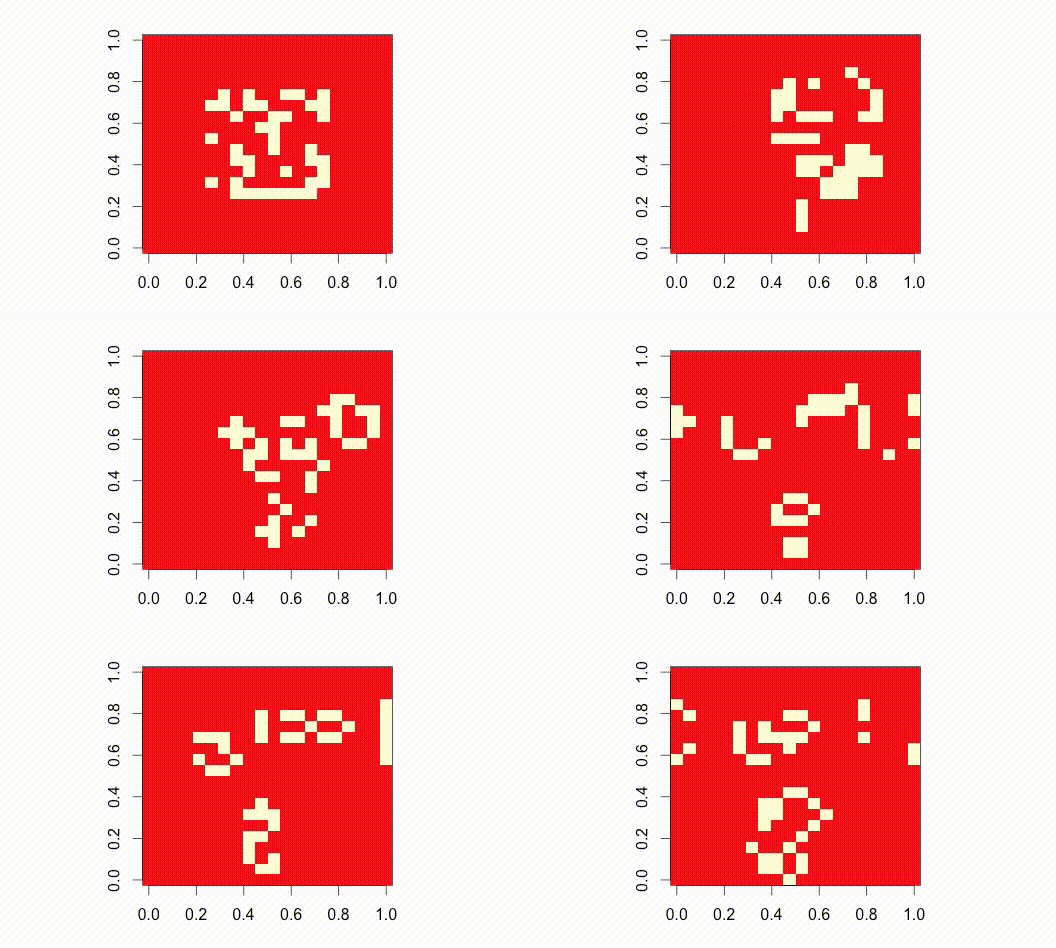
Commented:
game_of_life=function(m)        # Input m as starting state,
    repeat{                     # Repeat...
        image(m)                # Draw grid of current state;
        p=                      # Find p =number of live neighbours (including self):
        apply(which(m|1,T),1,   # loop over coordinates of grid...
            function(j)sum(     # getting sums of...
            m[                  # live cells at...
            t((j+               # this coordinate...
            t(which(m[1:3,1:3]|1,T)-3))
                                # plus offsets -1 to surrounding neighbours
                                # (including itself)...
            %%20)               # modulo the size of the grid (20)...
            +1]))               # plus 1 (to get 1-based coordinates)
        a=p==3|m&p==4;          # set cells with 3 live neighbours (including self)
        m[]=0;m[a]=1            # or 4 (if already alive) to 1;
                                # all others to 0.
        scan()}                 # Wait for user input before next round
This is a code-golf implementation, which admittedly rather sacrifices ease-of-input (the TIO example demonstrates how to easily set-up a glider flying across the grid).
For an extra 13 bytes byte (145 total), it can be bloated improved to accept an unlimited-sized starting matrix, with the dimensions specified as an additional argument (here).
QBasic, 276 271 bytes
-5 bytes thanks to Dominic van Essen
DIM a(20,20)
DO
FOR y=0TO 19
FOR x=0TO 19
IF j THEN c=a(x,y)\2ELSE c=INPUT$(1)>"0
a(x,y)=c
NEXT x,y
CLS
FOR y=0TO 19
?
FOR x=0TO 19
?a(x,y);
n=0
FOR j=19TO 21
FOR i=19TO 21
n=n-a((x+i)MOD 20,(y+j)MOD 20)MOD 2
NEXT i,j
a(x,y)=2*(n=3)+(1-2*(n=4))*a(x,y)
NEXT x,y
SLEEP
LOOP
Disclaimer: This golfed version is extremely user-unfriendly. See below for details and a somewhat friendlier version.
Algorithm
We store the grid in the 2D array a. A value of 0 is a dead cell; a value of -1 (QBasic's default truthy value) is a living cell.
The whole program is wrapped in an infinite DO ... LOOP. On the first iteration, j is 0, and so the first nested FOR loop initializes the array from user input (c=INPUT$(1)>"0). We then clear the screen with CLS and proceed to the next set of nested loops. Before each row y, we print a newline (?). Then for each cell at column x:
- We print the cell's value, suppressing the trailing newline (
?a(x,y);). - We loop over the 3x3 neighborhood around the cell. The loop indices
jandiare essentially going from -1 to 1, but in QBasic,(-1) MOD numis-1rather thannum - 1, so to avoid any negative numbers we loop from 19 to 21 instead. - For each living cell in the neighborhood, we add
1ton. - After the loop, we subtract 2 from the cell's value if it will be alive at the next step. A more straightforward but less golfy way to write the expression is
a(x,y) = a(x,y) - 2 * ((n=3) - (n=4)*a(x,y)): subtract 2 ifn=3or ifn=4anda(x,y)is true (-1).
After the FOR loops, SLEEP pauses until the user presses a key. We then return to the top. At this point, the elements in array a can have any of four values:
0is a cell that was dead last step and will remain dead.-1is a cell that was alive last step but will die.-2is a cell that was dead last step but will come alive.-3is a cell that was alive last step and will remain alive.
When we reach the first nested FOR loop again, j is now truthy (having been used as a loop index), so we integer-divide each element by 2 (c=a(x,y)\2). Values of 0 and -1 become 0 (dead), and values of -2 and -3 become -1 (alive).
I/O format and caveats; or: Don't Run This Code
The input format for this code is just awful. The user is expected to press a key 400 times to initialize the 400 cells. (Any key with an ASCII value of 48 ("0") or less is a dead cell; any key with a greater ASCII value is a living cell.) The worst part: none of this input is echoed to the screen. You just have to keep count in your head and hope you didn't double-press a key. In practice? Something always goes wrong.
Once all the input has been received, the raw array values are output. Because of the way QBasic formats numeric output, they do line up in a grid, like this--
 0 -1  0
 0  0 -1
-1 -1 -1
--but it's still not the nicest output format.
Rather than an animation per se, the code waits for a user keypress between iterations. I think this fits the spec (it shows each step long enough to be seen), and it's the golfiest way to pause in QBasic. SLEEP 1 would wait one second between each iteration for +2 bytes.
A couple more caveats:
- The code runs as an infinite loop, so you'll have to kill the program to make it exit.
- The sequence
2ELSEon line 5 is correctly parsed as2 ELSEby actual QBasic, but the QB64 emulator has trouble with it, expecting the2Esequence to be the start of a number in scientific notation. You'll have to add in the space if you're using QB64.
All that to say: I don't recommend you run this code as-is. Either change the array size to 5x5 (which makes the input manageable and still allows for a glider) or use the nicer version.
Nicer version, 319 bytes
It's still not what I'd call user-friendly, but here's a version I'm actually willing to run:
DIM a(20,20)
1CLS
FOR y=0TO 19
IF j=0THEN INPUT r$
FOR x=0TO 19
IF j THEN c=a(x,y)\2 ELSE c=MID$(r$,x+1,1)>"0
a(x,y)=c
NEXT x,y
CLS
FOR y=0TO 19
?
FOR x=0TO 19
?CHR$(34-a(x,y));
n=0
FOR j=19TO 21
FOR i=19TO 21
n=n-a((x+i)MOD 20,(y+j)MOD 20)MOD 2
NEXT i,j
a(x,y)=2*(n=3)+(1-2*(n=4))*a(x,y)
NEXT x,y
IF"!">INPUT$(1)GOTO 1
Differences:
- This version takes input line by line. There is a prompt, and characters are echoed as they're typed; you can even backspace if you make a mistake. The same range of ASCII values represents dead vs. living, with the caveat that this form of input doesn't play well with space, double quote, or comma. I recommend
.for dead cells and a letter for living ones. You can also give it lines shorter than 20 characters, and it will pad them out with dead cells--super convenient. - Output is a grid of characters:
"for dead cells,#for living ones. - Press space or enter to go to the next step; any other printable ASCII character ends the program.
C 811 806 800 783 753 Bytes
#define S(y) SDL_##y;
#define s unsigned
#define u s char
#define _ g[i*256+j]
#define L for(s i=0;i<256;i++)for(s j=0;j<256;j++)
#include <SDL2/SDL.h>
struct __attribute__((__packed__)){u l:1;u n:7;}g[1<<16];main(u k, u** v){S(Window*w)S(Renderer*r)S(Texture*t)uint32_t p[1<<16];S(CreateWindowAndRenderer(256,256,0,&w,&r))t=S(CreateTexture(r,372645892,1,256,256))read(open(v[1],0),g,1<<16);for(;;){L _.n=g[((u)(i-1))*256+((u)(j-1))].l+g[((u)(i-1))*256+j].l+g[((u)(i-1))*256+(u)(j+1)].l+g[(i<<8)+(u)(j-1)].l+g[(i*256)+(u)(j+1)].l+g[((u)(i+1))*256+((u)(j-1))].l+g[((u)(i+1))*256+j].l+g[((u)(i+1))*256+(u)(j+1)].l;L _.l=(_.n==3||_.l&&_.n==2);for(s i=0;i<1<<16;i++){p[i]=(g[i].l<<7);}S(UpdateTexture(t,0,p,1024))S(RenderCopy(r,t,0,0))S(RenderPresent(r))}}
this one might be "overkill" for being 255x255 instead of just 20, but this way I didn't have to bound check and could just cast instead
To compile & run:
cc gol.c -lsdl2
./a.out /path/to/seed
To seed it:
Specify a file, the contents of the file will be read into the graph, and only the least-significant bit actually matters, I would recommend using /dev/urandom
x86 Assembler, MSDOS, 32 bytes

0xC5 0x24 0x20 0xB3 0x07 0x08 0x04 0xA7 0xC0 0x2D 0x05 0x91 0x02 0x41 0x5E 0x02
0x40 0xFC 0x02 0x80 0x9C 0x00 0x4B 0x75 0xF2 0x8A 0x04 0xF9 0xD2 0xD8 0xEB 0xE1
This code is written in x86 assembler and works in MSDOS. The binary is 32 bytes in size. You can find a very detailed description here. The visible field is 80x25. The output is directly shown on the screen in textmode, which also works as input, so you can enter patterns before you start the program. You can download and comment the intro, you can also test an online version.
lds sp,[si]
X: db 32
mov bl,7                    ; O: 3 iterations
or [si],al                  ; O: Add in new cell
cmpsw
shr byte [di],5             ; O: Shift previous value
C: xchg cx,ax
add al,[di+bx+94]           ; O: Add in this column
add al,[si+bx-4]
add al,[si+bx+156]
dec bx                      ; O: Loop back
jnz C
mov al,[si]                 ; O: 3 = birth, 4 = stay (tricky):
stc                         ; O: 1.00?0000x --> 0.0x100?00 (rcr 3)
rcr al,cl                   ; O:          +---> 0.00x100?0 (rcr 4)
jmp short X-1
Lua + LÖVE/Love2D, 653 bytes
l=love f=math.floor t={}s=25 w=20 S=1 for i=1,w do t[i]={}for j=1,w do t[i][j]=0 end end e=0 F=function(f)loadstring("for i=1,#t do for j=1,#t[i]do "..f.." end end")()end function l.update(d)if S>0 then return end e=e+d if e>.2 then e=0 F("c=0 for a=-1,1 do for b=-1,1 do if not(a==0 and b==0)then c=c+(t[((i+a-1)%w)+1][((j+b-1)%w)+1]>0 and 1 or 0)end end end g=t[i][j]t[i][j]=(c==3 or(c==2 and g==1))and(g==1 and 5 or-1)or(g==1 and 4 or 0)")F("t[i][j]=t[i][j]%2")end end function l.draw()F("l.graphics.rectangle(t[i][j]==1 and'fill'or'line',i*s,j*s,s,s)")end function l.mousepressed(x,y)S=0 o,p=f(x/s),f(y/s)if t[o]and t[o][p]then t[o][p]=1 S=1 end end
or spaced out:
l=love
f=math.floor
t={}s=25
w=20
S=1
for i=1,w do
    t[i]={}
    for j=1,w do
        t[i][j]=0
    end
end
e=0
F=function(f)
    loadstring("for i=1,#t do for j=1,#t[i] do  "..f.." end end")()
end
function l.update(d)
    if S>0 then
        return
    end
    e=e+d
    if e>.2 then
        e=0
        F([[
        c=0
        for a=-1,1 do
            for b=-1,1 do
                if not(a==0 and b==0)then
                    c=c+(t[((i+a-1)%w)+1][((j+b-1)%w)+1]>0 and 1 or 0)
                end
            end
        end
        g=t[i][j]
        t[i][j]=(c==3 or(c==2 and g==1))and(g==1 and 5 or-1) or (g==1 and 4 or 0)]])
        F("t[i][j]=t[i][j]%2")
    end
end
function l.draw()
    F("l.graphics.rectangle(t[i][j]==1 and'fill'or'line',i*s,j*s,s,s)") end
function l.mousepressed(x,y)
    S=0
    o,p=f(x/s),f(y/s)
    if t[o]and t[o][p] then
        t[o][p]=1
        S=1
    end
end
Click on the field to add living cells. Click outside of the field to run it.

HTML and Javascript, 248 characters
<script>b=[];setInterval(()=>x.innerHTML=(b=b.map((r,y)=>r.map((c,x)=>+(([0,1,2,4,6,8,9,10].reduce((s,n)=>s+((b[y-1+(n>>2)]||[])[x+n%4-1]||0),0)|c)==3)))).map(r=>`<tr>${r.map(v=>`<td>${'⬜⬛'[v]}`).join('')}`).join(''),999)</script><table id='x'>
Run it by opening the web developer console and setting the global variable b (for "board") to a 2D-array of 0 (dead) and 1 (alive) values, for example:
b=new Array(32).fill(0).map(() => new Array(32).fill(0).map(() => Math.floor(Math.random() * 2)))
The core of this is the following:
Javascript, 114 characters
l=b=>b.map((r,y)=>r.map((c,x)=>+(([0,1,2,4,6,8,9,10].reduce((s,n)=>s+((b[y-1+(n>>2)]||[])[x+n%4-1]||0),0)|c)==3)))
Annotated as follows:
l=       // l="Life"
  b=>    // Function that takes a board (2D array of ints that are 1 or 0)
  b.map( // map each row
    (
      r, // the row (array of 1s and 0s)
      y  // index is the y position of the row
    )=>
    r.map( //map each cell
      (
        c, // the cell value (0, or 1)
        x  // index is the x position
      )=>(+( //this whole thing will return true or false, convert to 1 or 0
        // these magic numbers represent the eight neighbors of a cell
        // they map to x, y offsets (used below):
        // value  x     y
        //      n%4-1 (n>>2)-1
        [
          0, //  -1    -1
          1, //   0    -1
          2, //   1    -1
          4, //  -1     0
          6, //   1     0
          8, //   1    -1
          9, //   1     0
          10 //   1     1
        ]
        .reduce( //get the number of neighbors that are alive (===1)
          (
            s, // the accumulator (sum of alive neighbors so far)
            n  // the number from the list of magic numbers above
          )=>
          s+(  // add to the accumulator
            (
              b[            // find the row containing the neighbor
                y-1+(n>>2)  // A shorter way of expressing y+Math.floor(n/4)-1
              ]||[]         // if index is -1 or b.length, empty array
            )[              // within the row, find the value
              x+n%4-1       // offset x value (see table above)
            ]||0            // coalesce undefined(x is -1 or r.length) to 0
          ),0               // initial value for neighborCount accumulator
        )|c                 // | bitwise or with the value of the cell, 1 or zero
                            // if the cell is dead (0), this has no effect
                            // if the cell is alive (1), this changes 2 to 3
      )==3)                 // 3 means either:
                            // 3 neighbors or
                            // 2 neighbors and an alive cell (the rules for life)
    )
)
More info here: https://github.com/noops-challenge/golfbot/blob/master/challenges/conways-life/entries/davidmfoley
VBA (Excel), 546* Bytes
Sub t()
f=[a1:t20]
For Each c In f.Cells
c.Value=""
r=c.Row
l=c.Column
If g(r,0,0,l,-1,0)Then h=h+1
If g(r,0,0,l,1,21)Then h=h+1
If g(r,-1,0,l,0,0)Then h=h+1
If g(r,1,21,l,0,0)Then h=h+1
If g(r,1,21,l,-1,0)Then h=h+1
If g(r,-1,0,l,1,21)Then h=h+1
If g(r,-1,0,l,-1,0)Then h=h+1
If g(r,1,21,l,1,21)Then h=h+1
If h=3Or(h=2And c.Interior.Color=0)Then c.Value="A"
Next
f.Interior.ColorIndex=0
For Each c In f
If c.Value="A"Then c.Interior.Color=0
Next
End Sub
Function g(r,e,f,c,q,z)
g=(Cells(IIf(r+e=f,Abs(f-20),r+e),IIf(c+q=z,Abs(z-20),c+q)).Interior.Color=0)
End Function
Create the living cells by highlighting cells in A1:T20 and coloring them black.
*When t is run, it executes a single tick. I added a button on mine to click repeatedly. If this doesn't satisfy the requirements, I'll add a do-->while[counta(f)]>0 and a DoEvents for +34 bytes.
[I'll edit this with a link when I upload a copy of my macro-enabled Excel doc]
PHP, 201 bytes (not tested)
for($s=file(f);print"\n";$s=$t)foreach($s as$y=>$r)for($x=-print"
";"
"<$c=$s[$y][++$x];print$t[$y][$x]=" X"[$n<4&$n>2-$a])for($n=-$a=$c>A,$i=$x-!!$x-1;$i++<=$x;)for($k=$y-2;$k++<=$y;)$n+=$s[$k][$i]>A;
Run with -nr.
breakdown
for($s=file(f);                         # import input from file "f"
    print"\n";                              # infinite loop: 1. print newline
    $s=$t)                                  # 3. copy target to source, next iteration
    foreach($s as$y=>$r)                    # 2. loop through lines
        for($x=-print"\n";"\n"<$c=$s[$y][++$x]; # print newline, loop $x/$c through line characters (before line break)
            print                                   # 5. print new cell
                $t[$y][$x]=" X"[$n>2-$a&$n<4])      # 4. new cell is alive if neighbour count<4 and >2 (>1 if alive)
            for($n=-                                # 2. init neighbour count: exclude self
                $a=$c>A,                            # 1. $a=cell is alife
                $i=$x-!!$x-1;$i++<=$x;)             # 3. loop $i from one left to one right of current position
                for($k=$y-2;$k++<=$y;)                  # loop $k from one above to one below current position
                    $n+=$s[$k][$i]>A;                       # increase neighbor count if neighbour is alife
Python 2: 334 Bytes
Only 6 years late.
import time
s='';s=map(list,iter(raw_input,s));k=len(s);l=(-1,0,1);n=int;z=range
while 1:
 r=[[0]*k for i in z(k)]
 for i in z(k*k):
  a,b=i//k,i%k
  m,g=sum([n(s[(a+c)%k][(b+d)%k])for c in l for d in l if c|d]),n(s[a][b])
  r[a][b]=n((m==2)&g or m==3)
  print'*'if r[a][b]else' ',
  if b-k+1==0:print
 s=r;time.sleep(.2);print"\033c"
You can run it like:
python gol.py
0000000
0001000
0000100
0011100
0000000
0000000
0000000
Where the 0s and 1s represent dead and live cells, an extra newline at the end begins execution.
Grids must be square.
It's easier to run than the shortest python one, supports any sized grids, and looks pretty when run.
It's also 100 bytes more, so there's that.
Processing 270,261 249 bytes
Grid is the 100*100 pixels of screen, input comes in the form of a png picture
void setup(){image(loadImage("g.png"),0,0);}void draw(){loadPixels();int n,i=0,j,l=10000;int[]a=new int[l],p=pixels;for(;i<l;a[i]=n==5?-1<<24:n==6?p[i]:-1,i++)for(j=n=0;j<9;j++)n+=j!=4?p[(i+l-1+j%3+100*(j/3-1))%l]&1:0;arrayCopy(a,p);updatePixels();}
Ungolfed
void setup() {
  image(loadImage("g.png"), 0, 0);
}
void draw() {
  loadPixels();
  int c=100, i=0, n, l=c*c, b=color(0);
  int[]a=new int[l], p=pixels;
  for (; i<l; i++) {
    n=p[(i+l-101)%l]&1;
    n+=p[(i+l-100)%l]&1;
    n+=p[(i+l-99)%l]&1;
    n+=p[(i+l-1)%l]&1;
    n+=p[(i+1)%l]&1;
    n+=p[(i+99)%l]&1;
    n+=p[(i+100)%l]&1;
    n+=p[(i+101)%l]&1;
    a[i]=n==5?b:p[i]==b&&n==6?b:-1;
  }
  arrayCopy(a, pixels, l);
  updatePixels();
}

Stencil, 6 bytes
Not my favourite language, but it is short…
4 code bytes plus the ∊nlist and Torus flags.
3∊me
Is…
3 3
∊ a member of
m the moore-neighbourhood-count with self or
e the moore-neighbourhood-count without self
…?
Java (OpenJDK 8) - 400 388 367 bytes
Second and (probably) Final Edit: Managed to golf an extra 21 bytes after finding these (imo) goldmines - definitely recommend new people to read these (especially if you're going to try some of these challenges using Java).
Resulting code (probably going to end up golfing even more if I find out how to shorten those double nested for loops...):
u->{int w=u.length,h=u[0].length,x,y,i,j,n;Stack<Point>r=new Stack<Point>();for(;;){for(Point c:r)u[c.x][c.y]=1;r.clear();for(x=0;x<w;++x)for(y=0;y<h;++y){boolean o=u[x][y]>0;n=o?-1:0;for(i=-2;++i<2;)for(j=-2;++j<2;)if(u[(w+x+i)%w][(h+y+j)%h]>0)++n;if(o&n>1&n<4|!o&n==3)r.add(new Point(x,y));System.out.print(u[x][y]+(y>h-2?"\n":""));}for(int[]t:u)Arrays.fill(t,0);}}
(Original post starts here.)
I actually thought for a moment that I would be able to at least challenge the best Python answer with my (arguably limited) knowledge of Java lol...It was a challenge I nevertheless enjoyed partaking in (despite having joined the party perhaps just a little bit late...)
There's not much to it really - basic explanation as follows (ungolfed):
/*
 * Explanation of each variable's usage:
 * w=height* of array
 * h=width* of array
 * x=y* coord of point in array
 * y=x* coord of point in array
 * i and j are counters for calculating the neighbours around a point in the array
 * n=neighbour counter
 * r=temporary array to store the cells from the current generation
 * u=the 2d array used for all the calculations (parameter from lambda expression)
 * c=temporary variable used to help populate the 2d array
 * o=boolean variable that stores the value of whether the cell is alive or not
 */
u-> // start of lambda statement with u as parameter (no need for brackets as it's only one parameter being passed)
{
    int w=u.length,h=u[0].length,x,y,i,j,n; // defines all the necessary integer variables;
    Stack<Point>r=new Stack<Point>(); // same with the only array list needed (note how I only use two data structures);
    for(;;) // notice how this is still an infinite loop but using a for loop;
    {
        for(Point c:r)u[c.x][c.y]=1; //for every point in the "previous" generation, add that to the 2D array as a live (evil?) cell;
        r.clear(); // clears the array list to be populated later on
        for(x=0;x<w;++x) // a pair of nested for loops to iterate over every cell of the 2D array;
        {
            for(y=0;y<h;++y)
            {
                // sets o to be the presence of a live cell at (x,y) then uses said value in initialising the neighbour counter;
                boolean o=u[x][y]>1;n=o?-1:0;
                for(i=-2;++i<2;) // another pair of nested for loops - this one iterates over a 3x3 grid around *each* cell of the 2D array;
                {                // this includes wrap-around (note the modulus sign in the if statement below);
                    for(j=-2;++j<2;)
                    {
                        if(u[(w+x+i)%w][(h+y+j)%h]>0)++n; // this is where the first interesting thing lies - the bit which makes wrap-around a reality;
                    }
                }
                if(o&n>1&n<4|!o&n==3)r.add(new Point(x,y)); // this is the second interesting bit of my code - perhaps more so as I use bitwise operators to calculate the number of neighbours (x,y) has;
                                                            // (since I'm technically dealing with 0s and 1s, it's not a total misuse of them imo);
                System.out.print(u[x][y]+(y>h-2?"\n":""));  // that extra part of the print statement adds a newline if we reached the end of the current 'line';
            }
        }
        // since the information about the new generation is now in the array list, this array can be emptied out, ready to receive said info on the new generation;
        for(int[]t:u)Arrays.fill(t,0);
    }
} // end of lambda statement
(more information about lambda statements in Java 8 here)
Yes, there's a catch with my approach.
As most of you probably noticed, my golfed code as it currently stands will loop forever. To prevent this, a counter can be introduced at the top and used in the while loop to only display n (in this case, 5) iterations as follows (notice the new b variable added):
u->{int b=0,w=u.length,h=u[0].length,x,y,i,j,n;Stack<Point>r=new Stack<Point>();for(;++b<6;){for(Point c:r)u[c.x][c.y]=1;r.clear();for(x=0;x<w;++x)for(y=0;y<h;++y){boolean o=u[x][y]>0;n=o?-1:0;for(i=-2;++i<2;)for(j=-2;++j<2;)if(u[(w+x+i)%w][(h+y+j)%h]>0)++n;if(o&n>1&n<4|!o&n==3)r.add(new Point(x,y));System.out.print(u[x][y]+(y>h-2?"\n":""));}for(int[]t:u)Arrays.fill(t,0);}}
Additionally, a few points worth mentioning. This program does not check if the input is correct and will, therefore, fail with (most likely) an ArrayOutOfBoundsException; as such, make sure to check that the input is valid by completely filling in a part of an array (skewered arrays will throw the exception mentioned above). Also, the board as it currently is looks 'fluid' - that is, there is no separation between one generation and the next. If you wish to add that in to double-check that the generations being produced are indeed valid, an extra System.out.println(); needs to be added just before for(int[]t:u)Arrays.fill(t,0); (see this Try it online! for clarity). And last, but not least, given that this is my first code golf, any feedback is greatly appreciated :)
Old code from previous 388 byte answer:
u->{int w=u.length,h=u[0].length,x,y,i,j,n;ArrayList<Point>r=new ArrayList<Point>();while(true){for(Point c:r)u[c.x][c.y]=1;r.clear();for(x=0;x<w;++x){for(y=0;y<h;++y){boolean o=u[x][y]==1;n=o?-1:0;for(i=-2;++i<2;)for(j=-2;++j<2;)if(u[(w+x+i)%w][(h+y+j)%h]==1)++n;if(o&n>1&n<4|!o&n==3)r.add(new Point(x,y));System.out.print(u[x][y]);}System.out.println();}for(int[]t:u)Arrays.fill(t,0);}}
And from the initial 400 byte answer:
int w=35,h=20,x,y,i,j,n;ArrayList<Point>l=new ArrayList<Point>(),r;while(true){int[][]u=new int[w][h];for(Point c:l)u[c.x][c.y]=1;r=new ArrayList<Point>();for(x=0;x<w;++x){for(y=0;y<h;++y){boolean o=u[x][y]==1;n=o?-1:0;for(i=-2;++i<2;)for(j=-2;++j<2;)if(u[(w+x+i)%w][(h+y+j)%h]==1)++n;if(o&n>1&n<4|!o&n==3)r.add(new Point(x,y));System.out.print(u[x][y]);}System.out.println();}l.clear();l.addAll(r);}
Perl, 218 216 211 202 bytes
$,=$/;$~=AX3AAAx76;$b=pack('(A79)23',<>)x6;{print unpack'(a79)23a0',$b;select$v,$v,$v,0.1;$b=pack'(A)*',unpack'((x7a/(x13)X4Ax!18)1817@0)4',pack'((a*)17xx!18)*',unpack"x1737(AA$~Ax$~AA$~@)2222",$b;redo}
(No newline at the end of this code.)
Reads the starting pattern from standard input, as a text file where live cells are represented as 1, dead cells represented as a space, lines are separated by a newline. The input shall not have characters other than these. Lines can be variable length, and will be padded or truncated to exactly 79 wide. Example input is a glider gun:
                                  1
                                1 1
                      11      11            11
                     1   1    11            11
          11        1     1   11
          11        1   1 11    1 1
                    1     1       1
                     1   1
                      11


                                         11
                                         1
                                          111
                                            1
As the program runs Game of Life, every state is dumped to the standard output in a format similar to the input, then delays 0.1 seconds. The delay can be customized by changing the fourth argument of the select call.
The game board is hard-coded to size 79x23. It is wrapped in a torus: if you leave the board on the bottom, you end up at the top; if you leave on the right side, you end up at the left side but shifted one row down.
Here's an alternate version that doesn't read any input and starts from a random board:
$,=$/;$/=AX3AAAx76;$b=pack("(A)*",map{rand 3<1}0..1816)x6;{print unpack'(a79)23a0',$b;select$v,$v,$v,0.1;$b=pack'(A)*',unpack'((x7a/(x13)X4Ax!18)1817@0)4',pack'((a*)17xx!18)*',unpack"x1737(AA$/Ax$/AA$/@)2222",$b;redo}
This code is derived from an obfuscated game of life perl program I wrote years ago. I have changed it a lot to make the board toroidal and golf the code.
This is probably not the shortest method to implement Game of Life in perl, but it's one of the less comprehensible ones.
The board is stored in
$bas a string of'1'and' ', one for each cell, only the whole thing is repeated at least three times. The third unpack call extracts 17 values for each cell: there's one for the cell itself and two for each of the eight neighboring cells, in an arbitrary order, and each value is'1'or an empty string. The cell should be live in the next iteration iff the number of'1'values among these 17 values is 5, 6, or 7. The third pack call concatenates these 17 values to a 18 character wide field left aligned and padded with nul bytes on the right. The second unpack call takes such a 18 wide field, dispatches on the character at position 7, unpacks the space from position 17 if it's a'1', or unpacks the character from position 4 otherwise. This result is exactly the value the cell should have in the next generation.
Mathematica, 115 bytes
Here's an easy cop-out to this:
ListAnimate[ArrayPlot/@CellularAutomaton[{224,{2,{{2,2,2},{2,1,2},
{2,2,2}}},{1,1}},{RandomInteger[1,{9,9}],0},90]]
HTML5 Canvas with JavaScript, 940 639 586 519 characters
<html><body onload="k=40;g=10;b=[];setInterval(function(){c=[];for(y=k*k;y--;){n=0;for(f=9;f--;)n+=b[(~~(y/k)+k+f%3-1)%k*k+(y+k+~~(f/3)-1)%k];c[y]=n==3||n-b[y]==3;r.fillStyle=b[y]?'red':'tan';r.fillRect(y%k*g,~~(y/k)*g,g-1,g-1)}if(v.nextSibling.checked)b=c},1);v=document.body.firstChild;v.width=v.height=g*k;v.addEventListener('click',function(e){b[~~((e.pageY-v.offsetTop)/g)*k+~~((e.pageX-v.offsetLeft)/g)]^=1},0);r=v.getContext('2d');for(y=k*k;y--;)b[y]=0"><canvas></canvas><input type="checkbox"/>Run</body></html>
I always wanted to do something with canvas, so here is my attempt (original version online). You can toggle cells by clicking (also possible in running mode).
You can now also try the new version here.
Unfortunately there is an issue I couldn't work around yet. The online version is 11 characters longer because jsFiddle puts a text node just before the canvas (why?) and thus the canvas is no longer the first child.
Edit 1: Lots of optimisations and restructurings.
Edit 2: Several smaller changes.
Edit 3: Inlined the complete script block plus minor changes.
Python 2, 456 bytes
While I know this is an old post, I couldn't help myself from giving it a shot. The initial board can be any size as long as you draw a border around it and have an extra space on the last line.
Golf.py
import time,itertools as w,sys;t,q=map(lambda x:list(x[:-1]),sys.stdin.readlines()),list(w.product(range(-1,2),range(-1,2)));del q[4];n=map(lambda x:x[:],t[:])
while time.sleep(0.1)==None:
 for j in range(1,len(t)-1):
  for i in range(1,len(t[j])-1):x=sum(map(lambda s:1 if t[j+s[0]][i+s[1]]in'@'else 0,q));f=t[j][i];n[j][i]='@'if(f=='@'and(x==3 or x==2))or(f==' 'and x==3)else' '
 t=map(lambda x:x[:],n[:]);print'\n'.join(list(map(lambda x:''.join(x),t)))
Input.txt (note the extra space on the last line)
+----------------------------------------+
|                    @                   |
|                     @                  |
|                   @@@                  |
|                                        |
|                                        |
|                                        |
|                                        |
|                                        |
|                                        |
|                                        |
|                                        |
|                                        |
|                                        |
|                                        |
|                                        |
|                                        |
|                                        |
|                                        |
|                                        |
|                                        |
+----------------------------------------+
How to Run
python Golf.py < input.txt
TI-BASIC, 96 bytes (87 for non-competing entry)
For your TI-84 series graphing calculator (!). This was quite a challenge, because there is no easy way to write a buffered graphics routine (definitely nothing built in), and the graph screen has only four relevant graphics commands: Pxl-On(), Pxl-Off(), Pxl-Change(), and pxl-Test().
Uses every accessible pixel on the screen, and wraps correctly. Each cell is one pixel, and the program updates line by line horizontally to the right across the screen. Because the calculators have only a 15MHz z80 processor and BASIC is a slow interpreted language, the code only gets one frame about every five minutes.
User input is easy: before running the program, use the Pen tool to draw your shape on the graph screen.
Adapted from my entry to a code golf contest at the calculator forum Omnimaga.
0
While 1
For(X,0,94
Ans/7+49seq(pxl-Test(remainder(Y,63),remainder(X+1,95)),Y,62,123
For(Y,0,62
If 1=pxl-Test(Y,X)+int(3fPart(3cosh(fPart(6ֿ¹iPart(sum(Ans,Y+1,Y+3
Pxl-Change(Y,X
End
End
End
Omnimaga version (87 bytes)
This code has an additional feature: it detects if it is being run for the first time, and if randomizes the screen state. In subsequent runs it automatically continues the simulation if stopped after a frame is finished. However, it is not a competing entry because it does not wrap the screen; the cells on the outer border will always be considered dead if the graph screen is cleared beforehand.
0
While 1
For(X,0,93
Ans/7+49seq(pxl-Test(Y,X+1),Y,0,62
For(Y,1,61
If 2rand>isClockOn=pxl-Test(Y,X)+int(3fPart(3cosh(fPart(6ֿ¹iPart(sum(Ans,Y,Y+2
Pxl-Change(Y,X
End
End
ClockOff
End
This version is probably the most golfed code I have ever written, and contains some truly nasty obfuscatory optimizations:
I use the clock state as a flag. At the start of the program, the date/time clock is enabled, and I use the value of the global isClockOn flag to determine whether it is the first iteration. After the first frame is drawn, I turn the clock off. Saves one byte over the shortest other method and about four over the obvious method.
I store the states of the three columns next to the one being updated in a 63-element array of base-7 numbers. The 49's place holds the column to the right, the 7's place holds the middle column, and the units place holds the left column--1 for a live cell and 0 for a dead cell. Then I take the remainder mod 6 of the sum of the three numbers around the cell being modified to find the total number of live neighbor cells (it's just like the divisibility by 9 trick—in base 7, the remainder mod 6 equals the sum of the digits). Saves about 10 bytes by itself and gives the opportunity to use the next two optimizations. Example diagram (let's say there is a glider centered at a certain column at Y=45:
Row # | Cell State       | Stored number | Mod 6 = cell count
...
44      Live, Live, Live   49+7+1 = 57     3
45      Dead, Dead, Live   49+0+0 = 49     1
46      Dead, Live, Dead   0+7+0  = 7      1
...
The center cell will stay dead, because it is surrounded by exactly five live cells.
After each row is completed, the numbers in the array are updated by dividing the existing numbers by 7, discarding the decimal part, and adding 49 times the values of the cells in the new column. Storing all three columns each time through would be much slower and less elegant, take at least 20 more bytes, and use three lists rather than one, because the values of cells in each row must be stored before cells are updated. This is by far the smallest way to store cell positions.
The snippet
int(3fPart(3cosh(gives1when the input equals 3/6,2when it equals 4/6, and0when it equals 0, 1/6, 2/6, or 5/6. Saves about 6 bytes.
Octave (153)
the same as Matlab by DenDenDo at Shortest Game of Life , but had to change imshow to imagesc:
b=uint8(rand(20)<0.2)
s=@(m)imfilter(m,[1 1 1;1 0 1;1 1 1],'circular')
p=@(m,n)uint8((n==3)|(m&(n==2)))
while 1
imagesc(b)
drawnow
b=p(b,s(b))
end
Matlab (152)
b=uint8(rand(20)<0.2)
s=@(m)imfilter(m,[1 1 1;1 0 1;1 1 1],'circular')
p=@(m,n)uint8((n==3)|(m&(n==2)))
while 1
imshow(b)
drawnow
b=p(b,s(b))
end
I dont have Matlab installed right now to test it, I just golfed the code that I wrote a few years ago.
Ungolfed:
%% initialize
Bsize = 20;
nsteps = 100;
board = uint8(rand(Bsize)<0.2); % fill 20% of the board
boardsum = @(im) imfilter(im,[1 1 1; 1 0 1; 1 1 1], 'circular');
step = @(im, sumim) uint8((sumim==3) | (im & (sumim==2)) );

%% run
for i = 1:nsteps
    imshow(kron(board,uint8(ones(4))), [])
    drawnow
    ss(p,i) = sum(board(:));
    board = step(board, boardsum(board));
end
- Boardsize is hardcoded but can be anything
- wraps around
- for user input one can change the inital board either by hardcoding another matrix or using the variable editor. Not pretty, but it works
- 20 chars can be saved if the graphical output is skipped, the board will still be printed as text at every iteration. One-pixel cells which change every millisecond are not very useful anyway
JavaScript, 130
Not totally responding to the challenge, but for the record, here's a Game of Life engine in 130 bytes made by Subzey and I in 2013.
http://xem.github.io/miniGameOfLife/
/* Fill an array with 0's and 1's, and call g(array, width, height) to iterate */
g=function(f,c,g,d,e,b,h){g=[];e=[c+1,c,c-1,1];for(b=c*c;b--;g[b]=3==d||f[b]&&2==d,d=0)for(h in e)d+=f[b+e[h]]+f[b-e[h]];return g}
Pure Bash, 244 bytes
Works on a toroidally-wrapped 36x24 universe:
mapfile a
for e in {0..863};{
for i in {0..8};{
[ "${a[(e/36+i/3-1)%24]:(e+i%3-1)%36:1}" == O ]&&((n++))
}
d=\
c=${a[e/36]:e%36:1}
[ "$c" == O ]&&((--n==2))&&d=O
((n-3))||d=O
b[e/36]+=$d
n=
}
printf -vo %s\\n "${b[@]}"
echo "$o"
exec $0<<<"$o"
Since this is a shell script, the method of input is congruent with other shell commands - i.e. from stdin:
$ ./conway.sh << EOF

   O
    O
  OOO

EOF


  O O
   OO
   O


    O
  O O
   OO
... etc
We can redirect input from any text source, piped through a tr filter to get interesting initial generations, e.g.
man tr | tr [:alnum:] O | ./conway.sh
GW-BASIC, 1086 1035 bytes (tokenised)
In tokenised form, this is 1035 bytes. (The ASCII form is, of course, a bit longer.) You get the tokenised form by using the SAVE"life command without appending ",a in the interpreter.
10 DEFINT A-Z:DEF SEG=&HB800:KEY OFF:COLOR 7,0:CLS:DEF FNP(X,Y)=PEEK((((Y+25)MOD 25)*80+((X+80)MOD 80))*2)
20 X=0:Y=0
30 LOCATE Y+1,X+1,1
40 S$=INKEY$:IF S$=""GOTO 40
50 IF S$=CHR$(13)GOTO 150
60 IF S$=" "GOTO 130
70 IF S$=CHR$(0)+CHR$(&H48)THEN Y=(Y-1+25)MOD 25:GOTO 30
80 IF S$=CHR$(0)+CHR$(&H50)THEN Y=(Y+1)MOD 25:GOTO 30
90 IF S$=CHR$(0)+CHR$(&H4B)THEN X=(X-1+80)MOD 80:GOTO 30
100 IF S$=CHR$(0)+CHR$(&H4D)THEN X=(X+1)MOD 80:GOTO 30
110 IF S$="c"THEN CLS:GOTO 20
120 GOTO 40
130 Z=PEEK((Y*80+X)*2):IF Z=42 THEN Z=32ELSE Z=42
140 POKE(Y*80+X)*2,Z:GOTO 40
150 LOCATE 1,1,0:ON KEY(1)GOSUB 320:KEY(1) ON
160 V!=TIMER+.5:FOR Y=0 TO 24:FOR X=0 TO 79:N=0
170 Z=FNP(X-1,Y-1):IF Z=42 OR Z=46 THEN N=N+1
180 Z=FNP(X,Y-1):IF Z=42 OR Z=46 THEN N=N+1
190 Z=FNP(X+1,Y-1):IF Z=42 OR Z=46 THEN N=N+1
200 Z=FNP(X-1,Y):IF Z=42 OR Z=46 THEN N=N+1
210 Z=FNP(X+1,Y):IF Z=42 OR Z=46 THEN N=N+1
220 Z=FNP(X-1,Y+1):IF Z=42 OR Z=46 THEN N=N+1
230 Z=FNP(X,Y+1):IF Z=42 OR Z=46 THEN N=N+1
240 Z=FNP(X+1,Y+1):IF Z=42 OR Z=46 THEN N=N+1
250 Z=PEEK((Y*80+X)*2):IF Z=32 THEN IF N=3 THEN Z=43
260 IF Z=42 THEN IF N<2 OR N>3 THEN Z=46
270 POKE(Y*80+X)*2,Z:NEXT:NEXT:FOR Y=0 TO 24:FOR X=0 TO 79:Z=PEEK((Y*80+X)*2):IF Z=46 THEN Z=32
280 IF Z=43 THEN Z=42
290 POKE(Y*80+X)*2,Z:NEXT:NEXT
300 IF TIMER<V!GOTO 300
310 IF INKEY$=""GOTO 160
320 SYSTEM
This is the maximum-golfed version, but still featureful: upon starting, you get an editor, in which you can move with the cursor keys; space toggles bacteria on/off on the current field, c clears the screen, Return starts game mode.
Here follows a less-obfuscated version, which also sets an initial game board with two structures (a circulary-rotating thing and a glider):
1000 REM Conway's Game of Life
1001 REM -
1002 REM Copyright (c) 2012 Thorsten "mirabilos" Glaser
1003 REM All rights reserved. Published under The MirOS Licence.
1004 REM -
1005 DEFINT A-Z:DEF SEG=&hB800
1006 KEY OFF:COLOR 7,0:CLS
1007 DEF FNP(X,Y)=PEEK((((Y+25) MOD 25)*80+((X+80) MOD 80))*2)
1010 PRINT "Initial setting mode, press SPACE to toggle, RETURN to continue"
1020 PRINT "Press C to clear the board, R to reset. OK? Press a key then."
1030 WHILE INKEY$="":WEND
1050 CLS
1065 DATA 3,3,4,3,5,3,6,3,7,3,8,3,3,4,4,4,5,4,6,4,7,4,8,4
1066 DATA 10,3,10,4,10,5,10,6,10,7,10,8,11,3,11,4,11,5,11,6,11,7,11,8
1067 DATA 11,10,10,10,9,10,8,10,7,10,6,10,11,11,10,11,9,11,8,11,7,11,6,11
1068 DATA 4,11,4,10,4,9,4,8,4,7,4,6,3,11,3,10,3,9,3,8,3,7,3,6
1069 DATA 21,0,22,1,22,2,21,2,20,2,-1,-1
1070 RESTORE 1065
1080 READ X,Y
1090 IF X=-1 GOTO 1120
1100 POKE (Y*80+X)*2,42
1110 GOTO 1080
1120 X=0:Y=0
1125 LOCATE Y+1,X+1,1
1130 S$=INKEY$
1140 IF S$="" GOTO 1130
1150 IF S$=CHR$(13) GOTO 1804
1160 IF S$=" " GOTO 1240
1170 IF S$=CHR$(0)+CHR$(&h48) THEN Y=(Y-1+25) MOD 25:GOTO 1125
1180 IF S$=CHR$(0)+CHR$(&h50) THEN Y=(Y+1) MOD 25:GOTO 1125
1190 IF S$=CHR$(0)+CHR$(&h4B) THEN X=(X-1+80) MOD 80:GOTO 1125
1200 IF S$=CHR$(0)+CHR$(&h4D) THEN X=(X+1) MOD 80:GOTO 1125
1210 IF S$="c" THEN CLS:GOTO 1120
1220 IF S$="r" GOTO 1050
1225 IF S$=CHR$(27) THEN END
1230 GOTO 1130
1240 Z=PEEK((Y*80+X)*2)
1250 IF Z=42 THEN Z=32 ELSE Z=42
1260 POKE (Y*80+X)*2,Z
1270 GOTO 1130
1804 LOCATE 1,1,0
1900 ON KEY(1) GOSUB 2300
1910 KEY(1) ON
2000 V!=TIMER+.5
2010 FOR Y=0 TO 24
2020  FOR X=0 TO 79
2030   N=0
2040   Z=FNP(X-1,Y-1):IF Z=42 OR Z=46 THEN N=N+1
2050   Z=FNP(X  ,Y-1):IF Z=42 OR Z=46 THEN N=N+1
2060   Z=FNP(X+1,Y-1):IF Z=42 OR Z=46 THEN N=N+1
2070   Z=FNP(X-1,Y  ):IF Z=42 OR Z=46 THEN N=N+1
2080   Z=FNP(X+1,Y  ):IF Z=42 OR Z=46 THEN N=N+1
2090   Z=FNP(X-1,Y+1):IF Z=42 OR Z=46 THEN N=N+1
2100   Z=FNP(X  ,Y+1):IF Z=42 OR Z=46 THEN N=N+1
2110   Z=FNP(X+1,Y+1):IF Z=42 OR Z=46 THEN N=N+1
2120   Z=PEEK((Y*80+X)*2)
2130   IF Z=32 THEN IF N=3 THEN Z=43
2140   IF Z=42 THEN IF N<2 OR N>3 THEN Z=46
2150   POKE (Y*80+X)*2,Z
2160  NEXT X
2170 NEXT Y
2200 FOR Y=0 TO 24
2210  FOR X=0 TO 79
2220   Z=PEEK((Y*80+X)*2)
2230   IF Z=46 THEN Z=32
2240   IF Z=43 THEN Z=42
2250   POKE (Y*80+X)*2,Z
2260  NEXT X
2270 NEXT Y
2280 IF TIMER<V! GOTO 2280
2290 IF INKEY$="" GOTO 2000
2300 SYSTEM
I wrote this in 15 minutes while bored and waiting for a friend, who was code-golfing with his “apprentice” for Conway’s Game of Life at the same time.
It functions like this: It immediately uses the 80x25 text mode screen buffer (change the initial DEF SEG to use &hB000 if you’re on a Hercules graphics card; these settings work with Qemu and (slower) dosbox). An asterisk * is a bacterium.
It works two-pass: first, birthplaces are marked with + and death marks its targets with .. In the second pass, + and . are replaced with * and , respectively.
The TIMER thing is to make it wait for half a second after each round, in case your Qemu host is very fast ☺
I’m not hoping for a shortest-wins price here but for a coolness one, especially considering the initial board setup. I’ve also got a version where the game engine was replaced by assembly code, in case you’re interested…
JavaScript 676
Sorry Griffin, I just couldn't look at your code and not re-write it slightly... had to shave off two characters but it was damn worth it!
b=[];r=c=s=20;U=document;onload=function(){for(z=E=0;z<c;++z)for(b.push(t=[]),j=0;j<r;j++)with(U.body.appendChild(U.createElement("button")))t.push(0),id=z+"_"+j,style.position="absolute",style.left=s*j+"px",style.top=s*z+"px",onclick=a}; ondblclick=function(){A=E=E?clearInterval(A):setInterval(function(){Q=[];for(z=0;z<c;++z){R=[];for(j=0;j<r;)W=(c+z-1)%c,X=(c+z+1)%c,Y=(r+j-1)%r,Z=(r+j+1)%r,n=b[W][Y]+b[z][Y]+b[X][Y]+b[W][j]+b[X][j]+b[W][Z]+b[z][Z]+b[X][Z],R.push(b[z][j++]?4>n&&1<n:3==n);Q.push(R)}b=Q.slice();d()})};function a(e){E?0:P=e.target.id.split("_");b[P[0]][P[1]]^=1;d()}function d(){for(z=0;z<c;++z)for(j=0;j<r;)U.getElementById(z+"_"+j).innerHTML=b[z][j++]-0}
But as they say, it's easier to ask for forgiveness than permission... ;)
J (39 characters)
l=:[:+/(3 4=/[:+/(,/,"0/~i:1)|.])*.1,:]
Based on this APL version (same algorithm, toroidal convolution).
Example usage:
   r =: (i.3 3) e. 1 2 3 5 8
   r
0 1 1          NB. A glider!
1 0 1
0 0 1

   R =: _1 _2 |. 5 7 {. r
   R
0 0 0 0 0 0 0  NB. Test board
0 0 0 1 1 0 0
0 0 1 0 1 0 0
0 0 0 0 1 0 0
0 0 0 0 0 0 0

   l R
0 0 0 0 0 0 0  NB. Single step
0 0 0 1 1 0 0
0 0 0 0 1 1 0
0 0 0 1 0 0 0
0 0 0 0 0 0 0
Processing 536 532
int h=22,t=24,i,j;int[][]w=new int[t][t],b=new int[t][t];int[]q={1,0,-1};void draw(){if(t<9){clear();for(i=2;i<h;i++){for(j=2;j<h;j++)w[i][j]=b[i][j];w[i][1]=w[i][21];w[i][h]=w[i][2];w[1][i]=w[21][i];w[h][i]=w[2][i];}for(i=1;i<23;i++)for(j=1;j<23;j++){t=-w[i][j];for(int s:q)for(int d:q)t+=w[i+s][j+d];b[i][j]=w[i][j]>0&(t<2|t>3)?0:t==3?1:b[i][j];}a();}}void keyPressed(){t=0;}void mousePressed(){int i=mouseX/5+2,j=mouseY/5+2;w[i][j]=b[i][j]=1;a();}void a(){for(i=0;i<h-2;i++)for(j=0;j<h-2;j++)if(w[i+2][j+2]==1)rect(i*5,j*5,5,5);}
I believe this satisfies all of the requirements.
Ungolfed:
int h=22,t=24,i,j;
int[][]w=new int[t][t],b=new int[t][t];
int[]q={1,0,-1};
void draw(){
  if(t<9){
  clear();
  for(i=2;i<h;i++){
    for(j=2;j<h;j++)
      w[i][j]=b[i][j];
    w[i][1]=w[i][21];
    w[i][h]=w[i][2];
    w[1][i]=w[21][i];
    w[h][i]=w[2][i];
  }
  for(i=1;i<23;i++)
    for(j=1;j<23;j++){
      t=-w[i][j];
      for(int s:q)
        for(int d:q)
          t+=w[i+s][j+d];
      b[i][j]=w[i][j]>0&(t<2|t>3)?0:t==3?1:b[i][j];
  }
  a();
}
}
void keyPressed(){
  t=0;
}
void mousePressed(){
  int i=mouseX/5+2,j=mouseY/5+2;
  w[i][j]=b[i][j]=1;
  a();
}
void a(){
  for(i=0;i<h-2;i++)
    for(j=0;j<h-2;j++)
      if(w[i+2][j+2]==1)
        rect(i*5,j*5,5,5);
  }
J, 45
I thought I'd give J a try. It's not particularly well golfed yet, but I'll give it another try soon.
(]+.&(3&=)+)+/((4&{.,(_4&{.))(>,{,~<i:1))&|.
Example:
   f =: 5 5 $ 0 1 0 0 0   0 0 1 0 0   1 1 1 0 0   0 0 0 0 0    0 0 0 0 0
   f
0 1 0 0 0
0 0 1 0 0
1 1 1 0 0
0 0 0 0 0
0 0 0 0 0
   f (]+.&(3&=)+)+/((4&{.,(_4&{.))(>,{,~<i:1))&|. f
0 0 0 0 0
1 0 1 0 0
0 1 1 0 0
0 1 0 0 0
0 0 0 0 0
Postscript 529 515
Started with the example from Rosetta Code. Invoke with a filename argument (gs -- gol.ps pulsar), the file containing 20*20 binary numbers (separated by space). Infinite loop: draw board, wait for enter, calculate next generation.
[/f ARGUMENTS 0 get(r)file/n 20>>begin[/m
n 1 sub/b[n{[n{f token pop}repeat]}repeat]/c 400
n div/F{dup 0 lt{n add}if dup n ge{n sub}if}>>begin{0
1 m{dup 0 1 m{2 copy b exch get exch get 1 xor setgray
c mul exch c mul c c rectfill dup}for pop pop}for
showpage/b[0 1 m{/x exch def[0 1 m{/y exch def 0
y 1 sub 1 y 1 add{F dup x 1 sub 1 x
1 add{F b exch get exch get 3 2 roll add exch
dup}for pop pop}for b x get y get sub b x get y get
0 eq{3 eq{1}{0}ifelse}{dup 2 eq exch 3 eq
or{1}{0}ifelse}ifelse}for]}for]def}loop
Spaced, with a few stack comments (just the ones I needed).
[
/f ARGUMENTS 0 get(r)file
/n 20
/sz 400
%/r{rand 2147483647 div}
>>begin
[
/m n 1 sub
/b[
%n{[n{r .15 le{1}{0}ifelse}repeat]}repeat
 n{[n{f token pop}repeat]}repeat
]
/c sz n div
/F{dup 0 lt{n add}if dup n ge{n sub}if}
>>begin
{
    0 1 m{dup % y y
    0 1 m{ % y y x
        2 copy b exch get exch get 1 xor setgray
        c mul exch c mul c c rectfill
        dup
    }for pop pop}for
    pstack
    showpage
    /b[0 1 m{/x exch def
      [0 1 m{/y exch def
          0
          y 1 sub 1 y 1 add{F dup %s y y
          x 1 sub 1 x 1 add{F %s y y x
              b exch get exch get %s y bxy
              3 2 roll add exch %s+bxy y
              dup %s y y
          }for pop pop}for
          b x get y get sub
          b x get y get
          0 eq{3 eq{1}{0}ifelse}{dup 2 eq exch 3 eq or{1}{0}ifelse}ifelse
      }for]
      }for]def
}loop
pulsar data file:
0 0 0 0 0 0 0 0 0 0 0 0 0 0 0 0 0 0 0 0
0 0 0 0 0 0 0 0 0 0 0 0 0 0 0 0 0 0 0 0
0 0 0 0 0 0 0 0 0 0 0 0 0 0 0 0 0 0 0 0
0 0 0 0 0 1 1 1 0 0 0 1 1 1 0 0 0 0 0 0
0 0 0 0 0 0 0 0 0 0 0 0 0 0 0 0 0 0 0 0
0 0 0 1 0 0 0 0 1 0 1 0 0 0 0 1 0 0 0 0
0 0 0 1 0 0 0 0 1 0 1 0 0 0 0 1 0 0 0 0
0 0 0 1 0 0 0 0 1 0 1 0 0 0 0 1 0 0 0 0
0 0 0 0 0 1 1 1 0 0 0 1 1 1 0 0 0 0 0 0
0 0 0 0 0 0 0 0 0 0 0 0 0 0 0 0 0 0 0 0
0 0 0 0 0 1 1 1 0 0 0 1 1 1 0 0 0 0 0 0
0 0 0 1 0 0 0 0 1 0 1 0 0 0 0 1 0 0 0 0
0 0 0 1 0 0 0 0 1 0 1 0 0 0 0 1 0 0 0 0
0 0 0 1 0 0 0 0 1 0 1 0 0 0 0 1 0 0 0 0
0 0 0 0 0 0 0 0 0 0 0 0 0 0 0 0 0 0 0 0
0 0 0 0 0 1 1 1 0 0 0 1 1 1 0 0 0 0 0 0
0 0 0 0 0 0 0 0 0 0 0 0 0 0 0 0 0 0 0 0
0 0 0 0 0 0 0 0 0 0 0 0 0 0 0 0 0 0 0 0
0 0 0 0 0 0 0 0 0 0 0 0 0 0 0 0 0 0 0 0
0 0 0 0 0 0 0 0 0 0 0 0 0 0 0 0 0 0 0 0
C 1063 characters
As a challenge, I did this in C using the golf-unfriendly Windows API for real time IO. If capslock is on, the simulation will run. It will stay still if capslock is off. Draw patterns with the mouse; left click revives cells and right click kills cells.
#include <windows.h>
#include<process.h>
#define K ][(x+80)%20+(y+80)%20*20]
#define H R.Event.MouseEvent.dwMousePosition
#define J R.Event.MouseEvent.dwButtonState
HANDLE Q,W;char*E[3],O;Y(x,y){return E[0 K;}U(x,y,l,v){E[l K=v;}I(){E[2]=E[1];E[1]=*E;*E=E[2];memset(E[1],0,400);}A(i,j,k,l,P){while(1){Sleep(16);for(i=0;i<20;++i)for(j=0;j<20;++j){COORD a={i,j};SetConsoleCursorPosition(Q,a);putchar(E[0][i+j*20]==1?'0':' ');}if(O){for(i=0;i<20;++i)for(j=0;j<20;++j){for(k=i-1,P=0;k<i+2;++k)for(l=j-1;l<j+2;++l){P+=Y(k,l);}U(i,j,1,P==3?1:Y(i,j)==1&&P==4?1:0);}I();}}}main(T,x,y,F,D){for(x=0;x<21;++x)puts("#####################");E[0]=malloc(800);E[1]=E[0]+400;I();I();W=GetStdHandle(-10);Q=GetStdHandle(-11);SetConsoleMode(W,24);INPUT_RECORD R;F=D=O=0;COORD size={80,25};SetConsoleScreenBufferSize(Q,size);_beginthread(A,99,0);while(1){ReadConsoleInput(W,&R,1,&T);switch(R.EventType){case 1:O=R.Event.KeyEvent.dwControlKeyState&128;break;case 2:switch(R.Event.MouseEvent.dwEventFlags){case 1:x=H.X;y=H.Y;case 0:F=J&1;D=J&2;}if(F)U(x,y,0,1);if(D)U(x,y,0,0);}}}
The compiled EXE can be found here
Edit: I've commented up the source. It's available Here
Ruby 1.9 + SDL (380 325 314)
EDIT: 314 characters, and fixed a bug with extra cells appearing alive on the first iteration. Upped the grid size to 56 since the color routine only looks at the lowest 8 bits.
EDIT: Golfed down to 325 characters. Grid width/height is now 28 since 28*9 is the largest you can have while still using the value as the background colour. It also processes only one SDL event per iteration now, which obviates the inner loop completely. Pretty tight I think!
The simulation starts paused, with all cells dead. You can press any key to toggle pause/unpause, and click any cell to toggle it between alive and dead. Runs an iteration every tenth of a second.
The wrapping is a bit wonky.
require'sdl'
SDL.init W=56
R=0..T=W*W
b=[]
s=SDL::Screen.open S=W*9,S,0,0
loop{r="#{e=SDL::Event.poll}"
r['yU']?$_^=1:r[?Q]?exit: r['nU']?b[e.y/9*W+e.x/9]^=1:0
b=R.map{|i|v=[~W,-W,-55,-1,1,55,W,57].select{|f|b[(i+f)%T]}.size;v==3||v==2&&b[i]}if$_
R.map{|i|s.fillRect i%W*9,i/W*9,9,9,[b[i]?0:S]*3}
s.flip
sleep 0.1}
Looks like this:
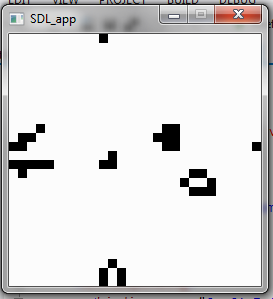
Fun challenge! I welcome any improvements anybody can see.
Mathematica, 123 characters
A very rudimentary implementation that doesn't use Mathematica's built-in CellularAutomaton function.
ListAnimate@NestList[ImageFilter[If[3<=Total@Flatten@#<=3+#[[2]][[2]],1,0]&,#,1]&,Image[Round/@RandomReal[1,{200,200}]],99]
Mathematica - 333
Features:
Interactive interface: click cells to make your patterns
Nice grid
Buttons: RUN, PAUSE, CLEAR
The code is below.
Manipulate[x=Switch[run,1,x,2,CellularAutomaton[{224,{2,{{2,2,2},{2,1,2},{2,2,2}}},
{1,1}},x],3,Table[0,{k,40},{j,40}]];EventHandler[Dynamic[tds=Reverse[Transpose[x]];
ArrayPlot[tds,Mesh->True]],{"MouseClicked":>(pos=Ceiling[MousePosition["Graphics"]];
x=ReplacePart[x,pos->1-x[[Sequence@@pos]]];)}],{{run,3,""},{1->"||",2->">",3->"X"}}]

If you want to get a feel how this runs, 2nd example in this blog is just a more elaborate version (live Fourier analysis, better interface) of the code above. Example should run right in your browser after free plugin download.
Python, 589 bytes
Mouse buttons: left - put a cell, right - remove a cell, middle - start/stop.
from Tkinter import*
import copy
z=range
F=50
T=Tk()
S=9
f=[F*[0]for i in'7'*F]
c=Canvas(T,width=S*F,height=S*F)
c.pack()
def p(x,y,a):f[y][x]=f[y][x]or c.create_oval(x*S,y*S,x*S+S,y*S+S)if a else c.delete(f[y][x])
r=1
def R(e):global r;r=1-r
exec("c.bind('<Button-%i>',lambda e:p(e.x/S,e.y/S,%i));"*2%(1,1,3,0))
c.bind('<Button-2>',R)
def L():
 T.after(99,L)
 if r:return
 g=copy.deepcopy(f)
 for y in z(F):
	for x in z(F):
	 n=8
	 for j in z(-1,2):
		for i in z(-1,2):
		 if i or j:n-=not g[(y+j)%F][(x+i)%F]
	 if 1<n<4:
		if n==3and not g[y][x]:p(x,y,1)
	 else:p(x,y,0)
L()
T.mainloop()
And here is a version where you can drag mouse to draw. Graphics are a bit more pleasant.
from Tkinter import*
import copy
z=range
F=50
T=Tk()
S=9
f=[F*[0]for i in'7'*F]
c=Canvas(T,bg='white',width=S*F,height=S*F)
c.pack()
def p(x,y,a):f[y][x]=f[y][x]or c.create_rectangle(x*S,y*S,x*S+S,y*S+S,fill='gray')if a else c.delete(f[y][x])
r=1
def R(e):global r;r=1-r
exec("c.bind('<Button-%i>',lambda e:p(e.x/S,e.y/S,%i));c.bind('<B%i-Motion>',lambda e:p(e.x/S,e.y/S,%i));"*2%(1,1,1,1,3,0,3,0))
c.bind('<Button-2>',R)
def L():
 T.after(99,L)
 if r:return
 g=copy.deepcopy(f)
 for y in z(F):
  for x in z(F):
   n=8
   for j in z(-1,2):
    for i in z(-1,2):
     if i or j:n-=not g[(y+j)%F][(x+i)%F]
   if 1<n<4:
    if n==3and not g[y][x]:p(x,y,1)
   else:p(x,y,0)
L()
T.mainloop()
Python, 219 chars
I went for maximum golfage, with just enough interface to satisfy the question.
import time
P=input()
N=range(20)
while 1:
 for i in N:print''.join(' *'[i*20+j in P]for j in N)
 time.sleep(.1);Q=[(p+d)%400 for d in(-21,-20,-19,-1,1,19,20,21)for p in P];P=set(p for p in Q if 2-(p in P)<Q.count(p)<4)
You run it like this:
echo "[8,29,47,48,49]" | ./life.py
The numbers in the list represent the coordinates of the starting cells. The first row is 0-19, the second row is 20-39, etc.
Run it in a terminal with 21 rows and it looks pretty snazzy.
Scala - 799 chars
Run as a script. A mouse click on a square toggles it on or off and any key starts or stops generation.
import java.awt.Color._
import swing._
import event._
import actors.Actor._
new SimpleSwingApplication{var(y,r,b)=(200,false,Array.fill(20,20)(false))
lazy val u=new Panel{actor{loop{if(r){b=Array.tabulate(20,20){(i,j)=>def^(i:Int)= -19*(i min 0)+(i max 0)%20
var(c,n,r)=(0,b(i)(j),-1 to 1)
for(x<-r;y<-r;if x!=0||y!=0){if(b(^(i+x))(^(j+y)))c+=1}
if(n&&(c<2||c>3))false else if(!n&&c==3)true else n}};repaint;Thread.sleep(y)}}
focusable=true
preferredSize=new Dimension(y,y)
listenTo(mouse.clicks,keys)
reactions+={case e:MouseClicked=>val(i,j)=(e.point.x/10,e.point.y/10);b(i)(j)= !b(i)(j)case _:KeyTyped=>r= !r}
override def paintComponent(g:Graphics2D){g.clearRect(0,0,y,y);g.setColor(red)
for(x<-0 to 19;y<-0 to 19 if b(x)(y))g.fillRect(x*10,y*10,9,9)}}
def top=new Frame{contents=u}}.main(null)
C# - 675 chars
I've always wanted to write a version of this program. Never knew it would only take a lazy half hour for a quick and dirty version. (Golfing it takes much longer, of course.)
using System.Windows.Forms;class G:Form{static void Main(){new G(25).ShowDialog();}
public G(int z){var g=new Panel[z,z];var n=new int [z,z];int x,y,t;for(int i=0;i<z;
i++)for(int j=0;j<z;j++){var p=new Panel{Width=9,Height=9,Left=i*9,Top=j*9,BackColor
=System.Drawing.Color.Tan};p.Click+=(s,a)=>p.Visible=!p.Visible;Controls.Add(g[i,j]=
p);}KeyUp+=(s,_)=>{for(int i=0;i<99;i++){for(x=0;x<z;x++)for(y=0;y<z;y++){t=0;for(int
c=-1;c<2;c++)for(int d=-1;d<2;d++)if(c!=0||d!=0){int a=x+c,b=y+d;a=a<0?24:a>24?0:a;b=
b<0?24:b>24?0:b;t+=g[a,b].Visible?0:1;}if(t==3||t>1&&!g[x,y].Visible)n[x,y]=1;if(t<2
||t>3)n[x,y]=0;}for(x=0;x<z;x++)for(y=0;y<z;y++)g[x,y].Visible=n[x,y]<1;Update();}};}}
Usage
- Enter a starting pattern by clicking cells to turn them on (alive).
- Start the game by pressing any keyboard key.
- The game runs for 99 generations every time a key is pressed (I could have made it 9 to save a char, but that seemed too lame).
Golfing compromises
- You can only turn cells on with the mouse, not off, so if you make a mistake you have to restart the program.
- There are no grid lines, but that doesn't hurt playability too much.
- Update speed is proportional to CPU speed, so on very fast computers it will probably be just a blur.
- Living cells are red because "black" uses 2 more characters.
- The smallness of the cells and the fact that they don't use up all the form space are also character-saving compromises.
Scala, 1181 1158 1128 1063 1018 1003 999 992 987 characters
import swing._
import event._
object L extends SimpleSwingApplication{import java.awt.event._
import javax.swing._
var(w,h,c,d,r)=(20,20,20,0,false)
var x=Array.fill(w,h)(0)
def n(y:Int,z:Int)=for(b<-z-1 to z+1;a<-y-1 to y+1 if(!(a==y&&b==z)))d+=x((a+w)%w)((b+h)%h)
def top=new MainFrame with ActionListener{preferredSize=new Dimension(500,500)
menuBar=new MenuBar{contents+=new Menu("C"){contents+={new MenuItem("Go/Stop"){listenTo(this)
reactions+={case ButtonClicked(c)=>r= !r}}}}}
contents=new Component{listenTo(mouse.clicks)
reactions+={case e:MouseClicked=>var p=e.point
x(p.x/c)(p.y/c)^=1
repaint}
override def paint(g:Graphics2D){for(j<-0 to h-1;i<-0 to w-1){var r=new Rectangle(i*c,j*c,c,c)
x(i)(j)match{case 0=>g draw r
case 1=>g fill r}}}}
def actionPerformed(e:ActionEvent){if(r){var t=x.map(_.clone)
for(j<-0 to h-1;i<-0 to w-1){d=0
n(i,j)
x(i)(j)match{case 0=>if(d==3)t(i)(j)=1
case 1=>if(d<2||d>3)t(i)(j)=0}}
x=t.map(_.clone)
repaint}}
val t=new Timer(200,this)
t.start}}
Ungolfed:
import swing._
import event._

object Life extends SimpleSwingApplication
{
    import java.awt.event._
    import javax.swing._
    var(w,h,c,d,run)=(20,20,20,0,false)
    var x=Array.fill(w,h)(0)
    def n(y:Int,z:Int)=for(b<-z-1 to z+1;a<-y-1 to y+1 if(!(a==y&&b==z)))d+=x((a+w)%w)((b+h)%h)
    def top=new MainFrame with ActionListener
    {
        title="Life"
        preferredSize=new Dimension(500,500)
        menuBar=new MenuBar
        {
            contents+=new Menu("Control")
            {
                contents+={new MenuItem("Start/Stop")
                {
                    listenTo(this)
                    reactions+=
                    {
                        case ButtonClicked(c)=>run= !run
                    }
                }}
            }
        }
        contents=new Component
        {
            listenTo(mouse.clicks)
            reactions+=
            {
                case e:MouseClicked=>
                    var p=e.point
                    if(p.x<w*c)
                    {
                        x(p.x/c)(p.y/c)^=1
                        repaint
                    }
            }
            override def paint(g:Graphics2D)
            {
                for(j<-0 to h-1;i<-0 to w-1)
                {
                    var r=new Rectangle(i*c,j*c,c,c)
                    x(i)(j) match
                    {
                        case 0=>g draw r
                        case 1=>g fill r
                    }
                }
            }
        }
        def actionPerformed(e:ActionEvent)
        {
            if(run)
            {
                var t=x.map(_.clone)
                for(j<-0 to h-1;i<-0 to w-1)
                {
                    d=0
                    n(i,j)
                    x(i)(j) match
                    {
                        case 0=>if(d==3)t(i)(j)=1
                        case 1=>if(d<2||d>3)t(i)(j)=0
                    }
                }
                x=t.map(_.clone)
                repaint
            }
        }
        val timer=new Timer(200,this)
        timer.start
    }
}
The larger part of the code here is Swing GUI stuff. The game itself is in the actionPerformed method which is triggered by the Timer, and the helper function n which counts neighbours.
Usage:
Compile it with scalac filename and then run it with scala L.
Clicking a square flips it from live to dead, and the menu option starts and stops the game. If you want to change the size of the grid, change the first three values in the line: var(w,h,c,d,r)=(20,20,20,0,false) they are width, height and cell size (in pixels) respectively.