| Bytes | Lang | Time | Link |
|---|---|---|---|
| 070 | AppleScript on MacOS Terminal.app | 240812T151834Z | roblogic |
| 039 | 05AB1E + Message permission | 210603T180639Z | Makonede |
| 049 | Red | 210603T215220Z | 9214 |
| 119 | C MSVC + Windows API | 210603T034604Z | a stone |
| 144 | Vala + gtk+3.0 | 210603T051915Z | EasyasPi |
| nan | Tcl/Tk | 171102T224650Z | sergiol |
| 022 | Autohotkey | 170606T050411Z | phil294 |
| 036 | APL Dyalog APL | 170206T125846Z | Adá |
| 023 | SmileBASIC | 170206T005615Z | 12Me21 |
| 153 | Java | 160713T013011Z | SE is de |
| 128 | Factor | 160712T235820Z | cat |
| 033 | CMD / Batch 33 Bytes | 140526T050344Z | unclemea |
| 049 | PowerShell | 140523T145958Z | iamkrill |
| 091 | PureBasic | 140525T225814Z | Fozzedou |
| 024 | Batch | 140524T161157Z | trlkly |
| 036 | bash + ImageMagick | 140523T211329Z | Glenn Ra |
| 098 | QML | 140523T075951Z | Eduard S |
| 4745 | GTK+ | 140522T180130Z | A.L |
| 051 | 140523T110041Z | akater | |
| 051 | JavaScript | 140525T073841Z | null |
| 081 | HTML/JavaScript | 140524T171002Z | elmoelev |
| 066 | Python with turtle module | 140524T123134Z | daviewal |
| 054 | Linux Shell | 140524T080442Z | John B |
| 023 | Visual FoxPro | 140524T042050Z | Alejandr |
| 052 | TCL | 140524T001225Z | Kevin |
| 240 | Legacy C/Xt/Motif | 140523T214517Z | DreamWar |
| 034 | Bash with xterm | 140523T181337Z | user1640 |
| nan | 140523T041021Z | Originei | |
| 077 | Processing | 140523T012056Z | segfault |
| 049 | Rebol View r3gui | 140523T135206Z | draegtun |
| 047 | Perl 5 | 140522T161534Z | Matthias |
| 167 | VB.NET Winforms | 140523T065958Z | sansknwo |
| 032 | Tcl | 140523T080704Z | slebetma |
| 060 | HTML+Javascript | 140521T210411Z | Greg Hew |
| 151 | C# | 140523T044349Z | Num Lock |
| 034 | shell + gedit / geany | 140522T110722Z | user8055 |
| 027 | Shell and gedit | 140523T041925Z | asheeshr |
| 124 | C# | 140523T044737Z | Bob |
| 058 | VBScript | 140522T162127Z | user1220 |
| 056 | Perl on Windows | 140522T202646Z | chinese |
| 031 | Unix shell | 140522T184804Z | kernigh |
| 052 | PowerShell | 140522T155003Z | Rynant |
| 044 | R | 140522T152505Z | ping |
| 087 | Python pygame | 140521T211356Z | user1220 |
| 044 | Ruby [with Shoes] | 140522T142229Z | Fabien S |
| 136 | Ruby | 140522T081652Z | onionpsy |
| 180 | Cobra | 140521T224722Z | Οurous |
| 067 | Lua + LÖVE | 140522T041300Z | Brian Bo |
| 072 | Python 3 | 140522T020451Z | Justin |
| 045 | Applescript | 140521T214156Z | Digital |
| 040 | APL | 140522T014818Z | marinus |
| 031 | shell script | 140521T221418Z | user1220 |
| 136 | Java | 140521T210713Z | Justin |
| 151 | C | 140521T204923Z | Oberon |
AppleScript on MacOS Terminal.app, 70 bytes
tell app "Terminal" to display dialog "Hello World" giving up after 3
Terminal session transcript (MacOS 14.5 Sonoma):
zsh% osascript -i
>> tell app "Terminal" to display dialog "Hello World" giving up after 3
=> {button returned:"", gave up:true}
>>

05AB1E + Message permission, 39 bytes
'‚«™’ÿ.¬•"ÄÖ/€º:3 * Ÿ™ ‚ï"’.E
'‚«™’...’.E  # trimmed program
         .E  # evaluate...
    ’...’    # "ÿ.shell\"msg/time:3 * hello world\""...
             # (implicit) with ÿ replaced by...
'‚«          # "system"...
   ™         # in title case...
         .E  # as Elixir code

====================

System.shell"..."  # trimmed program
System.shell       # execute shell command...
            "..."  # literal

====================

msg/time:3 * ...  # trimmed program
msg               # show message...
             ...  # literal...
   /time:         # that closes after...
         3        # literal...
   /time:         # seconds...
           *      # to all users
Red, 49 bytes
view[text"hello world"rate 0:0:3 on-time[unview]]
C (MSVC) + Windows API, 130 119
-11 thanks to @EasyasPi
#include<windows.h>
main(){GetProcAddress(LoadLibrary("user32.dll"),"MessageBoxTimeoutA")(0,"Hello World",0,0,0,3000);}
Never thought the Windows API could get this short! Many thanks to this Stack Overflow answer for documenting the undocumented MessageBoxTimeoutA function.

Vala + gtk+-3.0, 144 bytes
void main(string[]a){Gtk.init(ref a);var w=new Gtk.Window();w.title="hello world";w.show();Timeout.add(3000,()=>{Process.exit(0);});Gtk.main();}
First Vala program, first GTK program.
The title is hello world, but the default window size causes it to clip on my window manager.

void main(string[] args)
{
    // Initialize GTK
    Gtk.init(ref args);
    // Create a new window
    var win = new Gtk.Window();
    // Set the title
    win.title = "hello world";
    // Set the window to show
    win.show();
    // Set a timeout to exit the program after 3 seconds
    Timeout.add(3000, () => { Process.exit(0); });
    // Enter the main GTK loop to show the window
    Gtk.main();
}
Tcl/Tk, 15+11=26
after 3000 exit
If I name the file "Hello world.tcl", I will automatically get the "Hello world" text as the window's title:

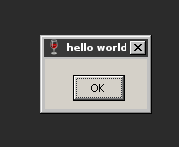
Autohotkey, 22 Bytes
msgbox,,hello world,,3
Ahk's msgbox is pretty powerful and has a built-in timeout option.
APL (Dyalog APL), 36 bytes
⎕EX(⎕DL 3)⊢⎕A⎕WC'Form' 'hello world'
⎕A uppercase Alphabet (the only legal name which can be written with two characters)
⎕WC Window Create (and return name of)
'Form' 'hello world' a GUI form with appropriate caption
⊢ yield the form's name while ignoring the result of
(⎕DL 3) Delaying 3 seconds (the ignored result is the elapsed time)
⎕EX Expunge the form (thus making it disappear)
This only works on Windows.
SmileBASIC, 23 bytes
DIALOG"hello world",,,3

Java, 153 bytes
interface a{static void main(String[]A){new Thread(()->javax.swing.JOptionPane.showMessageDialog("Hello world")).start();Thread.sleep(3000);throw null;}}
Points to null three seconds after popping up a quite ugly window with the text "Hello world" on it.
Factor, 128 bytes
[ f T{ world-attributes { title "" } } clone "Hello world" <label> >>gadgets open-window* 3 seconds sleep close-window ] with-ui
CMD / Batch - 33 Bytes
I believe the window that the Windows CMD terminal runs in counts as GUI compliant.
start "Hello world" cmd /csleep 3
If you don't have the sleep command on your system - then you can use timeout which comes default in Windows 7. For two more bytes.
start "Hello world" cmd /ctimeout 3
Starts a new CMD window with the title "Hello World" (NOT displayed in the terminal itself, but as the title of the GUI window that the terminal runs in), this window will close as soon as all parsed commands have executed - so after sleep 3 or timeout 3 has completed.
The window looks like this -

Note; start runs the given commands in a new window - not the window that you are running the above commands from.
PowerShell, 72 49
saps -pa notepad "Hello World"|%{sleep 3;kill $_}

Thanks to @joey for continued golfing
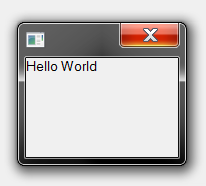
PureBasic, 91 chars
Okay, it's not the shortest, it will never win, but I still gotta support my favourite BASIC dialect :-)
OpenWindow(0,9,9,99,99,"")
TextGadget(0,0,0,99,99,"Hello World")
Delay(3000)
CloseWindow(0)
Batch (24)
msg/time:3 * hello world
Tested on Windows 7, but should work on any NT-based version of Windows, assuming you have MSG.EXE in your System32 folder.
EDIT: Apparently MSG.EXE is not available by default on home versions of Windows. On Windows 7, for example, this is only available in the Ultimate or Business editions. However, you can copy the file over to your System32 folder and get it to work. (You must also copy over the appropriate MSG.EXE.MUI file to get proper error messages, but my "script" works without them.)
You have to install software for most of these other responses to work, too, so I don't think that should be a disqualifier.
bash + ImageMagick (36 bytes)
timeout 3 display label:Hello\ world
Tested on Ubuntu 14.04 LTS and on Fedora 20.
Nicer-looking, but 10 bytes larger:
timeout 3 display -size 800 label:Hello\ world
QML - 98 bytes
Here's the code. Works on all supported platforms (including Android and iOS):
import QtQuick 1.0;Text{text:"Hello world";Timer{interval:3000;onTriggered:Qt.quit();running:1>0}}
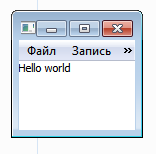
GTK+, 47 45
zenity --info --text=Hello\ World --timeout=3
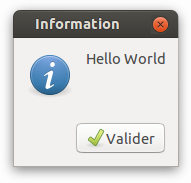
Old version (score 47):
zenity --info --title="Hello World" --timeout=3
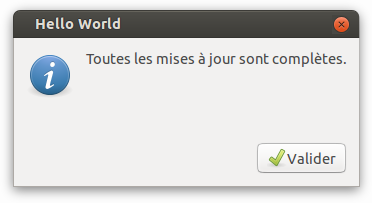
For some reason, zenity display a text which can be translated as All update are done.
52 51 chars with Mathematica
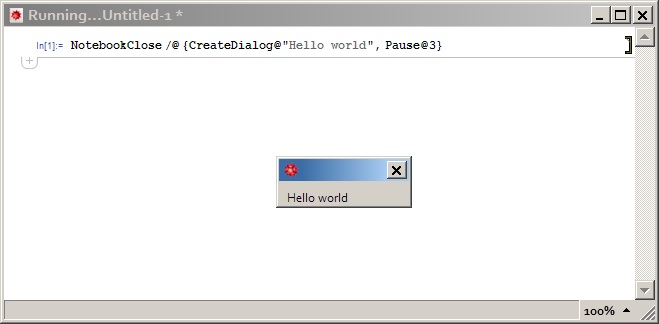
(Hope it counts as a GUI-compliant.)
NotebookClose/@{CreateDialog@"Hello world",Pause@3}
JavaScript (51)
Some old JavaScript methods that still exist because they existed in Netscape 2. document.write replaces the page with a string. setTimeout calls a function after given time (in miliseconds). close closes the window. Doesn't work in Firefox JS console, but it works when imported with <script> or in other browsers' JavaScript consoles.
document.write("Hello world")
setTimeout(close,3e3)
HTML/JavaScript (81)
<body onload="setTimeout(function(){document.body.innerHTML=''},3e3)">Hello World
Python with turtle module (69 66 bytes)
import turtle as t,time
t.title("Hello World")
t.fd(1)
time.sleep(3)
Note that if you run this in an interactive console, you don't need the t.fd(9) line. However, for some reason when running this non-interactively, the title doesn't change unless you run the extra line.
Edit (66 bytes)
import turtle as t
t.title("Hello World")
t.ontimer(t.fd(1),3000)
Linux Shell, 54
echo "hello world">f;firefox f;sleep 3;killall firefox
Visual FoxPro - 23 characters
WAIT"hello world"TIME 3
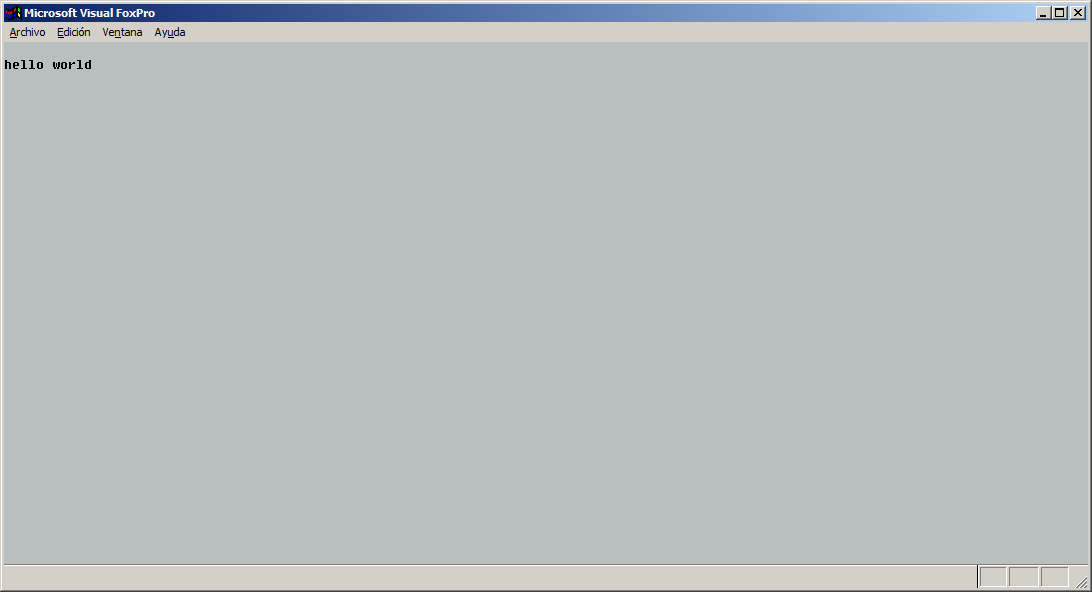
This abuses the fact that VFP allows to not to put a space between the string to be printed (which I just discovered) and that it allows to shorten every keyword to up to its first 4 characters.
Ungolfed version:
WAIT "hello world" TIMEOUT 3
TCL, 52 bytes
label .l -text Hello\ World
pack .l
after 3000 exit
Legacy C/Xt/Motif (240)
Super old-school entry!
Link with -lXm -lXt -lX11, order matters.
Also curious if this works on other *nix platforms, because the XFlush is me subverting what I'm supposed to do (enter the application loop) in order that I don't have to install a timer to shut down after 3 seconds (and consume more characters).
#include <Xm/XmAll.h>
int main(int n,char **v){XtAppContext c;Widget t=XtVaAppInitialize(&c,"h",NULL,0,&n,v,NULL,NULL);XtVaSetValues(t,XmNtitle,"Hello World",XmNminWidth,300,NULL);XtRealizeWidget(t);XFlush(XtDisplay(t));sleep(3);return 0;}
Bash with xterm, 34
Uses the title of an xterm window to display "Hello World". Does close after 3 seconds.
xterm -T Hello\ World -e sleep\ 3
If displaying Hello_World (without a space) is allowed, you can save one char (xterm -T Hello_World -e sleep\ 3).
Javascript (ECMAScript) + jQuery
65 Script + 23 Html = 88 Characters
Html
<div id='a'>Hello World
Script
e=$('#a'),d='dialog',x=e[d]();setTimeout(B=n=>{x.remove()},3000)
All-in-one (105 Characters)
<div id='a'>Hello World<script>e=$('#a'),d='dialog',x=e[d]();setTimeout(B=n=>{x.remove()},3000)</script>
 <div id="a">Hello World
 <script>
   e=$("#a"),
   d='dialog',
   x=e[d]();
   setTimeout(B=n=>{x.remove()},3000)
 </script>
Processing, 77
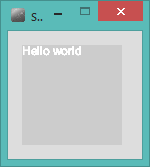
int x=millis();void draw(){text("Hello world",0,9);if(millis()>x+3e3)exit();}
Screenshot:
Edit 1: Y position of the text can be 9 instead of 10, like noted by @ace.
Edit 2: 3000 can be represented as 3e3 to shave one character off, also noted by @ace
Rebol View (r3gui), 49
view/no-wait[title"hello world"]wait 3 unview/all
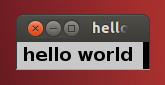
Ungolfed:
view/no-wait [title "hello world"]
wait 3
unview/all
Perl 5, 47
Using Perl/Tk:
perl -MTk -e'alarm 3;tkinit-title,"Hello World!";MainLoop'
#     123    45678901234567890123456789012345678901234567
VB.NET Winforms, 167
Private Sub Form2_Shown(sender As Object, e As System.EventArgs) Handles Me.Shown
    Me.Text = "hello world"
    System.Threading.Thread.Sleep(3000)
    End
End Sub
based on ace suggestion the new code is
NOW 100 Characters
 Sub f() Handles Me.Shown
Me.Text = "hello world"
System.Threading.Thread.Sleep(3000)
End
End Sub
Tcl - 32 bytes
I noticed that some of these submissions, like the shell or javascript ones, allow you to type the code into the console. If that's the case I can shorten it to:
wm ti . hello\ world;af 3000 exi
Must be typed into the console after running wish. Meaning, run wish without arguments which will give you a REPL console and then type the code above. This makes use of the fact that tcl can be lenient and autocomplete command/function names but only in interactive mode. So that af actually exectues the after command and exi executes exit. I wanted to use ex but my system has the ex editor installed.
Original submission - 36 bytes
wm ti . hello\ world;after 3000 exit
Run using wish instead of tclsh.
HTML+Javascript, 73 60 characters
<script>setTimeout("open('','_self','');close()",3e3)</script>Hello world
This works in Chrome, but may not be portable to other browsers.
Suggestions from the comments take this further:
<body onload=open('',name=setTimeout(close,3e3))>Hello world
C# 101 151
This will for sure not be the shortest answer (since there are already other good answers being way shorter) but codegolf.SE needs a lot more C# contributions in my opinion!
using t=System.Threading;class P{static void Main(){using(t.Tasks.Task.Run(()=>System.Windows.MessageBox.Show("hello world"))){t.Thread.Sleep(3000);}}}
C# 121
An alternative based on Bob's answer, but with WPF instead of WinForms:
class P{static void Main(){new System.Windows.Window(){Title="hello world"}.Show();System.Threading.Thread.Sleep(3000);}}
Saves 3 characters thanks to the shorter namespace ...
shell + gedit / geany, 34
gedit Hello\ World&sleep 3;kill $!
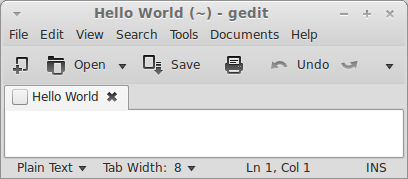
This assumes that gedit pops up instantly since the 3 seconds are counted from the start of issuing the command. Could be smaller if there's a GUI text editor shorter than gedit.
geany works too for the same number of chars, just s/gedit/geany/g
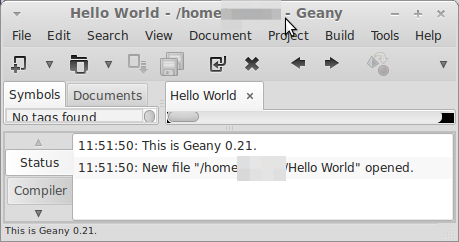
EDIT: Using timeout is shorter. https://codegolf.stackexchange.com/a/28477/8766
EDIT2: Can anyone confirm if this works with kate ?
meld , 32
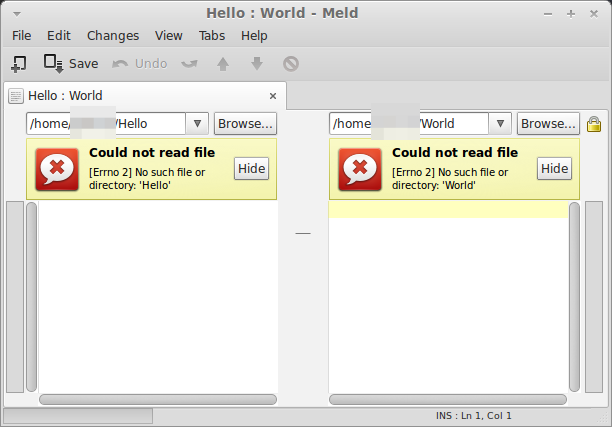
If exactly Hello World is not required, then meld can be used.
meld Hello World&sleep 3;kill $!
Shell and gedit - 27 characters
timeout 3 gedit Hello World
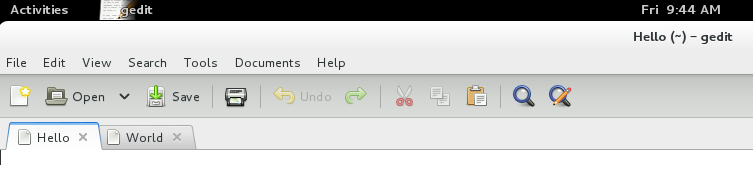
If Hello World needs to be displayed as a single string, then its 28 characters:
timeout 3 gedit Hello\ World
timeout utility runs a command for the duration specified. It ensures that gedit runs for 3 seconds, assuming minimal startup time.
Any editor can be used in place of gedit. If a shorter named editor is used like gvim, the length can be reduced by 1 or more characters.
Using an editor initially thought of by user80551.
C# 124
Far from the shortest :(
class P{static void Main(){new System.Windows.Forms.Form(){Text="Hello World"}.Show();System.Threading.Thread.Sleep(3000);}}
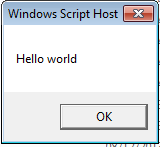
VBScript, 58
WScript.CreateObject("WScript.Shell").Popup"Hello world",3
Perl on Windows (56)
use Win32;fork?kill+sleep+3,$$:Win32'MsgBox"Hello World"
Unix shell, 31 characters
xmessage -timeout 3 hello world
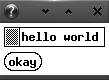
This program requires the xmessage(1) utility from X.Org. It uses the traditional black-and-white X Athena Widgets (Xaw).
PowerShell - 63 52
(new-object -c wscript.shell).popup('Hello World',3)
R, 44
x11(ti="Hello World");Sys.sleep(3);dev.off()

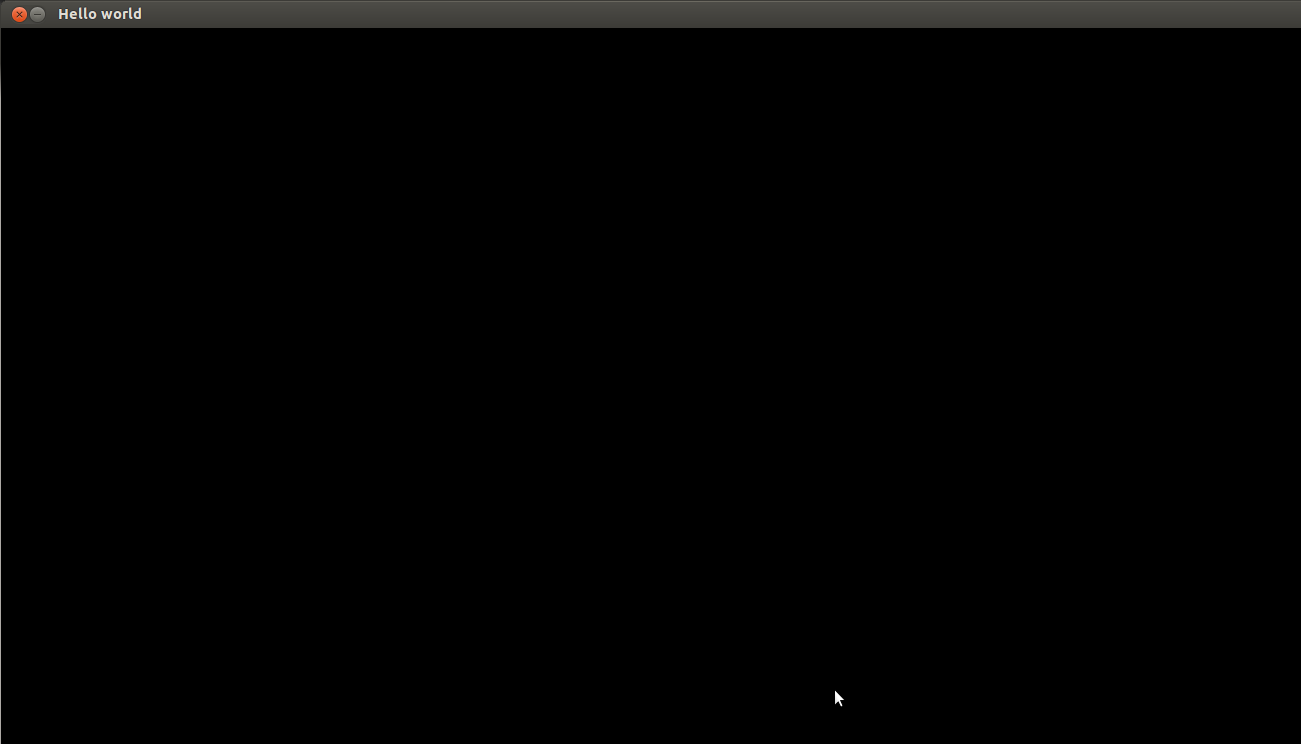
Python (pygame), 87
import pygame.display as d,time
d.set_mode()
d.set_caption('Hello world')
time.sleep(3)
Ruby [with Shoes] (44 chars)
Shoes.app{para "Hello world";every(3){exit}}

Ruby - 136 bytes
Using FXRuby :
require'fox16';include Fox;a=FXApp.new;timeout=a.addTimeout(3000)do|s|a.exit;end;a.create;FXMessageBox.error(a,MBOX_OK,'','Hello World')

Cobra - 180
use System.Windows.Forms
use System.Threading
class M
    def main
        Thread(ref .w).start
        Thread.sleep(3000)
        Environment.exit(0)
    def w
        MessageBox.show("hello world")
Lua + LÖVE, 67 bytes
l=love l.window.setTitle"hello world"l.timer.sleep(3)l.event.quit()
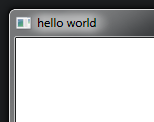
Python 3, 83 72 bytes
from tkinter import*
f=Tk()
f.wm_title("Hello World")
f.after(3000,exit)
Save bytes by using tkinter.
The old method added a Label to the frame. This method sets the title of the frame to Hello World. f.after(3000,exit) runs exit() after 3000 milliseconds have passed.
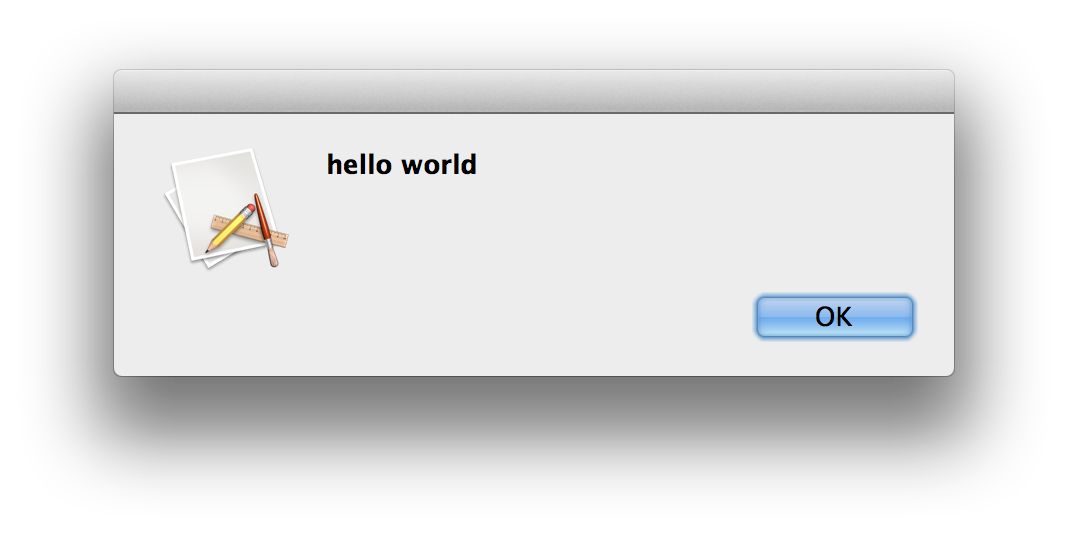
Applescript, 45 bytes:
Not often Applescript is one of the shorter answers:
display alert "hello world" giving up after 3
Paste into the Applescript Editor and run, or run using osascript at the command line:
osascript -e 'display alert "hello world" giving up after 3'
APL (40)
X.Close⊣⎕DL 3⊣'X'⎕WC'Form' 'Hello World'
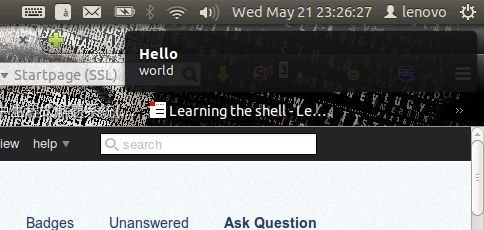
shell script, 31
Not sure whether it qualifies. Requires notify-send. Works at least on Ubuntu 12.04.
notify-send -t 3000 Hello world
Java, 136 bytes
class F{public static void main(String[]a)throws Exception{new java.awt.Frame("Hello World").show();Thread.sleep(3000);System.exit(0);}}
Displays the message Hello World as the title of a frame. After 3 seconds, the program closes.
Looks like this:

Drag it bigger:

Expanded code (ie readable):
class F {

    public static void main(String[] a) throws Exception {
        new java.awt.Frame("Hello World").show();
        Thread.sleep(3000);
        System.exit(0);
    }

}
C, 151 characters
#include<allegro.h>
main(){textout_ex(screen,font,"Hello World",0,0,7,set_gfx_mode('SAFE',8,8,install_timer(),
allegro_init()));rest(3e3);}END_OF_MAIN()
Not the smallest answer. I like it though.