| Bytes | Lang | Time | Link |
|---|---|---|---|
| nan | 251013T162047Z | Bill Kuk | |
| 103 | TIBASIC TI83 | 250317T170021Z | absolute |
| 096 | CASIO BASIC CASIO fx9750GIII | 250313T154224Z | madeforl |
| 198 | AWK | 241127T194147Z | xrs |
| 173 | x86 DOS Assembly | 140309T001915Z | Mara Orm |
| 492 | Mindustry | 241011T071937Z | Dornteuf |
| 296 | Sharp EL9300 Graphics Calculator | 140308T045147Z | Digital |
| 271 | Java Processing | 140308T171120Z | Jan K |
| 109 | R | 200518T192322Z | Dominic |
| 199 | JavaScript | 191003T094412Z | Kamil Ki |
| 088 | JavaScript pixel shader | 220421T231519Z | Matthew |
| 261 | PostScript | 211224T210623Z | Thomas F |
| 620 | Floater | 140328T221329Z | Mark Jer |
| 194 | APL | 140313T211730Z | Tobia |
| 146 | GLSL | 211118T112431Z | Max |
| 139 | QBasic | 170927T140957Z | primo |
| 308 | Javascript ECMAScript 6 308 Characters | 140309T000531Z | MT0 |
| 290 | Python 3 | 191006T163858Z | r3dapple |
| 221 | Excel VBA | 170926T203902Z | Engineer |
| 316 | Tcl/Tk | 170319T191131Z | sergiol |
| 280 | Applesoft BASIC | 170526T060227Z | MD XF |
| 019 | Mathematica 10.0 | 140329T132519Z | alephalp |
| 166 | Python + PIL | 140308T160617Z | primo |
| 030 | Mathematica | 140307T231542Z | DavidC |
| 151 | Python with Pylab+Numpy | 140309T081145Z | meawoppl |
| 073 | J | 140309T160833Z | Eelvex |
| 324 | Java | 140308T030625Z | Geobits |
| nan | I came across this the other day. I don't take credit for it | 140308T111138Z | ɐɔıʇǝɥʇu |
| 126 | SmileBASIC | 170215T185018Z | 12Me21 |
| 106 | TI80 BASIC | 170213T223954Z | 12Me21 |
| 299 | Windows PowerShell v4 | 150930T012823Z | Tessella |
| nan | 140313T042719Z | CCP | |
| nan | QBasic | 140314T182946Z | Mark Jer |
| 285 | Javascript | 140313T161701Z | alyx-bre |
| 136 | Octave | 140308T203816Z | ascheple |
| 089 | Matlab | 140310T105744Z | Chris Ta |
| 248 | C + Allegro 4.2.2 | 140308T134245Z | Oberon |
| nan | 140309T123602Z | orion | |
| 225 | GLSL | 140309T054416Z | nneonneo |
| 228 | BBC Basic | 140309T090152Z | null |
| 264 | Perl + GD | 140309T055653Z | mob |
| nan | 140308T212242Z | ɲeurobur | |
| 211 | R | 140308T085519Z | plannapu |
| 673 | LaTeX | 140308T021642Z | Heiko Ob |
Bendix G-15 Machine Code
292 29-bit words
The Bendix G-15 is a vacuum tube computer from 1956. The rules specify "No ASCII Art" but this machine pre-dates ASCII, therefor the typewriter output is not ASCII. The machine is only capable of outputting hexadecimal values, but note that it also predates the convention of using A-F, and instead uses the characters u-z.
Program is not measured in bytes, because this computer predates the term.
This program was written in 2025, but uses subroutines written in 1957.

# BBL - Bill's Bendix Loader
# Prepared by: Bill Kuker
# Date: 2-24-2025
#
#
# As the first block on a tape (after the number track) this
# Program reads the specified number of blocks into the first
# N lines of the drum in reverse order. The final block is
# copied into line 0, and then execution is transferred to
# Line 0 Instruction zero.
#
# It might waste a few inches of tape, but lets be real I'll
# never get to run it on the real thing.
#
# (BBL Rhymes with nibble)
#
# Usage:
# Include this file, store number of tracks to load at :ct
# ct = 4 will load 4 tracks into lines 3,2,1,0 and then jump
# to 00:00
#
# #include "bbl.asm"
# ct:                      Count
# .     +4                 Number of blocks to load
#


# Copy loaded program from 19 -> 0 and begin execution at 0:03
#
.00 . u.01.02.0.19.00   Line 19 to Line 0 - Test not set
.01 . u.02.02.0.19.00   Line 19 to Line 0 - Test set
.02 .  .03.03.0.21.31   GOTO 0:3

# After each block is copied it goes to 0.
# The following code replazes the original instruction at zero with a
# jump to lp: at instruction iterate the loop.
#
# When the count reaches zero, this program will have been replaced
# by final block loaded from tape. I feel vaguely clever.

                        Replace instruction a 0.0 with jump to lp:
.03 .  .22.04.1.00.28   nz -> ARc
.04 .  .00.05.1.28.00   AR -> 00


lp:                     Loop
                        Clear Line 19
.05 .  .06.06.0.29.28   0 -> AR
.06 . u.07.07.0.28.19   AR -> Line 19

                        Load a block, copy it to Line nr in :ct
.07 .  .09.08.0.15.31   Read next tape block
.08 .  .08.08.0.28.31   Wait for IOReady

                        Calculate Checksum
.09 .  .10.10.0.29.28   0 -> AR
.10 . u.11.11.1.19.29   Sum line 19 to AR
.11 .  .13.12.0.28.27   If AR == 0
.12 .  .00.14.0.00.00   goto ok
                        else
.13 .  .00.20.0.00.00   got bc

ok:                     OK Checksum
                        Decrement count
.14 .  .24.15.1.00.28   ct -> ARc
.15 .  .23.16.3.00.29   AR--
.16 .  .24.17.1.28.00   AR -> ct

                        Execute copy instruction
.17 .  .18.19.1.00.29   Add copy intruction to ct in AR
.18 . u.22.00.0.19.00   Copy Instruction: Line 19 to Line 0
                        Added to AR, which has target line
.19 .  .21.21.0.31.31   NCAR
                        Copy instruction jumps to 0:0

bc:                     BAD Checksum
.20 .  .21.21.0.17.31   DING
.21 .  .23.14.0.16.31   Halt

#Data

nz:                     New Instruction for location Zero
.22 .  .05.05.0.20.31   GOTO 0.lp


on:                     One - Constant
.23   +0000001
ct:                     Count
.24   +0000003

<BLOCK>
rs:                     Return Setup
.00 .  .01.02.1.02.28   Copy return command to A
.01 .  .40.40.2.20.31   Return Command
.02 .  .02.03.0.28.21   command for normal return
.03 .  .03.04.0.28.21   command for overflow return

                        Skip the above code after the
                        first call to this fractal code
.04 .  .05.06.0.02.28   Skip command to AR
.05 .  .01.07.0.00.00
.06 .  .00.07.0.28.02   AR -> 2:0

                        Clear count
.07 .  .08.09.0.02.28   1 -> AR
.08   +0000001
.09 .  .10.11.0.28.23   AR -> ct

                        Initialize Z
                        Load 23:0,1 (Ci,Cr) -> 20:0,1 (Zi,Zr)
.11 .  .12.13.0.23.20   Ci -> Zi
.13 .  .17.18.0.23.20   Cr -> Zr


lp:

#43-55
#                        Put Z into line 22 as complex mult params
#                        Copy 20:0,1 (Zi,Zr) to...
.18 .  .21.22.0.20.28   Zr -> AR
.22 .  .23.24.0.28.22   AR -> P1r
.24 .  .25.26.0.28.22   AR -> P2r

.26 .  .28.29.0.20.28   Zi -> AR
.29 .  .30.31.0.28.22   AR -> P1i
.31 .  .32.35.0.28.22   AR -> P2i

.35 .  .40.40.1.20.31   "goto" 01.40 (complex multiply)

                        Add position to Z^2
rt:
                        Zr = Zr + Cr
.40 .  .41.42.1.23.28   Cr -> AR
.42 .  .45.46.1.20.29   AR += 20.01 (ResultR / Zr)
.46 .  .49.50.1.28.20   AR -> 20.01

                        Zi = Zi + Ci
.50 .  .52.53.1.23.28   Ci -> AR
.53 .  .56.57.1.20.29   AR += 20.00 (ResultI / Zi)
.57 .  .60.61.1.28.20   AR -> 20.00

                        if |Zi| > 2 goto ot
.61 .  .64.65.2.20.28   |Zi| -> AR
.65 .  .66.67.3.02.29   Subtract two
.66   +051yv85          Two shifted
.67 .  .69.70.0.22.31   Test AR sign
.70 .  .71.96.0.00.00   if AR >= 0 goto ot
                        else continue on

                        if |Zr| > 2 goto ot
.71 .  .73.74.2.20.28   |Zr| -> AR
.74 .  .75.76.3.02.29   Subtract two
.75   +051yv85          Two shifted
.76 .  .78.79.0.22.31   Test AR sign
.79 .  .80.96.0.00.00   if AR >= 0 goto ot
                        else continue on

                        ct = ct + 1
.80 .  .82.83.1.23.28   ct -> AR
.83 .  .84.85.1.02.29   AR += 1
.84   +0000001
.85 .  .86.87.1.28.23   AR -> ct

                        if ct > limit goto in
.87 .  .88.89.3.02.29   Subtract limit
.88   +0000011           Limit 12
.89 .  .91.92.0.22.31   Test AR sign
.92 .  .93.94.0.00.00   if AR >= 0 goto in
.93 .  .94.18.0.00.00   else loop


in:                     Point is IN
.94 .  .95.17.0.02.28   Eights -> AR; GOTO tp
.95   +0000000

ot:                     Point is OUT
.96 .  .98.99.6.23.25 - Ct -> ID1
.99 .  .10.14.1.26.31   Shift R 4
.14 .  .16.17.0.25.28   ID0 -> AR

tp:
.17 .  .19.18.0.20.31   RETURN

<BLOCK>

# Bendix subroutine - Complex Multiplication
# Prepared by: D. Stein, S. H. Lewis #1205
# Date: 3-13-1957
# Line: 01
# Multiplication
#   Calculates:
#       (x + yi) = (a + bi) * (c + di)
#   Entry:  40
#   Exit:   38
#   Input:
#      10^-2d -> 22.00
#      10^-2c -> 22.01
#      10^-2b -> 22.02
#      10^-2a -> 22.03
#      Return Command
#           Normal 21.02
#           Overflow 21.03
#   Output:
#      10^-2y -> 20.00
#      10^-2x -> 20.01
#
# https://rbk.delosent.com/allq/Q5531.pdf Page 53
# Dave Green archive: David-Green-Files\kimpel\1205A.G15
# Corrections to the bendix publications are noted in
# comments, these were in the David Green Files
#
# Multiplication seems to work
# Division untested.
#
# Transcribed: Bill Kuker 3/13/2025
#
#
.40 .  .42.44.6.22.25   ID(1):=22.02  =(10^-2)b
.44 . u.46.47.0.22.24   MQ(1):=22.01  =(10^-2)c
.47 .  .56.u4.0.24.31   PN = (10^-4)bc
.u4 .  .u6.02.4.26.20   20.02.03:=PN(0.1)
.02 .  .04.06.6.22.25   ID(1):=22.00  =(10^-2)d
.06 . u.08.09.0.22.24   MQ(1):=22.03  =(10^-2)a
.09 .  .56.66.0.24.31   PN = (10^-4)ad
.66 .  .68.70.4.26.21   21.00.01:=PN(0.1)
.70 .  .72.76.5.21.26   PN(0.1):=21.00.01
.76 .  .78.80.5.20.30   PN:=PN+20.02.03  =(10^-4)(ad+bc)
.80 .  .82.84.5.26.20   20.02.03:=PN(0.1)
.84 .  .86.88.4.20.25   ID(0.1):=20.02.03
.88 . u.90.91.0.01.24   MQ(1):=01.89  =10^2(2^-7)
.89   +w800000              10^2(2^-7)
.91 .  .10.01.0.24.31   PN:=(10^-2)(2^-7)(ad+bc)

# Typo?
# From Scan:
#01 .  .16.18.?.??.??   2^?? *? |PN| -> PN0,1+
# From David Green:
.01 . u.16.18.6.26.30   PN:=(10^-2)(ad+bc)


.18 . u.21.22.2.26.20   20.00:=PN(1)  =(10^-2)y
.22 .  .24.26.0.23.31   clear (even)
.26 . u.28.28.0.22.25   ID(1):=22.03  =(10^-2)a
.28 . u.30.31.0.22.24   MQ(1):=22.01  =(10^-2)c
.31 .  .56.92.0.24.31   =(10^-4)ac
.92 .  .94.96.4.26.20   20.02.03:=PN(0.1)
.96 .  .98.u0.6.22.25   ID(1):=22.02  =(10^-2)b
.u0 .  .u4.05.6.22.24   MQ(1):=22.00  =(10^-2)d
.05 .  .56.62.0.24.31   =(10^-4)bd

# Typo?
#From Scan:
#62 .  .66.68.0.2?.2?   10^-4bd * (PN0,1) -> 21.00,01
# From David Green:
.62 .  .64.68.4.26.21   21.00.01:=PN(0.1)

.68 .  .70.74.5.20.26   PN(0.1):=20.02.03
.74 .  .76.78.7.21.30   PN:=PN-21.00.01
.78 .  .80.82.5.26.21   21.00.01:=PN(0.1)
.82 .  .84.86.4.21.25   ID(0.1):=21.00.01
.86 .  .89.93.0.01.24   MQ(1):=01.89  =10^2(2^-7)
.93 .  .10.03.0.24.31

# Typo?
#From Scan - Very clear
#.03 .  .18.20.6.26.30
#From David Green
.03 . u.18.20.6.26.30

.20 . u.22.24.0.26.20   20.01:=PN(1)  =(10^-2)x
.24 .  .26.33.0.29.31   overflow?
.33 . u.35.36.0.21.28   no:  AR:=21.02
.34 . u.36.36.0.21.28   yes: AR:=21.03
.36 .  .38.38.0.31.31   execute AR (exit)

# Complex Division
.35 .  .38.38.0.23.31   clear
.38 .  .40.41.2.22.28   AR:=21.00  =(10^-2)abs(d)
.41 . u.43.43.0.28.20   20.02:=AR
.43 .  .45.48.2.22.28   AR:=22.01  =(10^-2)abs(c)
.48 .  .50.51.3.20.29   AR:=AR-20.02  =abs(c)-abs(d)
.51 .  .53.54.0.22.31   is AR negative?
.54 .  .57.83.0.22.25   +ve: (c>=d) ID(1):=22.01  =(10^-2)c
.55 . u.61.63.2.22.22   -ve: (c<d)  22.01-00:=22.00-03
.63 . u.65.65.3.22.28   AR:=-22.00
.65 . u.67.69.3.22.30   PN(0):=22.02
.69 . u.71.72.1.28.22   22.02:=AR
.72 .  .76.77.1.26.22   22.00:=PN(0)
.77 .  .81.83.0.22.25   ID(1):=22.01
.83 .  .84.87.6.22.26   PN(1):=22.00 tva
.87 .  .56.39.5.25.31   divide
.39 . u.41.45.0.24.21   21.00:=MQ(0)
.45 .  .48.50.6.21.25   ID(1):=21.00 tva
.50 .  .52.61.6.22.24   MQ(1):=22.00 tva
.61 .  .56.10.0.24.31   multiply
.10 .  .12.16.4.26.20   20.00.01:=PN(0.1)
.16 .  .19.19.0.23.31   clear
.19 .  .21.23.0.22.25   ID(1):=22.01
.23 .  .02.29.0.26.31   shift 1 bit
.29 .  .32.37.4.25.20   20.02.03:=ID(0.1)
.37 . u.42.42.5.20.30   PN(0.1):=20.00.01+20.02.03
.42 .  .44.46.5.26.22   22.00.01:=PN(0.1)  =denominator
.46 .  .48.52.6.21.25   ID(1):=21.00 tva
.52 .  .54.57.6.22.24   MQ(1):=22.02 tva
.57 .  .56.07.0.24.31   multiply
.07 .  .10.11.4.26.20   20.00.01:=PN(0.1)
.11 .  .14.14.0.23.31   clear
.14 . u.16.17.0.22.25   ID(1):=22.03
.17 .  .02.21.0.26.31   shift
.21 . u.24.25.4.25.20   20.02.03:=ID(0.1)
.25 . u.30.32.5.20.30   PN(0.1):=20.02.03+20.00.01
.32 .  .34.49.5.26.20   20.02.03:=PN(0.1)
.49 .  .52.58.4.20.25   ID(0.1):=20.02.03
.58 .  .81.99.1.01.24   MQ(1):=01.88  =10^-2
.81   -zx70u3y
.99 .  .58.53.0.24.31   multiply
.53 . u.56.56.4.26.20   20.02.03:=PN(0.1)
.56 .  .60.64.4.22.25   ID(0.1):=22.00.01  =denominator
.64 .  .66.15.4.20.26   PN(0.1):=20.02.03
.15 .  .58.90.5.25.31   divide
.90 .  .92.94.1.24.27   test for zero
.94 .  .96.98.6.24.20   yes: 20.01:=MQ(0) tva
.95 .  .99.36.0.21.28   no:  21.03:=AR  (command)
.98 .  .u0.00.6.21.25   ID(1):=21.00 tva
.00 .  .03.13.0.22.24   MQ(1):=22.03
.13 .  .56.79.0.24.31   multiply
.79 .  .82.85.4.26.20   20.02.03:=PN(0.1)
.85 .  .88.97.6.22.25   ID(1):=22.02 tva
.97 .  .02.u1.0.26.31   shift 6 bits
.u1 . u.u4.04.4.25.22   22.02.03:=ID(0.1)
.04 .  .06.08.5.22.26   PN(0.1):=22.02.03
.08 .  .10.12.7.20.30   PN(0.1):=PN-20.02.03
.12 .  .16.59.5.26.21   21.00.01:=PN(0.1)
.59 .  .60.73.4.21.25   ID(0.1):=21.00.01
.73 .  .81.u3.1.01.24   MQ(1):=01.81  =10^-2
.u3 .  .58.60.0.24.31   multiply
.60 .  .64.67.4.26.21   21.00.01:=PN(0.1)
.67 . u.70.71.4.22.25   ID(0.1):=22.00.01  =denominator
.71 . u.74.75.4.21.26   PN(0.1):=21.00.01  =no
.75 .  .58.27.5.25.31   divide
.27 . u.29.30.0.24.20   20.00:=MQ(0)  =(10^-2)y
.30 .  .32.33.1.24.27   MQ(1) zero?

<BLOCK>
#define ILOW d-0.0110
#define IHIGH d0.0110
#define ISTEP d0.0040

#define RLOW d-0.021
#define RHIGH d0.0052
#define RSTEP d0.0016

                        Reset Imaginary Position
.00 .  .01.02.1.00.28   Imaginary Start -> AR
.01   -02x0y56
.02 .  .00.03.1.28.23   AR -> Ci

nl:                     Loop start for a new line

                        Print a newline
.03 .  .04.05.1.00.28   AR = Format Newline
.04   +4400000          F3 Format code, 0 digit, CR end
.05 .  .03.06.1.28.03   03:03 = AR
.06 .  .08.07.0.08.31   Output AR to typewriter
.07 .  .07.07.0.28.31   Wait for IOReady

                        Set up single digit format code
.08 .  .09.10.1.00.28   AR = Format Digit
.09   +0400000          Format code, 1 digit, end
.10 .  .03.11.1.28.03   03:03 = AR

                        ci = ci + d0.0040
.11 .  .00.12.1.23.28   Ci -> AR
.12 .  .13.14.1.00.29   AR += Step
is:
.13   +010624y            Imaginary Step
.14 .  .00.15.1.28.23   AR -> Ci

                        if ci > d0.0110 then HALT
.15 .  .00.16.1.23.28   Ci -> AR
.16 .  .17.18.3.00.29   Subtract end point
.17   +02x0y56
.18 .  .20.19.0.22.31   Test AR sign
.19 .  .21.48.0.16.31   if AR >= 0 HALT
                        else continue on

                        Reset Real Position
.20 .  .21.22.1.00.28   Real Start -> AR
.21   -0560419
.22 .  .01.23.1.28.23   AR -> Cr

nc:                     Next Character loop start

                        Cr = Cr + d0.0016
.23 .  .25.26.1.23.28   Cr -> AR
.26 .  .27.28.1.00.29   AR += Step
rs:
.27   +0068xv9
.28 .  .29.30.1.28.23   AR -> Cr


###CALL FRACTAL CODE
.30 . w.31.00.2.21.31   GOSUB 2.0 Line 2 instruction zero

#.%2 .  .L1.L2.0.00.28   AR = ones
#.   +1111111            F3 Format code, 0 digit, CR end

tp:                     Print out value in AR
.31 .  .33.34.0.08.31   Output AR to typewriter
.34 .  .34.34.0.28.31   Wait for IOReady

                        If Cr > d0.0052
                            goto nl - Next Line
                        else
                            goto nc - Next Character
.35 .  .37.38.1.23.28   Cr -> AR
.38 .  .39.40.3.00.29   Subtract end point
.39   +0154w98
.40 .  .42.43.0.22.31   Test AR sign
.43 .  .44.03.0.00.00   if AR >= 0 goto nl
.44 .  .45.23.0.00.00   else goto nc

bg:                     MAKE IT BIGGER
.48 .  .13.49.0.00.25   is -> ID
.49 .  .02.50.1.26.31   Shift ID 1 bit right
.50 .  .13.52.0.25.00   ID -> is

.52 .  .27.53.0.00.25   is -> ir
.53 .  .02.54.1.26.31   Shift ID 1 bit right
.54 .  .27.00.0.25.00   ID -> ir
TI-BASIC (TI-83), 103 111 118 bytes
-7 bytes from Ans manipulation and better variable modifications
-8 bytes from removing usage of the A and B variables
1.88→Xmax                 ; Set the graph bounds to something
⁻Ans→Xmin                 ;   reasonable so that it looks nice
1.24→Ymax
⁻Ans→Ymin
AxesOff
For(X,Xmin,Xmax,ΔX        ; Loop over each pixel on the graph
For(Y,Ymin,Ymax,ΔY
DelVar NX+Yi→C            ; Reset N to 0 and set the constant
While N<20 and 2≥abs(Ans  ; Loop for at most 20 iterations or until
                          ;   the number's magnitude is > 2
IS>(N,0:                  ; Increment N without updating Ans
Ans²+C                    ; Put the next number in Ans
End
If N≥20                   ; Draw a dot if the coordinate did not
Pt-On(X,Y                 ;   result in a diverging series
End
End

A simple nested loop with the standard \$z_{n+1}=z_n^2+c\$ function for the iterations.
The coordinates \$(X,Y)\$ are converted to a complex number \$X+Yi\$ to allow for complex arithmetic.
X-bounds of [-2,2] and Y-bounds of [-1.32,1.32] would result in a closer graph, but the step for Y would end up being an ugly and longer fraction of \$\frac{33}{775}\$ (.04258) instead of a clean \$\frac{1}{20}\$ (.05), so I opted for the bounds used instead.
The original answer used X-bounds of [-2.35,2.35] and Y-bounds of [-1.55,1.55] so that each pixel was a step of \$\frac{1}{20}\$, but the new answer has each pixel as a step of \$\frac{1}{25}\$.
This results in a closer and more detailed graph of the set.
TI-BASIC Quirks:
DelVar N ends at the variable token, so a newline isn't needed.
The effective code is:
DelVar N
X+Yi→C
IS>(N,0: uses the same amount of tokens as N+1→N, but it doesn't update Ans.
This allows incrementing N while still preserving Ans as the current sequence number.
Note: TI-BASIC is a tokenized language. Character count does not equal byte count.
Program size is equal to \$MEM\: byte\: count - program\: name\: length - 9\: bytes\$.
While the image shows me using a TI-84+ calculator, all of the tokens used are present in the TI-83 set of tokens, so this program can be used there as well.
CASIO BASIC (CASIO fx-9750GIII), 96 bytes
translation of 12Me21's Answer it TI-80 BASIC
For -2→R To 2 Step .1
For -2→Q To 2 Step .1
0→S~T
For 1→N To 21
SS+TT≥4⇒Break
SS-TT+Q→I
2ST+R→T
I→S
Next
Frac (.5N⇒Plot Q,R
Next
Next
this is unbelievably slow.

AWK, 198 bytes
BEGIN{a=-2;c=d=1;b=-1;w=140;h=40;m=250;x=(c-a)/w;y=(d-b)/h;for(r=0;r<h;r++){for(c=0;c<w;c++){q=a+c*x;s=d-r*y;for(R=I=t=0;R*R+I*I<=5&&t<m;t++){T=R*R-I*I+q;I=2*R*I+s;R=T}printf t==m?"#":" "}print""}}'
To Test:
awk 'BEGIN{a=-2;c=d=1;b=-1;w=140;h=40;m=250;x=(c-a)/w;y=(d-b)/h;for(r=0;r<h;r++){for(c=0;c<w;c++){q=a+c*x;s=d-r*y;for(R=I=t=0;R*R+I*I<=5&&t<m;t++){T=R*R-I*I+q;I=2*R*I+s;R=T}printf t==m?"#":" "}print""}}'

Color Attempt, 268 bytes
BEGIN{a=-2;c=d=1;b=-1;w=140;h=40;m=250;x=(c-a)/w;y=(d-b)/h
split("\033[31m \033[33m \033[32m \033[34m \033[35m",C)
for(r=0;r<h;r++){for(c=0;c<w;c++){q=a+c*x;s=d-r*y
for(R=I=t=0;R*R+I*I<=5&&t<m;t++){T=R*R-I*I+q
I=2*R*I+s;R=T}printf t==m?"#":C[1+int(4*t/m)]" "}print""}}
To test:
awk 'BEGIN{a=-2;c=d=1;b=-1;w=140;h=40;m=250;x=(c-a)/w;y=(d-b)/h;split("\033[31m \033[33m \033[32m \033[34m \033[35m",C);for(r=0;r<h;r++){for(c=0;c<w;c++){q=a+c*x;s=d-r*y;for(R=I=t=0;R*R+I*I<=5&&t<m;t++){T=R*R-I*I+q;I=2*R*I+s;R=T}printf t==m?"#":C[1+int(4*t/m)]" "}print""}}'

x86 DOS Assembly, 208 177 173 bytes
The full binary, in HEX, that I created by hand, is:
DBE3BE00A0B81300CD1056BA640007BF87F9FDBDC7008BCDE81A008AC3AA4979F7B9C70083EF784D79EE33C0CD16B80300CD10CD208BC12BC289441CDF441CDF06A701DEF9D95C088BC52BC289441CDF441CDF06A701DEF9D95C0CD9EED914D95404D95410D95C14B301D904D84C04DE0EA901D8440CD95404D94410D86414D84408D914D80CD95C10D84C04D95414D84410DF06AB01DED99BDFE09B9E7207433ADA72C632DBC3320002000400
The sample image is:
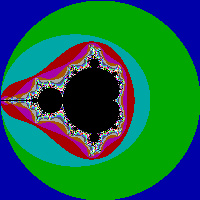
The full source in readable ASM is fairly long (I used this to figure out how I was coding this sucker):
.286
CODE SEGMENT
ASSUME CS:code, DS:code
ORG 0100h

; *****************************************************************************
start:
  ; Mandlebrot coordinates
  zr   = DWORD PTR [SI+0]
  zi   = DWORD PTR [SI+4]
  cr   = DWORD PTR [SI+8]
  ci   = DWORD PTR [SI+12]
  zrsq = DWORD PTR [SI+16]
  zisq = DWORD PTR [SI+20]

  ; Temp int
  Temp = WORD PTR  [SI+28]

  ; ===========================================================================
  ; Initialize

  ; Initialize the FPU
  FNINIT

  ; SI points to our memory
  mov si, 0A000h ; So we can push it

  ; Shave off some bytes by reusing 100
  mov dx, 100

  ; Switch to MCGA
  mov ax, 013h
  int 010h

  ; ES:DI is the end of our drawing area
  push si
  pop es
  mov di, 63879
  std ; We're using stosb backwards

  ; Initialize our X and Y
  mov bp, 199
  mov cx, bp


  ; ===========================================================================
  ; Main draw loop

MainLoop:
  ; Get our next mandelbrot value
  call GMV

  ; Store it
  mov al, bl
  stosb

  ; Decrement our X
  dec cx
  jns MainLoop

  ; Decrement our Y
  mov cx, 199
  sub di, 120
  dec bp
  jns MainLoop


  ; ===========================================================================
  ; Done

  ; Wait for a key press
  xor ax, ax
  int 016h

  ; Change back to text mode
  mov ax, 3
  int 010h

  ; Exit to DOS
  int 020h


; *****************************************************************************
; GMV: Get Mandelbrot Value
; Gets the value for the next Mandelbrot pixel
; Returns:
;   BL - The color to use
GMV:
  ; ===========================================================================
  ; Initialize

  ; cr = (x - 100) / 50;
  mov ax, cx
  sub ax, dx                  ; \
  mov Temp, ax                ;  > ST0 = Current X - 100
  FILD Temp                   ; /
  FILD Divisor                ; ST0 = 50, ST1 = Current X - 100
  FDIVP                       ; ST0 = (Current X - 100) / 50
  FSTP cr                     ; Store the result in cr

  ; ci = (y - 100) / 50;
  mov ax, bp
  sub ax, dx                  ; \
  mov Temp, ax                ;  > ST0 = Current Y - 100
  FILD Temp                   ; /
  FILD Divisor                ; ST0 = 50, ST1 = Current Y - 100
  FDIVP                       ; ST0 = (Current Y - 100) / 50
  FSTP ci                     ; Store the result in ci

  ; zr = zi = zrsq = zisq = 0;
  FLDZ
  FST zr
  FST zi
  FST zrsq
  FSTP zisq

  ; numiteration = 1;
  mov bl, 1

  ; ===========================================================================
  ; Our main loop

  ; do {
GMVLoop:

  ; zi = 2 * zr * zi + ci;
  FLD zr
  FMUL zi
  FIMUL TwoValue
  FADD ci
  FST zi ; Reusing this later

  ; zr = zrsq - zisq + cr;
  FLD zrsq
  FSUB zisq
  FADD cr
  FST zr ; Reusing this since it already is zr

  ; zrsq = zr * zr;
  ;FLD zr ; Reused from above
  FMUL zr
  FSTP zrsq

  ; zisq = zi * zi;
  ;FLD zi ; Reused from above
  FMUL zi
  FST zisq ; Reusing this for our comparison

  ; if ((zrsq + zisq) < 4)
  ;   return numiteration;
  FADD zrsq
  FILD FourValue
  FCOMPP
  FSTSW ax
  FWAIT
  sahf
  jb GMVDone

  ;} while (numiteration++ < 200);
  inc bx
  cmp bl, dl
  jb GMVLoop

  ;return 0;
  xor bl, bl

GMVDone:
  ret
;GMV


; *****************************************************************************
; Data

; Divisor
Divisor DW 50
; Two Value
TwoValue DW 2
; 4 Value
FourValue DW 4

CODE ENDS
END start
This is designed for compiling with TASM, runs in MCGA, and waits for a keypress before ending the program. The colors are just the default MCGA palette.
EDIT: Optimized it, now it draws backwards (same image though), and saved 31 bytes!
EDIT 2: To assuage the OP, I have recreated the binary by hand. By doing so, I also shaved another 4 bytes off. I documented every single step of the process, showing all of my work so anybody can follow along if they really want to, here (warning, it's boring and very long): https://web.archive.org/web/20160308132501/http://lightning.memso.com/media/perm/mandelbrot2.txt
I used a couple regex's in EditPadPro, to find all the ; Final: ... entries in the file and dump them as hex binary to a .com file. The resulting binary is what you see at the top of this post.
Mindustry, 492 bytes
set x
set y
op div v x 44
op sub v v 2
op div w y 44
op sub w w 2
set a
set b
set n
op pow c a 2
op pow d b 2
op sub A c d
op mul B 2 a
op add a A v
op mul B B
op add b B w
op pow c a 2
op pow d b 2
op add s c d
op sqrt r s
op add n n 1
jump 23 greaterThan r 2
jump 11 lessThan n 100
op mul r n 42
op mod r r 256
op mul g n 83
op mod g g 256
op mul b n 160
op mod b b 256
draw color r g b
draw rect x y 1 1
drawflush
op add x x 1
jump 2 lessThan x 176
op add y y 1
set x
jump 2 lessThan y 176
How the result looks:
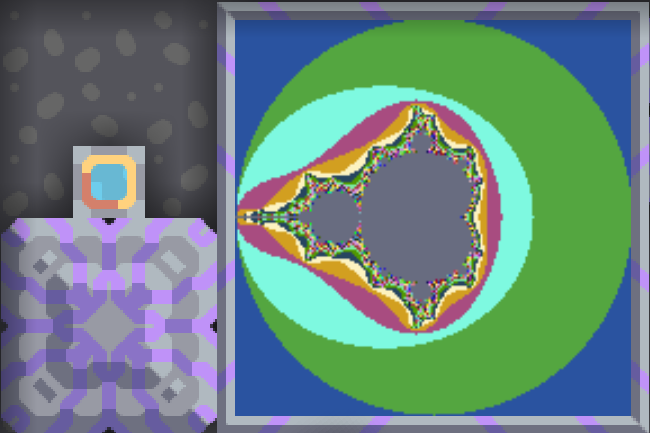
What this is
Mindustry contains, among many other things, a few blocks related to running computations (processors, memory cells, switches, screens, messages). The above code is the "assembly" language of the processor (bottom left).
The resolution of the image drawn is 176x176, because this is the largest possible screen block (the other is 80x80). The processor can only process up to 1500 operations per second, so the program takes at least an hour to run.
How to run it
The code should be copied into the processor block, which must be connected with the display. Ideally, this should be constructed on a sandbox map.
Scoring
In the in-game program editor, this would be shown as 37 assembly blocks, but since it is stored as text internally, the byte count of the textual representation is used to score it.
Golfing
Since this language is assembly-like and its text representation is not designed to take few bytes, a lot of things are quite verbose.
The main way in which this program is golfed is by removing the last argument to many of these calls if it is the default value for this call, since it will be inserted automatically. For example, set x 0 can be set x and when copying it into the processor, the 0 is added.
Sharp EL-9300 Graphics Calculator, 296 bytes
This was my secondary school graphing calculator in the early '90s. I remember writing a mandelbrot generator for it way back then. And sure enough, its still sitting there in the NV memory:
ClrG
DispG
Range -2.35,2.35,.5,-1.55,1.55,0.5
y=-1.55
Label ly
x=-2.35
Label lx
n=1
zx=0
zy=0
Label ln
tzx=zx²-zy²+x
zy=(2*zx*zy)+y
zx=tzx
If zx²+zy²>4Goto esc
n=n+1
If n<20Goto ln
Label esc
If fpart (n/2)=0Goto npl
Plot x,y
Label npl
x=x+.05
If x<=2.35Goto lx
y=y+.05
If y<=1.55Goto ly
Wait
It took about 90 minutes to render. Only 20 iterations, but at this resolution it probably doesn't make much difference.
This is totally ungolfed. I'm sure I could save a bit of space, but I just wanted to share this historical curiosity.
I love that the only control statements available are ifs and gotos.
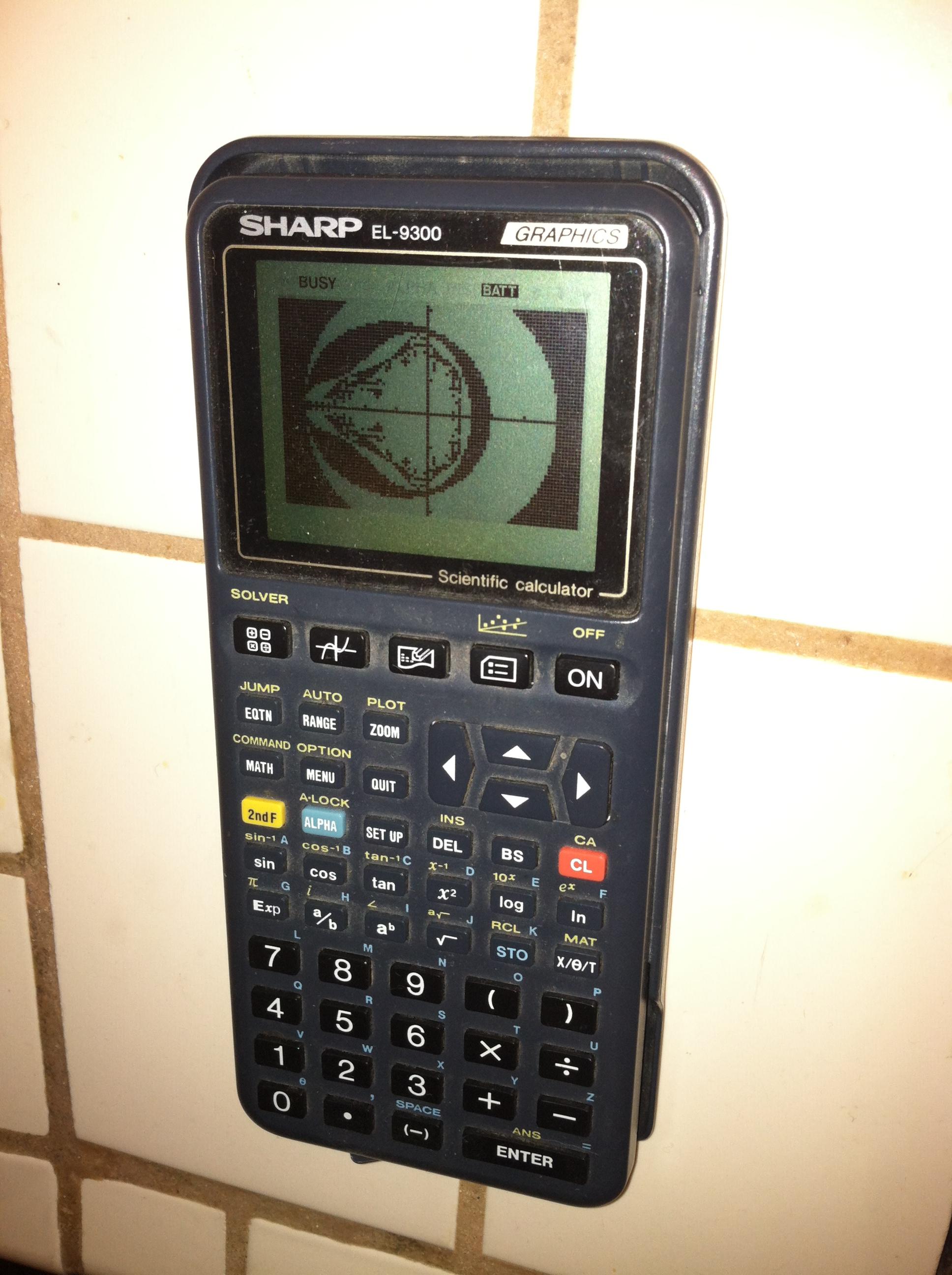
Here's a photo. I don't have any other means to get the graphical output out:
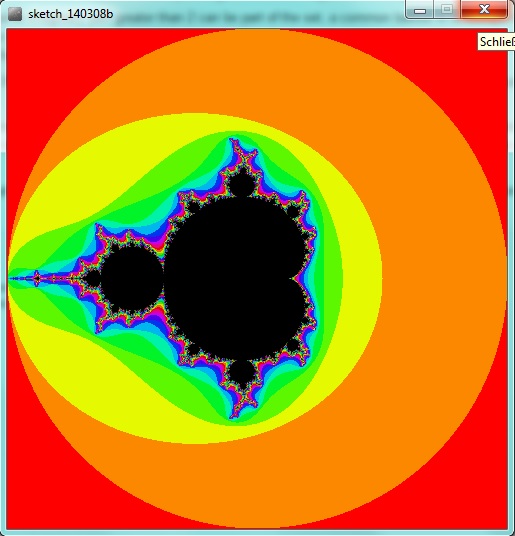
Java - Processing (271 bytes)
void setup(){int h=100,e=5*h,i;float d,v,w,a,b,c;size(e,e);colorMode(HSB,h);loadPixels();d=4./e;v=2;for(int x=1;x<=e;x++){v-=d;w=2;for(int y=0;y<e;){w-=d;a=b=c=0;i=-1;while(a*a+b*b<4&&++i<h){c=a*a-b*b+v;b=2*a*b+w;a=c;}pixels[e*++y-x]=color(i*9%h,h,h-i);}}updatePixels();}
Expanded:
void setup(){
  int h=100, e=5*h, i; //init of size "e", max hue "h", iterator "i"
  float d,v,w,a,b,c; //init of stepwidth "d", y-coord "v", x-coord "w", Re(z) "a", Im(z) "b", temp_a "c"
  size(e,e);
  colorMode(HSB,h);
  loadPixels();
  d = 4./e;
  v = 2;
  for(int x = 1; x <= e; x++){
    v -= d;
    w = 2;
    for(int y = 0; y < e;){
      w -= d;
      a = b = c = 0;
      i = -1;
      while(a*a + b*b < 4 && ++i < h){
        c = a*a - b*b + v;
        b = 2*a*b + w;
        a = c;
      }
      pixels[e * ++y - x] = color(i*9 % h, h, h-i);
    }
  }
  updatePixels();
}
R, 140 136 128 124 123 110 109 bytes*
image(outer(j<-1:396/99-2,j,Vectorize(function(x,y,n=99){while((n=n-1)&abs(F)<2)F=F*F+x+1i*y;n})),c=colors())
6y after the Q was asked, but I love Mandelbrot sets, and the earlier R solution was 211 characters...
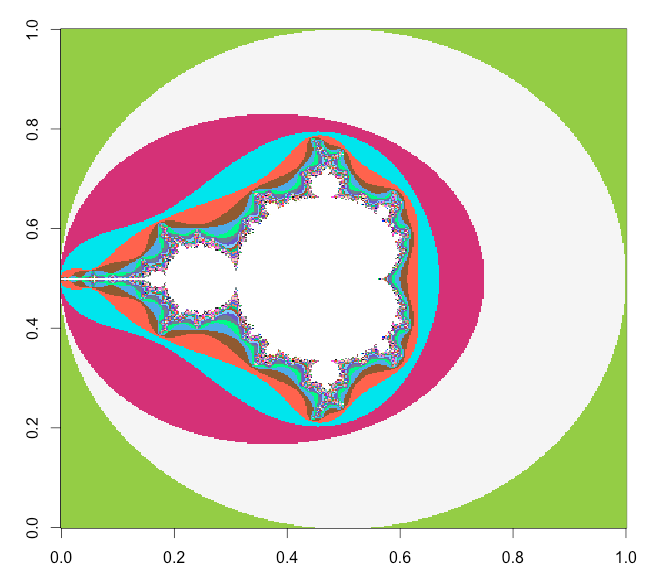
*Or just 62 bytes as a pixel-shader function in R≥4.1:
\(x,y,n=99){while((n=n-1)&abs(F)<2)F=F*F+x+1i*y;colors()[n+1]}
JavaScript, 284 283 ...(12 improvements)... 191 190 188 199 bytes
currenty (2019-10-05) this is shortest js solution (the shortest one before this has 285 bytes)
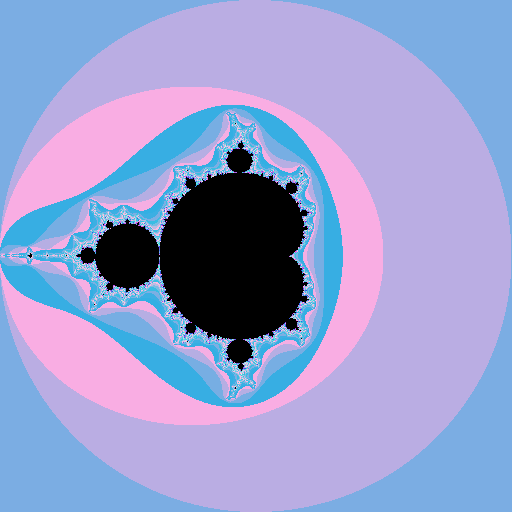
Expanded
// Fractal calculations
c=512;

// p has pixels, p+= allways join 4 digit number implicit casted to string
// 4 char string interpred as base64 gives 3bytes = 1 RGB pixel
for( p=i=''; j=x=y=0,++i<=c*c; p+= j<c ? 9*c+9*j : 'AAAA' )
  while( x*x+y*y<4 && ++j-c )
    [x,y] = [ x*x-y*y+i%c/128-2, 2*x*y+i/c/128-2 ];

// draw pixels in 512x512 BMP base64 image
document.write("<img src=data:;base64,Qk0bAAwAAAAAABsAAAAMAAAAAAIAAgEAGAAA"+p)
After small constans changes
c=512;for(p=i='';j=x=y=0,++i<=c*c;p+=j<c?2*c+9*j:'AAAA')while(x*x+y*y<4&&++j-c)[x,y]=[x*x-y*y+i%c/128-2,2*x*y+i/c/128-2]
document.write("<img src=data:;base64,Qk0bAAwAAAAAABsAAAAMAAAAAAIAAgEAGAAA"+p)
JavaScript (pixel shader), 88 bytes
m=(x,y,A=0,B=0,n=99)=>n--&&A*A+B*B<4?m(x,y,A*A-B*B+x,2*A*B+y,n):`hsl(${n*7} 99%${n/2}%)`
A pixel shader function that takes x and y between [-2, -2] and [2, 2] and returns CSS <color> (HSL).

m=(x,y,A=0,B=0,n=99)=>n--&&A*A+B*B<4?m(x,y,A*A-B*B+x,2*A*B+y,n):`hsl(${n*7} 99%${n/2}%)`

const size = 512;
const scale = 4;
const ratio = scale / size;

const canvas = document.getElementById('canvas');
canvas.width = canvas.height = size;
const ctx = canvas.getContext('2d');

let x, y;
for (x = 0; x < size; x++) for (y = 0; y < size; y++) {
  ctx.fillStyle = m((x - size / 2) * ratio, (y - size / 2) * ratio);
  ctx.fillRect(x, y, 1, 1);
}
<canvas id="canvas"/>Ungolfed and Explained
m = (
  x,    // Re(c)
  y,    // Im(c)
  A=0,  // Re(z[i])
  B=0,  // Im(z[i])
  n=99  // 99 - i
) =>
  n-- && // if haven't reached max depth
  A * A + B * B < 4 ? // and |z| < 2
    m( // recurse
      x,
      y,
      A * A - B * B + x, // Re(z[i] ^ 2 + c)
      2 * A * B + y,     // Im(z[i] ^ 2 + c)
      n
    ) : // else return HSL colour
    `hsl(${n * 7} 99% ${n / 2}%)` // n * 7 always unique in mod 360
PostScript, 290 285 282 271 261 bytes
Screenshot:
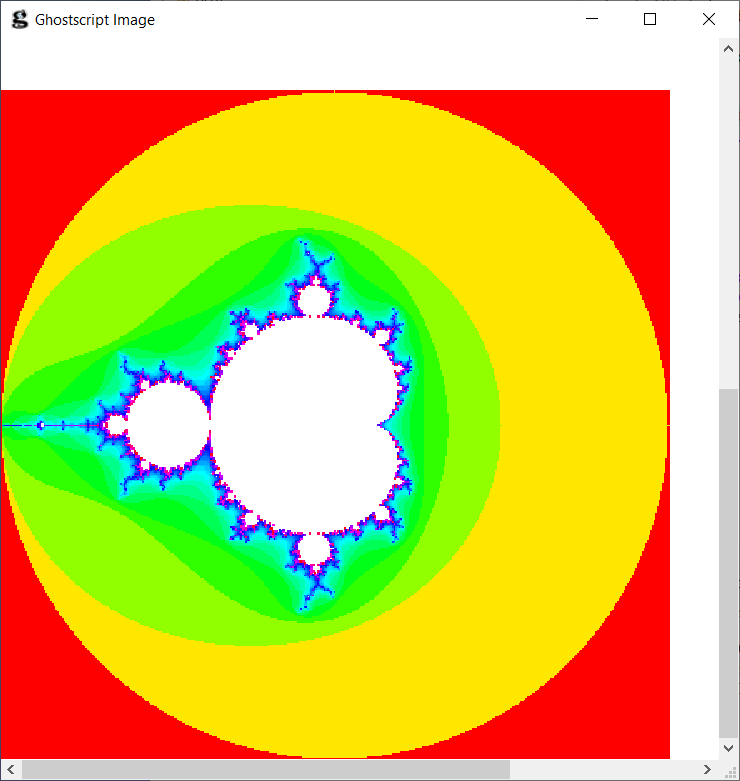
Golfed code:
-2 .01 2{/a exch def -2 .01 2{/b exch def/x 0 def/y 0 def 0 1 99{/i exch def x x mul y y mul add 4 ge{i log 2 div 1 1 sethsbcolor a 2 add 100 mul b 2 add 100 mul 1 1 rectfill exit}if/x x x mul y y mul sub a add/y 2 x mul y mul b add def def}for}for}for showpage
Ungolfed code:
-2 .01 2 {
    /a exch def
    -2 .01 2 {
        /b exch def
        /x 0 def
        /y 0 def
        0 1 99 {
           /i exch def                       % iteration count
           x x mul y y mul add 4 ge {
               i log 2 div 1 1 sethsbcolor   % rainbow colors outside
               a 2 add 100 mul
               b 2 add 100 mul 1 1 rectfill
               exit
           } if
           /x x x mul y y mul sub a add
           /y 2 x mul y mul b add
           def def
       } for
    } for
} for
showpage
Floater, 620 pixels
A language I made up when I got inspired by my own challenge, as well as from the esoteric language Piet.
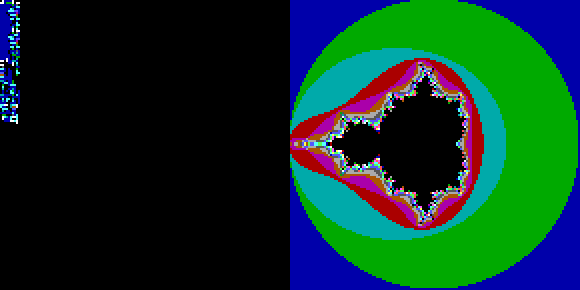
APL, 194 chars/bytes*
m←{1{⍺=99:0⋄2<|⍵:⍺⋄(⍺+1)∇c+⍵*2}c←⍵}¨⍉v∘.+0j1×v←¯2+4÷s÷⍳s←640
'F'⎕WC'Form'('Coord' 'Pixel')('Size'(s s))
'B'⎕WC'Bitmap'('CMap'(0,,⍨⍪0,15+10×⍳24))('Bits'(24⌊m))
'F.I'⎕WC'Image'(0 0)('Picture' 'B')
This is for Dyalog APL with ⎕IO ⎕ML←1 3
Most of the space is taken by API calls to show a bitmap in a window (lines 2, 3, 4)
If there was a shortcut to do it, the code would be down to 60 chars (line 1)
Ungolfed version (only line 1)
s←640            ⍝ size of the bitmap
v←(4×(⍳s)÷s)-2   ⍝ vector of s reals, uniform between ¯2 and 2
m←(0j1×v)∘.+v    ⍝ square matrix of complex numbers from ¯2j¯2 to 2j2
m←{              ⍝ transform each number in matrix m according to the following
  1{             ⍝   function that takes iteration counter as ⍺ and current value as ⍵
    ⍺=99: 0      ⍝     if we have done 99 iterations, return 0
    2<|⍵: ⍺      ⍝     if |⍵| > 2 return the number of iterations done
    (⍺+1)∇c+⍵*2  ⍝     otherwise, increment the iterations and recurse with the new value
  }c←⍵           ⍝   save the initial value as c
}¨m
Screenshot:
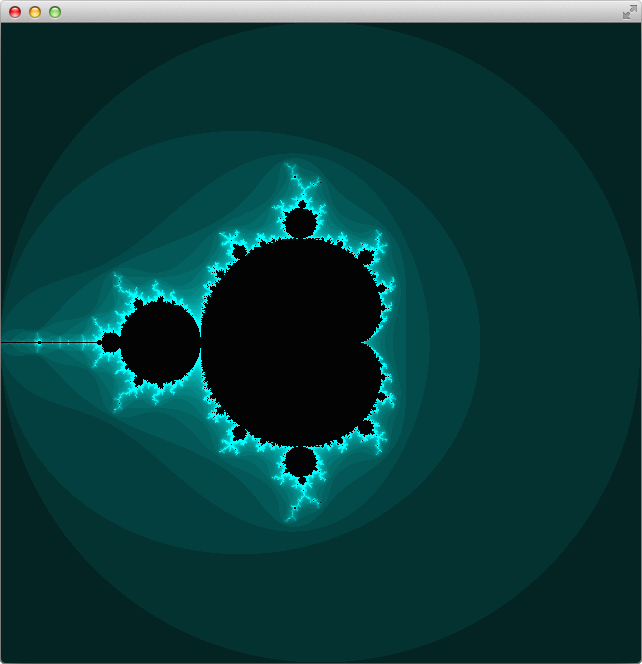
*: Dyalog has its own single byte charset, with the APL symbols mapped to the upper 128 byte values, so the entire code can be stored in 194 bytes.
GLSL, 146 bytes
void mainImage( out vec4 o, vec2 C ) {o -= o; vec2 z;
for(;o.z++<99.^^length(z)>2.;)z=mat2(z.rg,-z.g,z)*z+C/99.-2.;o=mod(vec4(o.z)/vec4(4,2,6,0),1.19);}
https://www.shadertoy.com/view/sly3RW

QBasic, 139 bytes
-1 c/o DLosc
SCREEN 13
FOR i=0TO 199
FOR j=0TO 199
x=0
y=0
FOR c=0TO 255
t=y*y
c=c-255*(x*x+t>4)
y=2*x*y+j/50-2
x=x*x-t+i/50-2
NEXT
PSET(i,j),c
NEXT j,i
Output:

It may be necessary to append a INPUT$(1) to prevent the window from closing until a key is pressed.
FreeBASIC, 139 bytes
Using FreeBASIC's SCREEN 16, we can generate a more detailed image at the same code length:
SCREEN 16
FOR i=0TO 383
FOR j=0TO 383
x=0
y=0
FOR c=0TO 255
t=y*y
c=c-255*(x*x+t>4)
y=2*x*y+j/96-2
x=x*x-t+i/96-2
NEXT
PSET(i,j),c
NEXT j,i
Compile as fbc -lang qb mandel.bas.

Higher resolutions are also available.
Javascript (ECMAScript 6) - 315 308 Characters
document.body.appendChild(e=document.createElement("canvas"));v=e.getContext("2d");i=v.createImageData(e.width=e.height=n=600,n);j=0;k=i.data;f=r=>k[j++]=(n-c)*r%256;for(y=n;y--;)for(x=0;x++<n;){c=s=a=b=0;while(c++<n&&a*a+b*b<5){t=a*a-b*b;b=2*a*b+y*4/n-2;a=t+x*4/n-2}f(87);f(0);f(0);k[j++]=255}v.putImageData(i,0,0)
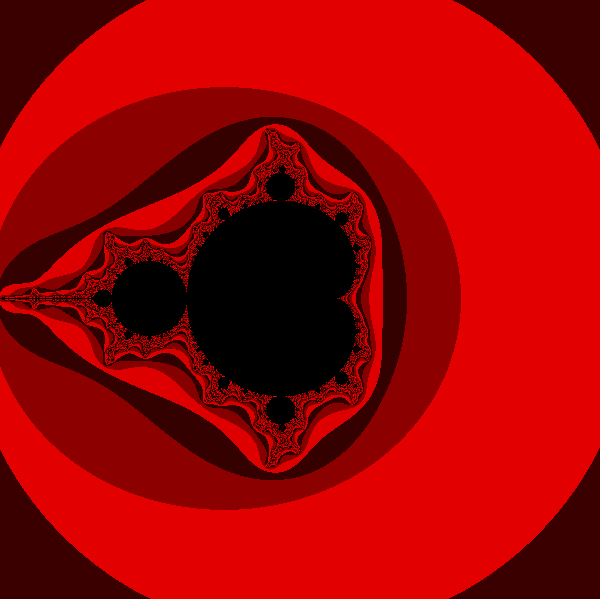
(d=document).body.appendChild(e=d.createElement`canvas`);v=e.getContext`2d`;i=v.createImageData(e.width=e.height=n=600,n);j=0;k=i.data;f=r=>k[j++]=(n-c)*r%256;for(y=n;y--;)for(x=0;x++<n;){c=s=a=b=0;while(c++<n&&a*a+b*b<5){t=a*a-b*b;b=2*a*b+y*4/n-2;a=t+x*4/n-2}f(87);f(0);f(0);k[j++]=255}v.putImageData(i,0,0)- Change
nto vary the image size (and number of iterations). - Change the values passed in the
f(87);f(0);f(0);calls (near the end) to change the RGB colour values. (f(8);f(8);f(8);is greyscale.)
With f(8);f(23);f(87);:
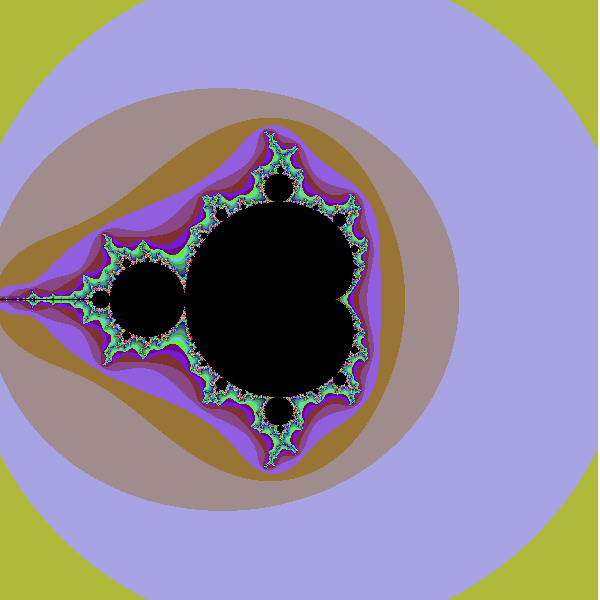
(d=document).body.appendChild(e=d.createElement`canvas`);v=e.getContext`2d`;i=v.createImageData(e.width=e.height=n=600,n);j=0;k=i.data;f=r=>k[j++]=(n-c)*r%256;for(y=n;y--;)for(x=0;x++<n;){c=s=a=b=0;while(c++<n&&a*a+b*b<5){t=a*a-b*b;b=2*a*b+y*4/n-2;a=t+x*4/n-2}f(8);f(23);f(87);k[j++]=255}v.putImageData(i,0,0)Python 3, 290 Bytes
from PIL import Image
import numpy as n
s=640;d=n.zeros((s,s,3),dtype=n.uint8)
for k in range(s*s):
    r=4/s*(k%s)-2;i=2-4/s*(k//s);z=c=complex(r,i)
    for i in range(50,9950,100):
        if abs(z)>2:
            d[k//s,k%s]=[i*5,i*9,i*7];break
        z=z*z+c
Image.fromarray(d).show()

Excel VBA, 251 246 224 223 221 bytes
Saved 5 bytes thanks to ceilingcat Saved 23 bytes thanks to Taylor Scott
Sub m
D=99
For x=1To 4*D
For y=1To 4*D
p=0
q=0
For j=1To 98
c=2*p*q
p=p^2-q^2-2+(x-1)/D
q=c+2+(1-y)/D
If p^2+q^2>=4Then Exit For
Next
j=-j*(j<D)
Cells(y,x).Interior.Color=Rnd(-j)*1E6*j/D
Next y,x
Cells.RowHeight=48
End Sub
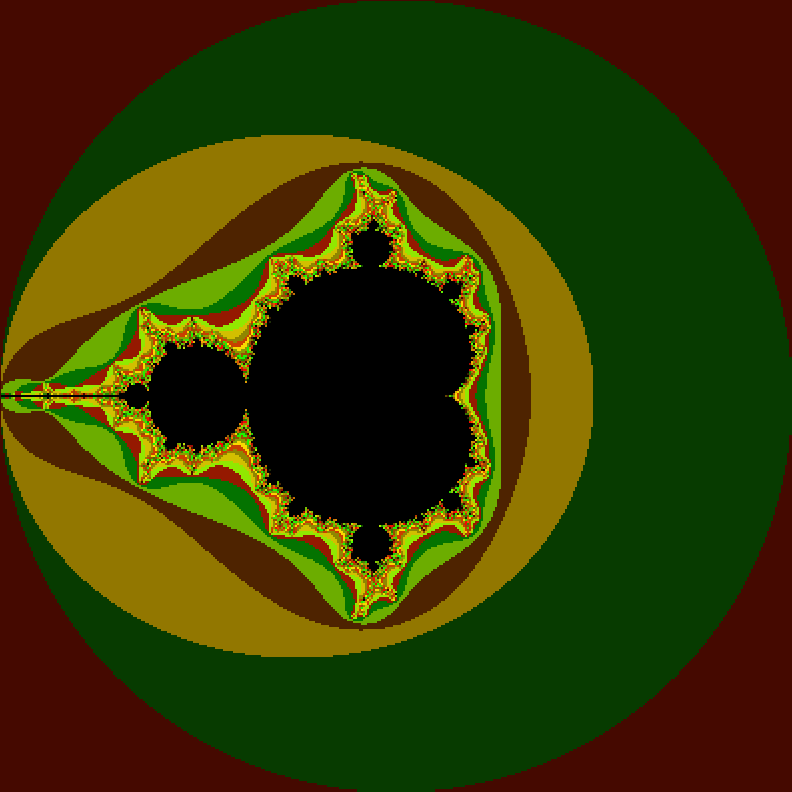
Output:
I made a version that did this a long time ago but it had a lot of extras like letting the user pick the basic color and easy-to-follow math. Golfing it way down was an interesting challenge. The Color method uses 1E6 as a means to get a wide range of colors since the valid colors are 0 to 2^24. Setting it to 10^6 gave nice contrast areas.
Explanation / Auto-Formatting:
Sub m()

    'D determines the number of pixels and is factored in a few times throughout
    D = 99
    For x = 1 To 4 * D
    For y = 1 To 4 * D
        'Test to see if it escapes
        'Use p for the real part and q for the imaginary
        p = 0
        q = 0
        For j = 1 To 98
            'This is a golfed down version of complex number math that started as separate generic functions for add, multiple, and modulus
            c = 2 * p * q
            p = p ^ 2 - q ^ 2 - 2 + (x - 1) / D
            q = c + 2 + (1 - y) / D
            If p ^ 2 + q ^ 2 >= 4 Then Exit For
        Next

        'Correct for no escape
        j = -j * (j < D)

        'Store the results
        'Rnd() with a negative input is deterministic
        'This is what gives us the distinct color bands
        Cells(y, x).Interior.Color = Rnd(-j) * 1000000# * j / D

    Next x, y

    'Resize for pixel art
    Cells.RowHeight = 48

End Sub
I also played around with D=999 and j=1 to 998 to get a much larger and more precise image. The results are irrelevant to the challenge because they're way too large but they are neat.
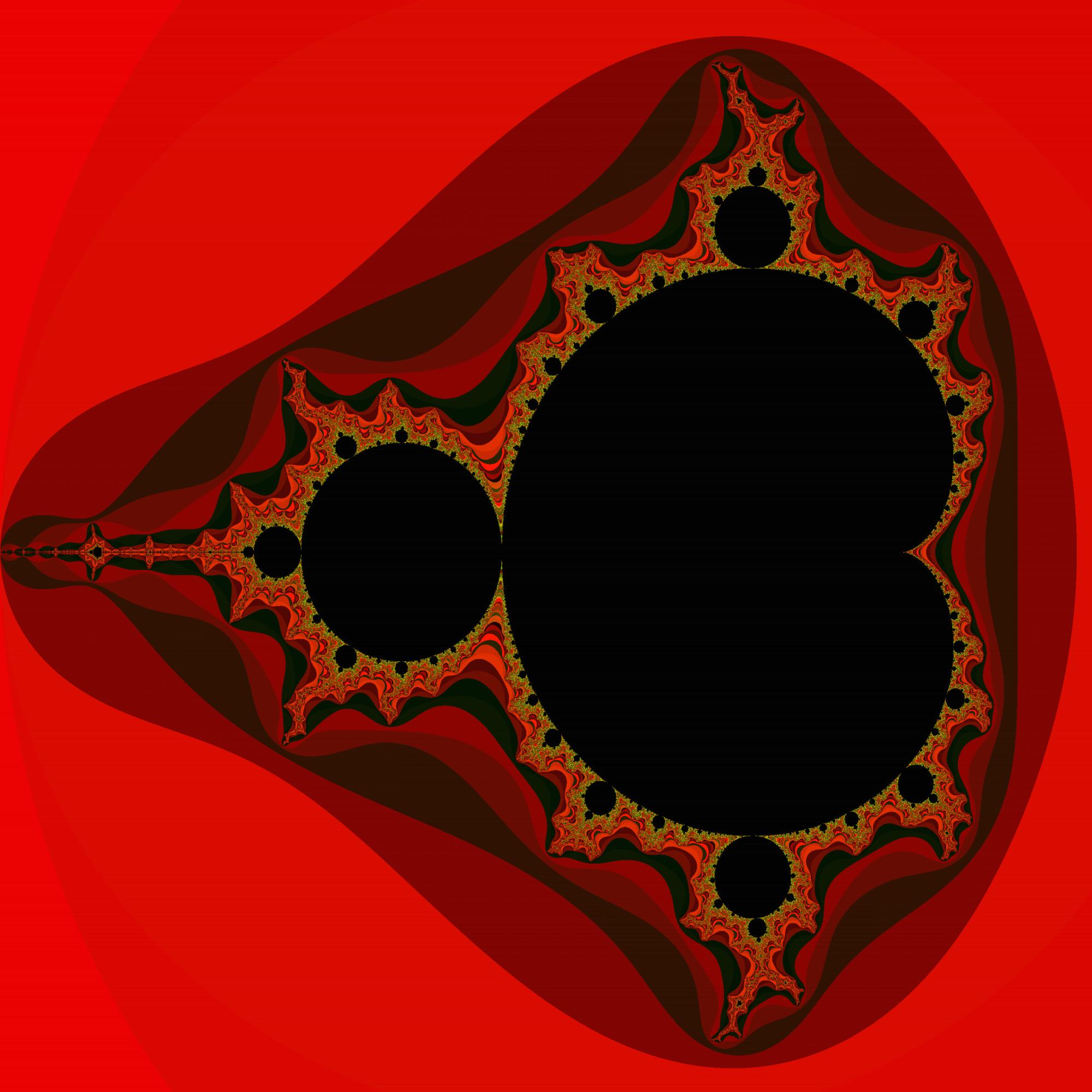
Tcl/Tk, 316
322 324 336 348 349 351 352 353 354 355
Now a shorter version using 3 letter #RGB shorthands style color triplets (instead of #RRGGBB triplets), which results in different colors.
And some more golfing.
rename set s
grid [canvas .c -w 640 -he 640]
.c cr i 320 320 -i [s p [image c photo -w 640 -h 640]]
time {incr x
s y 0
time {incr y
s a 0
s b 0
s n 0
while \$n<99 {s A [expr $a*$a-$b*$b+$x[s f *4/639.-2]]
if [s b [expr 2*$a*$b+$y$f]]*$b+[s a $A]*$a>4 break
incr n}
$p p [format #%03x [expr $n*41]] -t $x $y} 640} 640

Tcl/Tk, 325
331 333 345 357 358 360 361 362 364 365
I think I would win if the criterium was beauty!
rename set s
grid [canvas .c -w 640 -he 640]
.c cr i 320 320 -i [s p [image c photo -w 640 -h 640]]
time {incr x
s y 0
time {incr y
s a 0
s b 0
s n 0
while \$n<99 {s A [expr $a*$a-$b*$b+$x[s f *4/639.-2]]
if [s b [expr 2*$a*$b+$y$f]]*$b+[s a $A]*$a>4 break
incr n}
$p p [format #%06x [expr $n*16777215/99]] -t $x $y} 640} 640
Presentation:

Applesoft BASIC, 302 286 280 bytes
This picks random points to draw, so it will run forever and may never fill in the full plane.
1HGR:POKE49234,0:DIMco(10):FORc=0TO10:READd:co(c)=d:NEXT:DATA1,2,3,5,6,1,2,3,5,6,0
2x=INT(RND(1)*280):y=INT(RND(1)*96):x1=x/280*3-2:y1=y/191*2-1:i=0:s=x1:t=y1
3s1=s*s-t*t+x1:t=2*s*t+y1:s=s1:i=i+1:IFs*s+t*t<4ANDi<20THENGOTO3
4c=co(i/2):IFc THENHCOLOR=c:HPLOTx,y:HPLOTx,191-y
5GOTO2
Turns out Applesoft BASIC is really forgiving about lack of spaces. Only one space is necessary in the entire program.
Output after 14 hours:
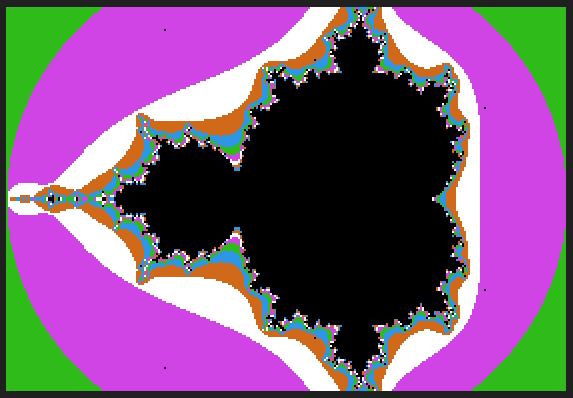
GIF:

Before golfing:
10 HGR : POKE 49234,0
20 DIM co(10) : FOR c = 0 TO 10 : READ d : co(c) = d : NEXT
30 DATA 1, 2, 3, 5, 6, 1, 2, 3, 5, 6, 0
100 x = INT(RND(1) * 280) : y = INT(RND(1) * 96)
110 x1 = x / 280 * 3 - 2 : y1 = y / 191 * 2 - 1
120 i = 0:s = x1:t = y1
130 s1 = s * s - t * t + x1
140 t = 2 * s * t + y1:s = s1: i = i + 1
150 IF s * s + t * t < 4 AND i < 20 THEN GOTO 130
160 c = co(i/2) : IF c THEN HCOLOR= c : HPLOT x,y : HPLOT x,191 - y
170 GOTO 100
Note: POKE 49234,0 (in Applesoft BASIC) puts the machine into full graphics mode.
A version optimized for B&W displays:
110 HGR:POKE 49234,0:HCOLOR=3
120 FOR x = 0 TO 279:FOR y = 0 TO 95
130 x1 = x / 280 * 3 - 2:y1 = y / 191 * 2 - 1
140 i = 0:s = x1:t = y1:c = 0
150 s1 = s * s - t * t + x1
160 t = 2 * s * t + y1:s = s1:c = 1 - c:i = i + 1
170 IF s * s + t * t < 4 AND i < 117 THEN GOTO 150
180 IF c = 0 THEN HPLOT x,y:HPLOT x,191 - y
190 NEXT:NEXT
Output after 12 hours:
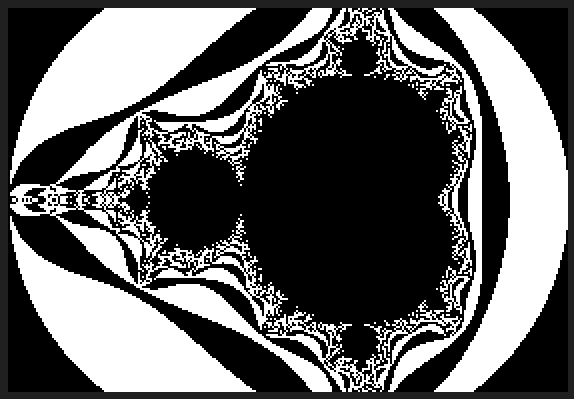
A version that will work in GW-BASIC (DOS):
5 CLS
6 SCREEN 1
20 DIM co(10) : FOR c = 0 TO 10 : READ d : co(c) = d : NEXT
30 DATA 1, 2, 3, 5, 6, 1, 2, 3, 5, 6, 0
100 x = INT(RND(1) * 280) : y = INT(RND(1) * 96)
110 x1 = x / 280 * 3 - 2 : y1 = y / 191 * 2 - 1
120 i = 0 : s = x1 : t = y1
130 s1 = s * s - t * t + x1
140 t = 2 * s * t + y1 : s = s1 : i = i + 1
150 IF s * s + t * t < 4 AND i < 20 THEN GOTO 130
160 c = co(i/2) : PSET (x,y),C : PSET (x,191 - y),C
170 GOTO 100
Mathematica 10.0, 19 chars
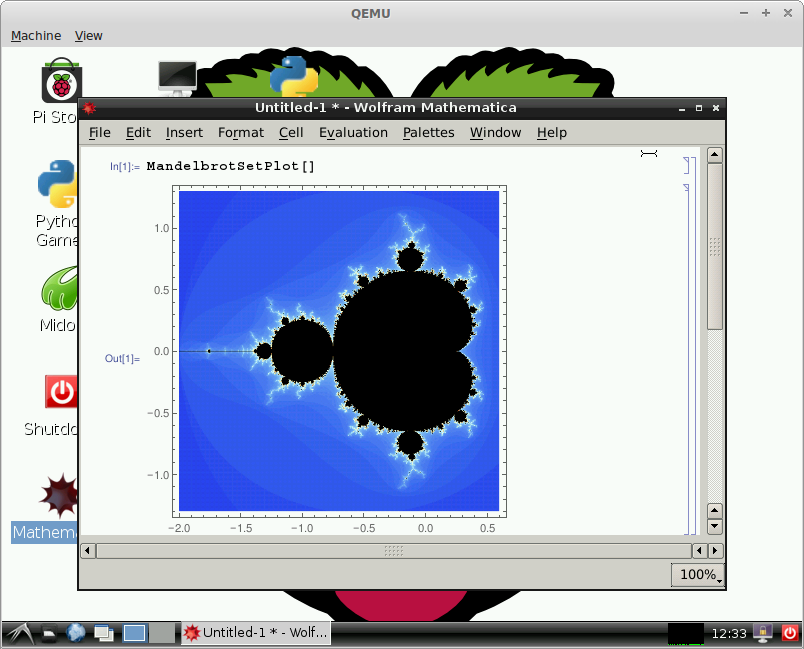
MandelbrotSetPlot[]
MandelbrotSetPlot is a new function in Mathematica 10.0.
Python + PIL, 166 bytes
import Image
d=600;i=Image.new('RGB',(d,d))
for x in range(d*d):
 z=o=x/9e4-2-x%d/150.j-2j;c=99
 while(abs(z)<2)*c:z=z*z+o;c-=1
 i.putpixel((x/d,x%d),5**8*c)
i.show()
Output (will open in the default *.bmp viewer):
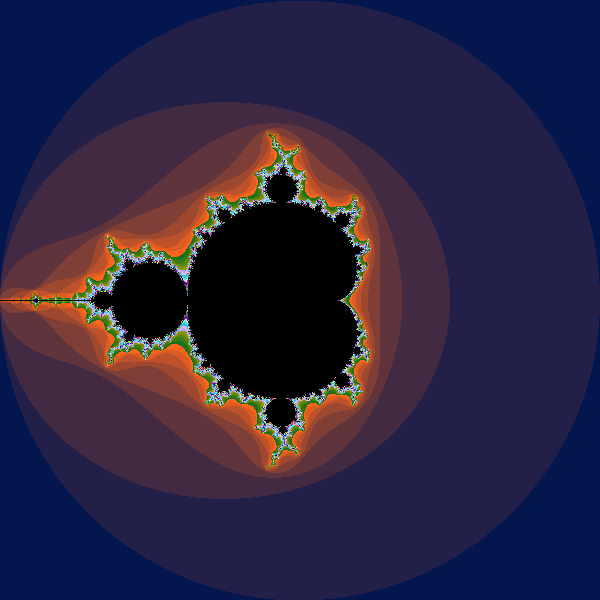
Mathematica, 214 191 215 19 30
Since version 10.0 there is a built-in: (19 bytes)
MandelbrotSetPlot[]
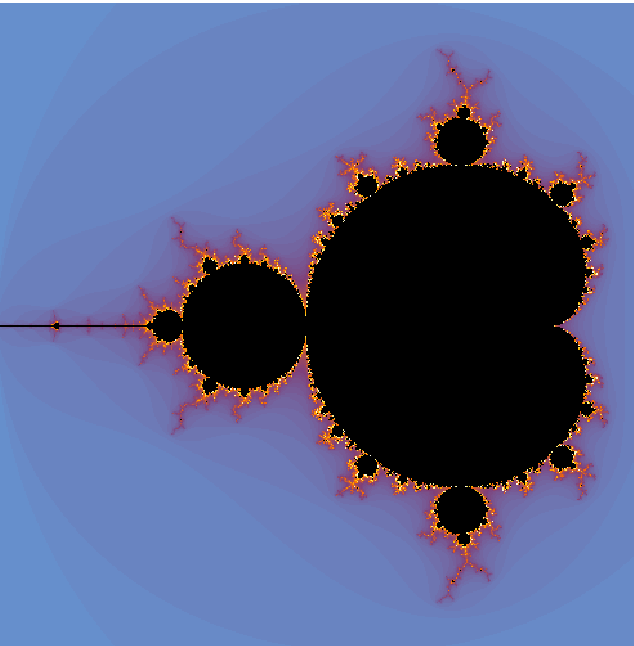
To conform to the coordinate range requirements, 11 additional bytes are required. (30 bytes)
MandelbrotSetPlot@{-2-2I,2+2I}
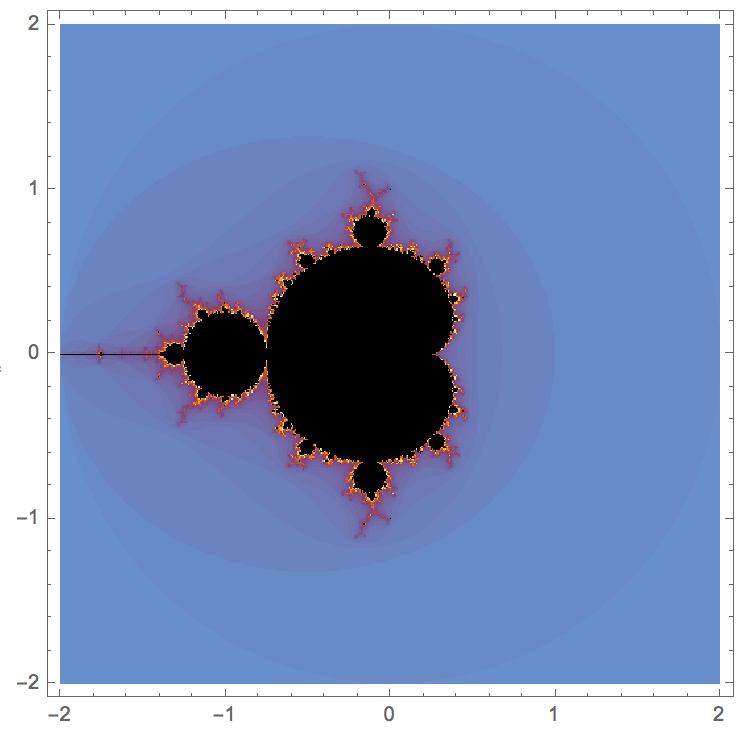
A hand-rolled case:
m=Compile[{{c,_Complex}},Length[FixedPointList[#^2+c&,0,99,SameTest→(Abs@#>=2&)]]];
ArrayPlot[Table[m[a+I b],{b,-2,2,.01},{a,-2,2,.01}],DataRange→{{-2,2},{-2,2}},
ColorRules→{100→Black},ColorFunction→(Hue[Log[34,#]]&)]
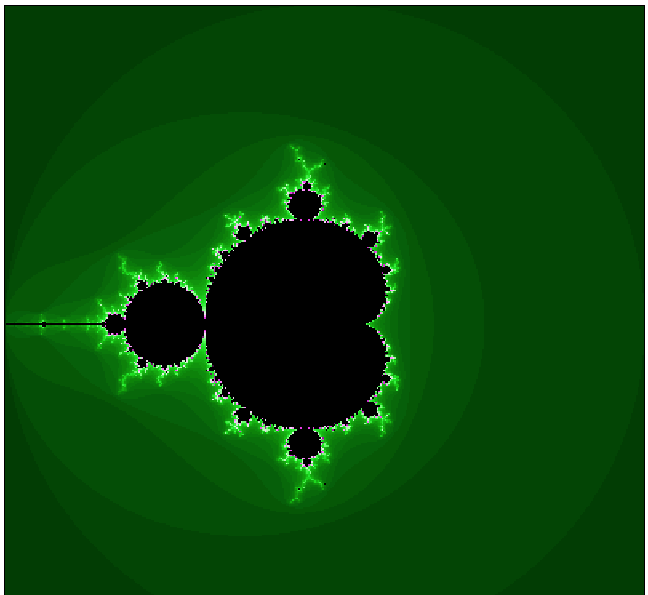
Python with Pylab+Numpy, 151 bytes
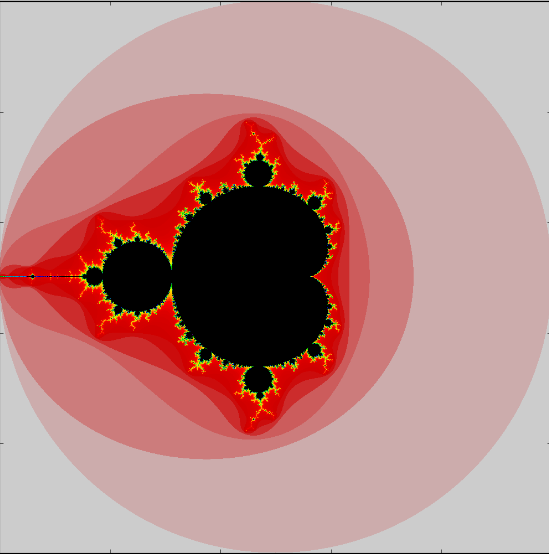
I couldn't bear to see a non-DQ'ed Python entry, but I think I really outdid myself on this one, and I made it down to 153 characters!
import numpy as n
from pylab import*
i=99
x,y=n.mgrid[-2:2:999j,-2:2:999j]
c=r=x*1j+y
x-=x
while i:x[(abs(r)>2)&(x==0)]=i;r=r*r+c;i-=1
show(imshow(x))
Also, notably, the second to last line raises 4 distinct runtime warnings, a new personal record!
J, 73 bytes
load'viewmat'
(0,?$~99 3)viewmat+/2<|(j./~i:2j479)(+*:) ::(3:)"0^:(i.99)0

Edit, some explaining:
x (+*:) y           NB. is x + (y^2)
x (+*:) ::(3:) y    NB. returns 3 when (+*:) fails (NaNs)
j./~i:2j479         NB. a 480x480 table of complex numbers in required range
v =: (j./~i:2j479)(+*:) ::(3:)"0 ]     NB. (rewrite the above as one verb)
v z0                NB. one iteration of the mandelbrot operation (z0 = 0)
v v z0              NB. one iteration on top of the other
(v^:n) z0           NB. the result of the mandelbrot operation, after n iterations
i.99                NB. 0 1 2 3 4 ... 98
(v^:(i.99))0        NB. returns 99 tables, one for each number of iterations
2<| y               NB. returns 1 if 2 < norm(y), 0 otherwise
2<| (v^:(i.99))0    NB. 99 tables of 1s and 0s
+/...               NB. add the tables together, element by element.
NB. we now have one 480x480 table, representing how many times each element exceeded norm-2.
colors viewmat M    NB. draw table 'M' using 'colors'; 'colors' are rgb triplets for each level of 'M'.
$~99 3              NB. 99 triplets of the numbers 99,3
?$~99 3             NB. 99 random triplets in the range 0 - 98 and 0 - 2
0,?$~99 3           NB. prepend the triplet (0,0,0): black
Java, 505 405 324 bytes
Just a standard calculation, with golfitude now with extra golfitude.
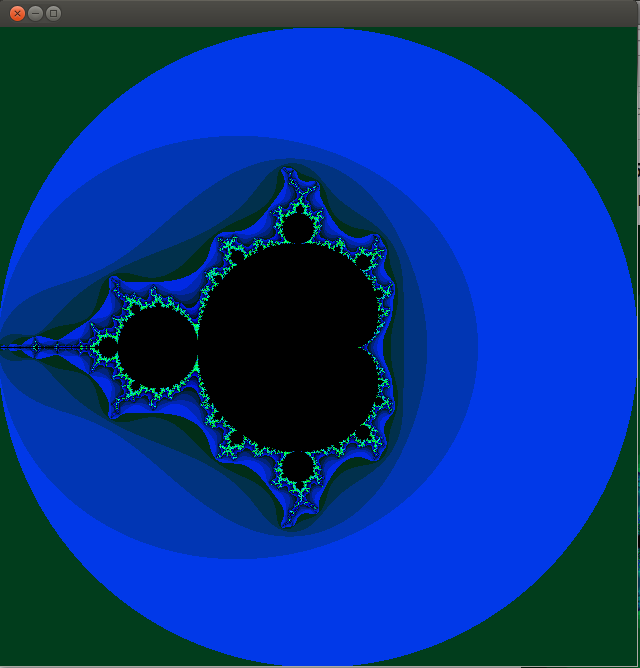
Golfed:
import java.awt.*;class M{public static void main(String[]v){new Frame(){public void paint(Graphics g){for(int t,s,n=640,i=n*n;--i>0;g.setColor(new Color(s*820)),g.drawLine(i/n,i%n+28,i/n,i%n),setSize(n,668)){float c=4f/n,a=c*i/n-2,b=i%n*c-2,r=a,e=b,p;for(s=t=99;t-->0&&r*r+e*e<4;s=t,p=r*r-e*e+a,e=r*e*2+b,r=p);}}}.show();}}
With line breaks:
import java.awt.*;
class M{
    public static void main(String[]v){
        new Frame(){
            public void paint(Graphics g){
                for(int t,s,n=640,i=n*n;--i>0;g.setColor(new Color(s*820)),g.drawLine(i/n,i%n+28,i/n,i%n),setSize(n,668)){
                    float c=4f/n,a=c*i/n-2,b=i%n*c-2,r=a,e=b,p;
                    for(s=t=99;t-->0&&r*r+e*e<4;s=t,p=r*r-e*e+a,e=r*e*2+b,r=p);
                }
            }
        }.show();
    }
}
I came across this the other day. I don't take credit for it, but damn, is it awesome:
Python 2:
_                                      =   (
                                        255,
                                      lambda
                               V       ,B,c
                             :c   and Y(V*V+B,B,  c
                               -1)if(abs(V)<6)else
               (              2+c-4*abs(V)**-0.4)/i
                 )  ;v,      x=1500,1000;C=range(v*x
                  );import  struct;P=struct.pack;M,\
            j  ='<QIIHHHH',open('M.bmp','wb').write
for X in j('BM'+P(M,v*x*3+26,26,12,v,x,1,24))or C:
            i  ,Y=_;j(P('BBB',*(lambda T:(T*80+T**9
                  *i-950*T  **99,T*70-880*T**18+701*
                 T  **9     ,T*i**(1-T**45*2)))(sum(
               [              Y(0,(A%3/3.+X%v+(X/v+
                               A/3/3.-x/2)/1j)*2.5
                             /x   -2.7,i)**2 for  \
                               A       in C
                                      [:9]])
                                        /9)
                                       )   )
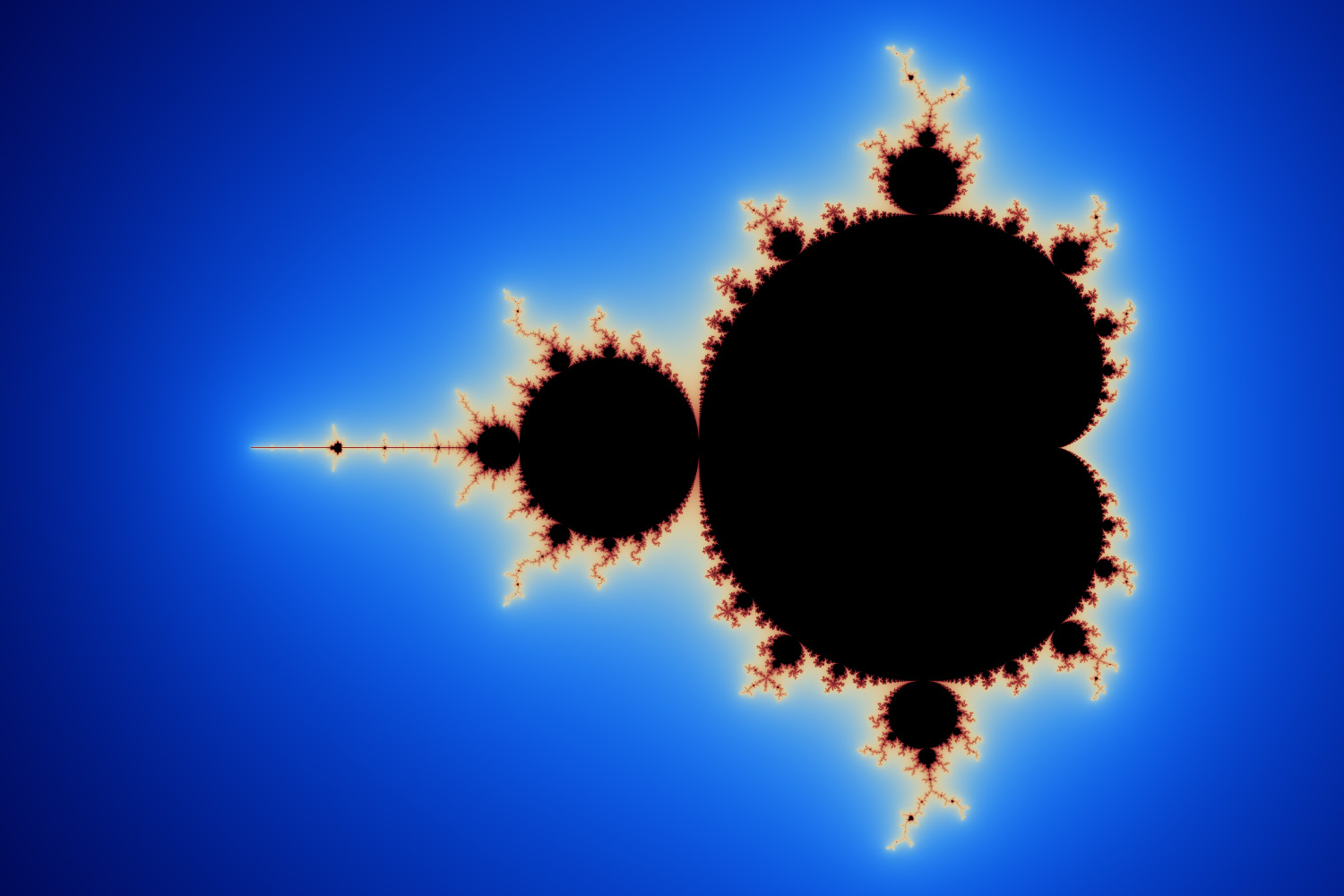 http://preshing.com/20110926/high-resolution-mandelbrot-in-obfuscated-python/
SmileBASIC, 126 bytes
X=RNDF()*4-2Y=RNDF()*4-2@N
N=N+16I=X+S*S-T*T
T=Y+S*T*2S=I
IF N<#L&&S*S+T*T<4GOTO@N
GPSET X*50+99,Y*50+99,RGB(99XOR N,N,N)EXEC.

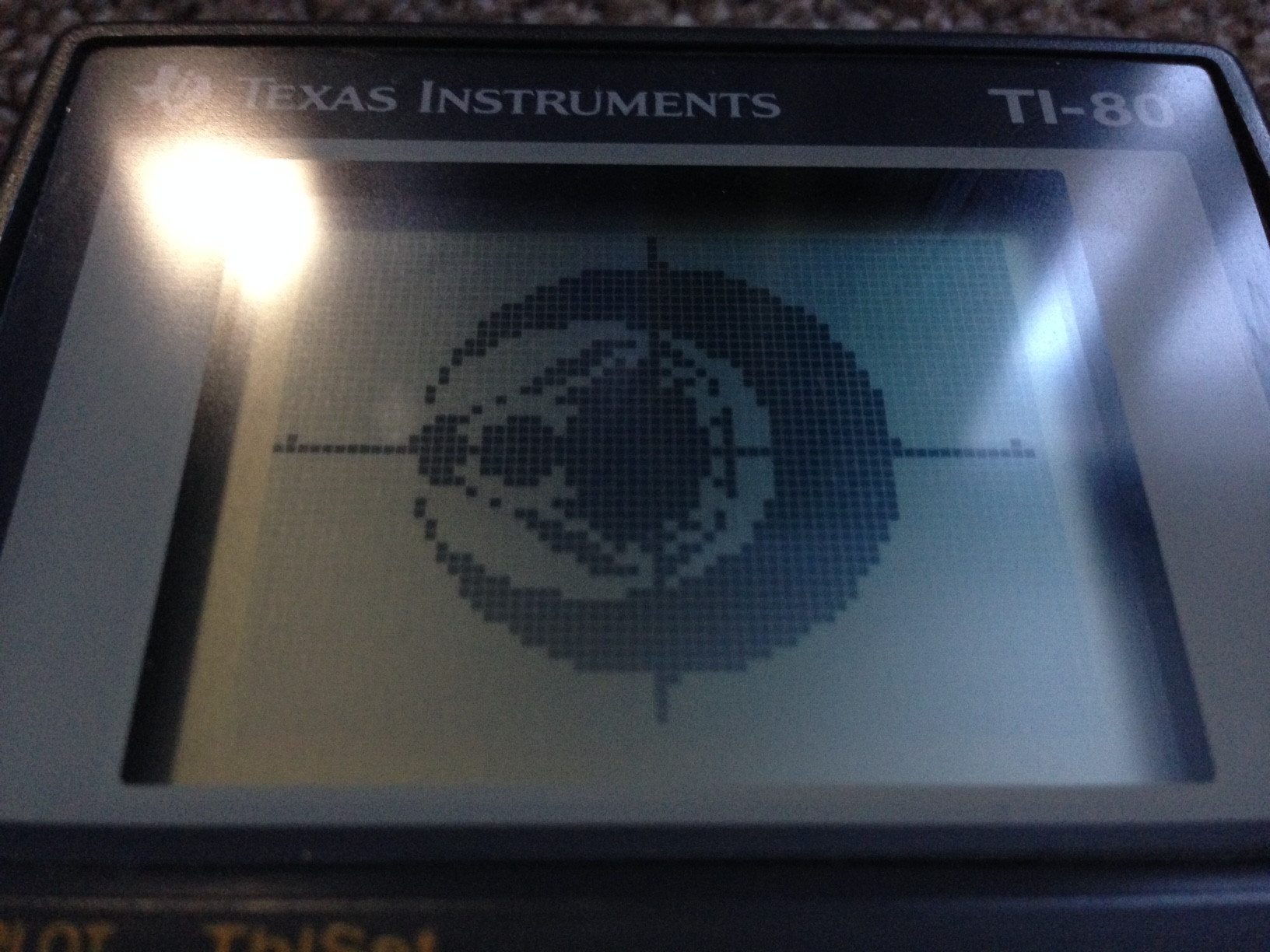
TI-80 BASIC, 125 106 bytes
ZDECIMAL
FOR(Y,-2,2,.1
FOR(X,-2,2,.1
0->S
0->T
1->N
LBL N
N+1->N
IF S²+T²≥4
GOTO B
S²-T²+X->I
2ST+Y->T
I->S
IF N<20
GOTO N
LBL B
IF FPART (N/2
PT-ON(X,Y
END
END
Based on Digital Trauma's answer.
Windows PowerShell (v4), 299 bytes
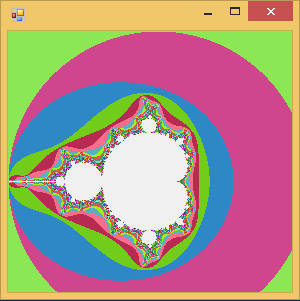
# Linewrapped here for show:

$M='System.Windows.Forms';nal n New-Object;Add-Type -A System.Drawing,$M;(
$a=n "$M.Form").backgroundimage=($b=n Drawing.Bitmap 300,300);0..299|%{
$r=$_;0..299|%{$i=99;$k=$C=n numerics.complex($_/75-2),($r/75-2);while(((
$k=$k*$k).Magnitude-lt4)-and$i--){$k+=$C}$b.SetPixel($_,$r,-5e6*++$i)}};$a.Show()


# The single line 299 char entry version:

$M='System.Windows.Forms';nal n New-Object;Add-Type -A System.Drawing,$M;($a=n "$M.Form").backgroundimage=($b=n Drawing.Bitmap 300,300);0..299|%{$r=$_;0..299|%{$i=99;$k=$C=n numerics.complex($_/75-2),($r/75-2);while((($k=$k*$k).Magnitude-lt4)-and$i--){$k+=$C}$b.SetPixel($_,$r,-5e6*++$i)}};$a.Show()
Instructions
- Run a normal PowerShell console (ISE might not work)
- Copy/paste code in, press Enter
- Wait - it takes a minute or more to run
- The only way to quit is to close the console
Comment
- There's a tiny bit of rule-testing going on with the colours inside the set; the rules say "The other pixels (presumably inside the Mandelbrot set) must be colored either black or white'"; the code is colouring the pixels completely black RGB(0,0,0) ... it just happens to be a transparent black RGBA(0,0,0,0). So what shows up is the form background colour of the current Windows theme, a slightly off-white RGB(240,240,240) in this case.
Julia
Well, better late than never:
function mandelbrot(x0,y0,side,N=800,L=55,R=3.)
    m = [0 for i=1:N,j=1:N]
    delta = side/N
    for i=1:N, j=1:N
        c = x0+delta*i+(y0+delta*j)*im
        z, h = 0+0*im, 0
        while (h<L) && (abs(z)<R)
            z = z^2+c
            h+=1
        end
        m[j,i]=h
    end
    return m
end
n=2.6
m = mandelbrot(-n/1.3,-n/2, n)
using Winston, Color
imagesc(m)
title("Mandelbrot Set")
Colormap Mod. :
function RGB_cm()
    colormap = [RGB(0,0,0) for t=1:255*5]
    rgb = [255,0,0]
    for t in 0:(255*5-1)
    c = [0, 0, 0]
    i = ifloor(t/255)
    c[(i+3)%3!=0?(i+3)%3:3] = (-1)^i
    rgb+=c
    colormap[t+1] = RGB(rgb[1],rgb[2],rgb[3])
    end
    colormap[(end-25):end] = RGB(0,0,0)
    return colormap
end
c = RGB_cm()
Winston.colormap(c)
Output:

QBasic, QuickBasic, QB64 - 156 153
SCREEN 13
FOR J=0TO 191
B=J/48-2
FOR I=0TO 191
A=I/48-2
X=A
Y=B
C=0
DO
U=X*X
V=Y*Y
Y=2*X*Y+B
X=U-V+A
C=C+1
LOOP UNTIL C>247OR U+V>4
PSET(I,J),C
NEXT
NEXT
Standard DOS palette:

Javascript, 285B
Based off my code and some improvements on MT0's code, I've got this down to 285B in colour:
document.body.appendChild(V=document.createElement('Canvas'));j=(D=(X=V.getContext('2d')).createImageData(Z=V.width=V.height=255,Z)).data;for(x=Z*Z;x--;){k=a=b=c=0;while(a*a+b*b<4&&Z>k++){c=a*a-b*b+4*(x%Z)/Z-3;b=2*a*b+4*x/(Z*Z)-2;a=c;}j[4*x]=99*k%256;j[4*x+3]=Z;}X.putImageData(D,0,0);
in action: http://jsfiddle.net/acLhe/7/
was: Coffeescript, 342B
document.body.appendChild V=document.createElement 'Canvas'
N=99
Z=V.width=V.height=400
P=[]
P.push "rgba(0,0,0,"+Math.random()*i/N+')' for i in [N..0]
X=V.getContext '2d'
for x in [0..Z]
 for y in [0..Z]
  k=a=b=0
  [a,b]=[a*a-b*b+4*x/Z-3,2*a*b+4*y/Z-2] while a*a+b*b<4 and N>k++
  X.fillStyle=P[k-1]
  X.fillRect x,y,1,1
Coffeescript is supposed to be readable :-/ see it in action: http://jsfiddle.net/acLhe/6/

Octave (212 136 bytes)
(Now including some ideas due to @ChrisTaylor.)
[y,x]=ndgrid(-2:.01:2);z=c=x+i*y;m=c-c;for n=0:99;m+=abs(z)<2;z=z.^2+c;end;imagesc(m);colormap([hsv(128)(1+mod(0:79:7890,128),:);0,0,0])
With whitespace:
[y,x] = ndgrid(-2:.01:2);
z = c = x + i*y;
m = c-c;
for n=0:99
    m += abs(z)<2;
    z = z.^2 + c;
end
imagesc(m)
colormap([hsv(128)(1+mod(0:79:7900,128),:);
          0,0,0])
Output:
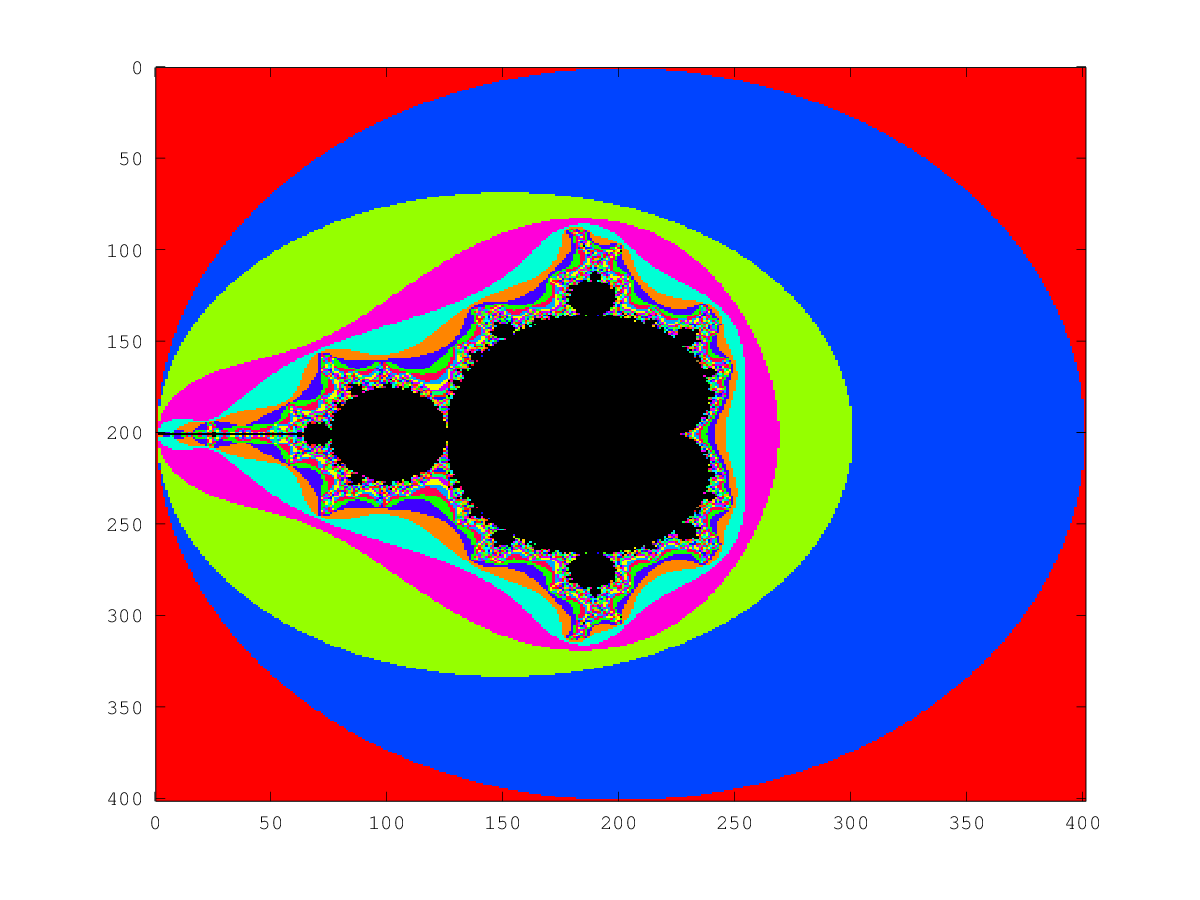
To convert to Matlab, change "m+=abs(z)<2" to "m=m+(abs(z)<2)". [+3 bytes]
To make the aspect ratio 1:1, add ";axis image". [+11 bytes]
My first answer (212 bytes):
[x,y]=meshgrid(-2:.01:2);z=c=x+i*y;m=0*e(401);for n=0:99;m+=abs(z)<2;z=z.^2+c;endfor;t=[0*e(1,7);2.^[6:-1:0]];[s{1:7}]=ndgrid(num2cell(t,1){:});t=1+sum(cat(8,s{:}),8);imagesc(m);colormap([hsv(128)(t(:),:);0,0,0])
Matlab (89 bytes)
[X,Y]=ndgrid(-2:.01:2);C=X+i*Y;Z=C-C;K=Z;
for j=1:99,Z=Z.*Z+C;K=K+(abs(Z)<2);end,imagesc(K)
Output -
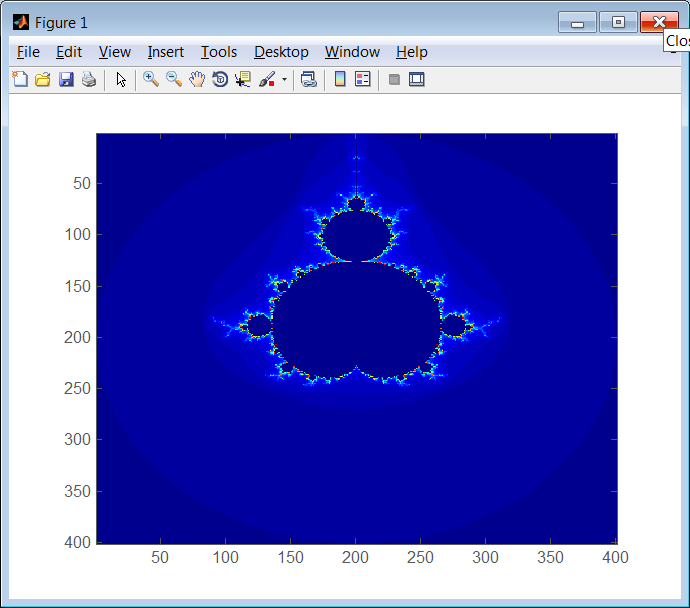
Doesn't satisfy the requirement that the inner cells must be black or
white, but that can be satisfied by either (1) using imshow(K) instead
of imagesc(K) (requires 1 fewer byte but needs the image processing
toolbox) or (2) appending colormap hot (requires 12 more bytes).
Ungolfed version -
Z = zeros(N);
K = Z;

[X,Y]=ndgrid(-2:.01:2);
C = X+1i*Y;

for j = 1:99
  Z = Z.*Z + C;
  K(K==0 & abs(Z) > 2) = j;
end

imagesc(K)
C + Allegro 4.2.2 - 248 bytes
#include<allegro.h>
x=-1,y,K=400;float a,h,c,d,k;main(i){set_gfx_mode('SAFE',K,K,allegro_init(),0);while(x++<K)
for(y=0;y<K;y++){for(a=h=i=0;a*a+h*h<4&&++i<256;k=a,a=a*a-h*h+x*0.01-2,h=2*k*h+y*0.01-2);
putpixel(screen,x,y,i);}while(1);}END_OF_MAIN()
Output:
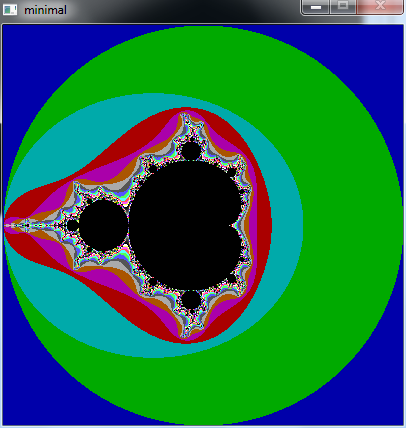
gnuplot 110 (105 without newlines)
Obligatory gnuplot entry. It's been done countless times but this one is from scratch (not that it's difficult). I like how gnuplot golfs its commands intrinsically :)
f(z,w,n)=abs(z)>2||!n?n:f(z*z+w,w,n-1)
se vi map
se si sq
se isos 256
sp [-2:2] [-2:2] f(0,x+y*{0,1},99) w pm
ungolfed:
f(z,w,n)=abs(z)>2||n==0?n:f(z*z+w,w,n-1)
set view map
set size square
set isosamples 256
splot [-2:2] [-2:2] f(0,x*{1,0}+y*{0,1},99) with pm3d
However, I'm DEEPLY disappointed at the entry of complex numbers. x*{1,0}+y*{0,1} must be the saddest existing way of constructing a complex number.
Oops, the image:
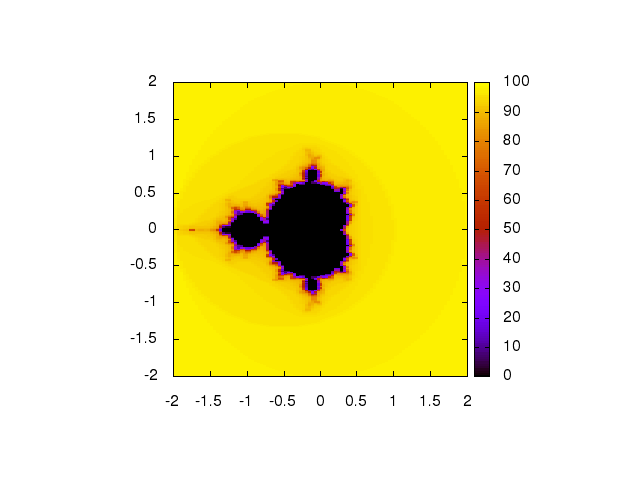
Set isosamples higher for better resolution. We could also say unset tics and unset colorbox for a pure image, but I think this version qualifies just fine.
GLSL - 225 bytes:
void main(){vec2 c=gl_FragCoord.xy/iResolution.y*4.-2.,z=c,v;for(int i=0;i<99;i++){z=vec2(z.x*z.x-z.y*z.y,2.*z.x*z.y)+c;if(length(z)>2.&&v.y<1.)v=vec2(float(i)/99.,1.);}gl_FragColor=(v.y<1.)?vec4(v,v):texture2D(iChannel0,v);}
Defining variables in the code (242 bytes):
uniform vec3 r;uniform sampler2D t;void main(){vec2 c=gl_FragCoord.xy/r.y*4.-2.,z=c,v;for(int i=0;i<99;i++){z=vec2(z.x*z.x-z.y*z.y,2.*z.x*z.y)+c;if(length(z)>2.&&v.y<1.)v=vec2(float(i)/99.,1.);}gl_FragColor=(v.y<1.)?vec4(v,v):texture2D(t,v);}
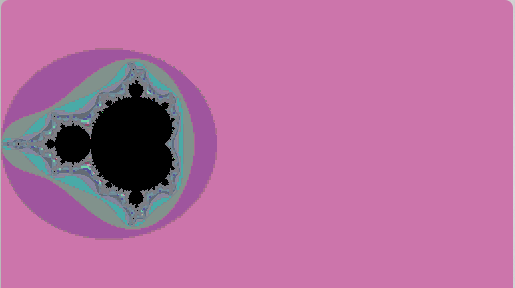
This requires a suitable palette texture be loaded as iChannel0. (The colouring here is from the "random pixel" texture on ShaderToy).
BBC Basic (228 bytes)
What about languages that nobody ever heard of in code golf? Most likely could be optimized, but I'm not quite where - improvements possible. Based of http://rosettacode.org/wiki/Mandelbrot_set#BBC_BASIC, but I tried to code golf it as much as possible.
VDU23,22,300;300;8,8,8,8
ORIGIN0,300
GCOL1
FORX=0TO600STEP2
i=X/200-2
FORY=0TO300STEP2
j=Y/200
x=0
y=0
FORI=1TO128
IFx*x+y*y>4EXIT FOR
t=i+x*x-y*y
y=j+2*x*y
x=t
NEXT
COLOUR1,I*8,I*4,0
PLOTX,Y:PLOTX,-Y
NEXT
NEXT
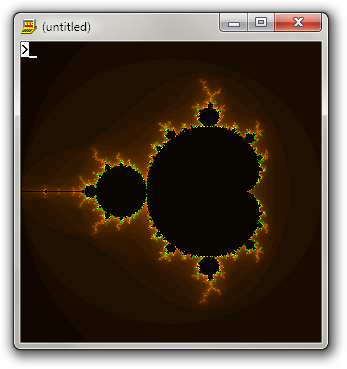
The > symbol on image is prompt, and it's automatically generated after running the program.
Perl + GD, 264
$I=new GD::Image $s=499,$s;Z(0,0,0);Z(map rand 256,1..3)for
0..99;for$x(0..$s){for$y(0..$s){for($H=$K=$c=$t=0;$c++<99&&$H*$H+$K*$K<4;){sub
Z{$I->colorAllocate(@_)}($H,$K)=($H*$H-$K*$K+4*$x/$s-2,2*$H*$K+4*$y/$s-2)}use
GD;$I->setPixel($x,$y,$c<99&&$c)}}print $I->png

Golfed from this code
JavaScript + HTML5 (356B)
(Note: lines ending with '//' are added here for some readability)
Performant version (375B):
<body onload='var
w,h=w=C.width=C.height=500,X=C.getContext("2d"),I=X.createImageData(w,h),D=I.data, //
y=0,f=255,T=setInterval(function(x,i,j,k,l,c,o){for(x=0;x<w;){                     //
for(i=x*4/w-2,j=y*4/h-2,k=l=0,c=f;--c&&k*k+l*l<4;)t=k*k-l*l+i,l=2*k*l+j,k=t
D[o=(y*w+x++)*4]=(c*=0xc0ffeeee)&f
D[++o]=c>>8&f
D[++o]=c>>16&f
D[++o]=f}X.putImageData(I,0,0)
++y-h||clearInterval(T)},0)'><canvas id=C>
Slow version (356B): remove the 'var' and parameters in the inner function so that the global scope is used.
Try it out: http://jsfiddle.net/neuroburn/Bc8Rh/
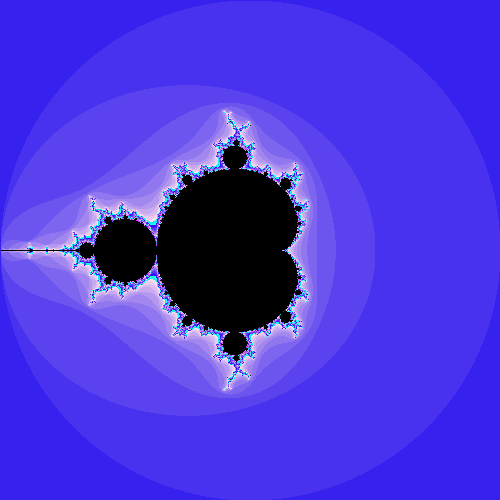
R, 199 211 characters
Old solution at 199 characters:
r=seq(-2,2,l=500);c=t(sapply(r,function(x)x+1i*r));d=z=array(0,dim(c));a=1:25e4;for(i in 1:99){z[a]=c[a]+z[a]^2;s=abs(z[a])<=2;d[a[!s]]=i;a=a[s]};image(d,b=0:99,c=c(1,sample(rainbow(98))),ax=F,asp=1)
With indentation:
r=seq(-2,2,l=500)
c=t(sapply(r,function(x)x+1i*r)) #Produces the initial imaginary number matrix
d=z=array(0,dim(c)) #empty matrices of same size as c
a=1:25e4            #(z will store the magnitude, d the number of iterations before it reaches 2)
for(i in 1:99){     #99 iterations
    z[a]=c[a]+z[a]^2
    s=abs(z[a])<=2
    d[a[!s]]=i
    a=a[s]
    }
image(d,b=0:99,c=c(1,sample(rainbow(98))),ax=F,asp=1) #Colors are randomly ordered (except for value 0)
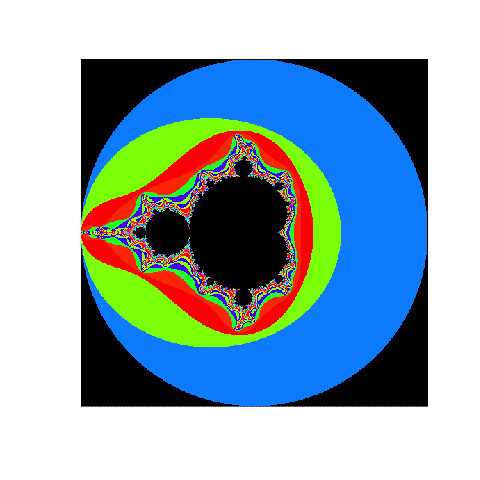
Edit: Solution at 211 characters that colors the inside of the set and the outside of the first layer differently:
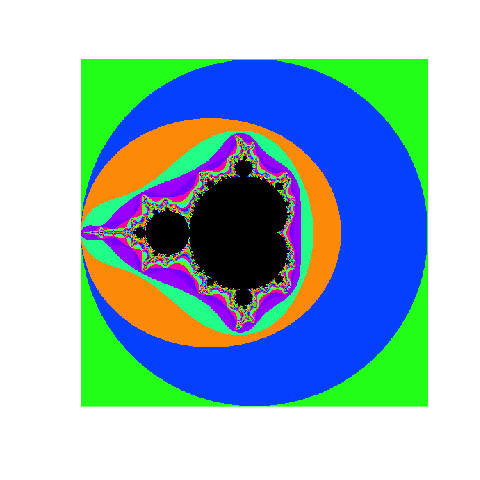
r=seq(-2,2,l=500);c=t(sapply(r,function(x)x+1i*r));d=z=array(0,dim(c));a=1:25e4;for(i in 1:99){z[a]=c[a]+z[a]^2;s=abs(z[a])<=2;d[a[!s]]=i;a=a[s]};d[a[s]]=-1;image(d,b=-1:99,c=c(1:0,sample(rainbow(98))),ax=F,asp=1)
With indentation:
r=seq(-2,2,l=500)
c=t(sapply(r,function(x)x+1i*r))
d=z=array(0,dim(c))
a=1:25e4
for(i in 1:99){
    z[a]=c[a]+z[a]^2
    s=abs(z[a])<=2
    d[a[!s]]=i
    a=a[s]
    }
d[a[s]]=-1 #Gives the inside of the set the value -1 to differenciate it from value 0.
image(d,b=-1:99,c=c(1,sample(rainbow(99))),ax=F,asp=1)
LaTeX, 673 bytes
\countdef\!1\!129\documentclass{article}\usepackage[margin=0pt,papersize=\!bp]{geometry}\usepackage{xcolor,pgf}\topskip0pt\offinterlineskip\def~{99}\let\rangeHsb~\countdef\c2\countdef\d3\countdef\e4\begin{document}\let\a\advance\let\p\pgfmathsetmacro\makeatletter\def\x#1#2#3{#10
\@whilenum#1<#2\do{#3\a#11}}\d0\x\c{\numexpr~+1}{\expandafter\edef\csname\the\c\endcsname{\hbox{\noexpand\color[Hsb]{\the\d,1,1}\/}}\a\d23
\ifnum\d>~\a\d-~\fi}\def\/{\rule{1bp}{1bp}}\x\c\!{\hbox{\x\d\!{\p\k{4*\d/(\!-1)-2}\p\K{2-4*\c/(\!-1)}\def\z{0}\def\Z{0}\x\e~{\p\:{\z*\z-\Z*\Z+\k}\p\Z{2*\z*\Z+\K}\let\z\:\p\:{\z*\z+\Z*\Z}\ifdim\:pt>4pt\csname\the\e\endcsname\e~\fi}\ifnum\e=~\/\fi}}}\stop
(129 × 129)
The PDF image consists of colored square units with size 1bp × 1bp.
Ungolfed
% count register \size contains the width and height of the square
\countdef\size=1
\size=31
\documentclass{article}
\usepackage[margin=0pt,papersize=\size bp]{geometry}
\usepackage{xcolor,pgf}
\topskip0pt
\offinterlineskip
\def\iterations{99}
\let\rangeHsb\iterations
\countdef\c2
\countdef\d3
\countdef\e4
\begin{document}
\let\p\pgfmathsetmacro
\makeatletter
% \Loop: for (#1 = 0; #1 < #2; #1++) {#3}
\def\Loop#1#2#3{%
  #1=0
  \@whilenum#1<#2\do{#3\advance#11}%
}
\d0%
\Loop\c{\numexpr\iterations+1\relax}{%
  \expandafter\edef\csname\the\c\endcsname{%
    \hbox{\noexpand\color[Hsb]{\the\d,1,1}\noexpand\pixel}%
  }%
  \advance\d23 \ifnum\d>\iterations\advance\d-\iterations\fi
}
\def\pixel{\rule{1bp}{1bp}}
% \c: row
% \d: column
% \e: iteration
\Loop\c\size{%
  \typeout{c: \the\c}%
  \hbox{%
    \Loop\d\size{%
      \pgfmathsetmacro\k@re{4*\d/(\size-1)-2}%
      \pgfmathsetmacro\K@im{2-4*\c/(\size-1)}%
      \def\z@re{0}%
      \def\Z@im{0}%
      \Loop\e\iterations{%
         % calculate z(n+1) = z^2(n) + k
         \pgfmathsetmacro\temp{\z@re*\z@re-\Z@im*\Z@im+\k@re}%
         \pgfmathsetmacro\Z@im{2*\z@re*\Z@im+\K@im}%
         \let\z@re\temp
         % calculate abs(z)^2
         \pgfmathsetmacro\temp{\z@re*\z@re+\Z@im*\Z@im}%
         \ifdim\temp pt>4pt\csname\the\e\endcsname\e\iterations\fi
      }%
      \ifnum\e=\iterations\pixel\fi
    }%
  }%
}
\stop