| Bytes | Lang | Time | Link |
|---|---|---|---|
| nan | 140202T182657Z | kebs | |
| 033 | Bash + ImageMagick | 140201T204620Z | r3mainer |
| 114 | Python | 140202T014345Z | Aaron Ha |
| 1494 | HTML | 140203T042418Z | Chloe |
| nan | 140201T230940Z | marczell | |
| 055 | Shell + Graphviz | 140206T175908Z | grim |
| 122 | Python with PIL 122 Chars | 140202T011724Z | globby |
| 094 | Fortran 90 | 140202T231223Z | semi-ext |
| 086 | PHP + gd2 | 140202T021841Z | primo |
| 101 | Javascript! | 140202T183207Z | jas |
| 037 | Here is a cool trick | 140205T105912Z | Ismael M |
| 192 | Ruby | 140206T080729Z | user1342 |
| 037 | Processing | 140202T131354Z | The Guy |
| 011 | Internet | 140204T192532Z | HL-SDK |
| 133 | Groovy | 140204T191927Z | krs |
| 041 | MATLAB | 140204T181844Z | 0not |
| nan | Groovy | 140204T093501Z | Guillaum |
| 041 | Bash + DOT | 140202T105231Z | Bach |
| 039 | R | 140201T205218Z | Tomas |
| 000 | Mouse | 140204T103844Z | Anthony |
| 028 | EPL | 140203T141337Z | koko |
| 043 | BASH + RST + ImageMagick = | 140202T200002Z | Bach |
| 065 | Python and Matplotlib | 140203T223004Z | Nick T |
| 022 | TIBASIC | 140201T201029Z | Timtech |
| 045 | Rebol/View | 140203T184747Z | sqlab |
| 031 | bash + netpbm | 140203T214646Z | F. Hauri |
| 092 | Bash | 140203T180648Z | Adam Dav |
| 027 | Mathematica | 140201T225430Z | DavidC |
| nan | Chloe used a Base64 encoded approach with 1494 characters | 140203T161950Z | MMM |
| nan | 140203T131103Z | Denis de | |
| 022 | Sage notebook | 140203T144513Z | boothby |
| 128 | PureBasic | 140203T140241Z | Fozzedou |
| 446 | Data URI | 140203T133835Z | OrangeDo |
| 047 | Matlab | 140203T101235Z | gerrit |
| 202 | C + Cairo | 140202T083635Z | Torkel B |
| 084 | Ghostscript command line incantation | 140202T185930Z | user2846 |
| 095 | Perl | 140202T113440Z | user2846 |
| 138 | Ruby | 140202T100605Z | Darren S |
| 048 | Linux shell + various utilities | 140202T100721Z | Mechanic |
| 233 | Java | 140201T201422Z | Victor S |
| 168 | C# | 140201T211349Z | Nothings |
Gnuplot
Not really a true competitor, just for fun. (homepage)
#!/usr/bin/gnuplot
set terminal pngcairo
set output "hw.png"
set label "Hello\nWorld!"
unset xtics
unset ytics
set yrange [-1:+1]
plot -1 notitle
or, as a oneliner, in a gnuplot shell (thanks to Phil H): 74 characters
se te pngc;se ou "q.png";se la "Hello world!";se yr[-1:1];uns ti;pl -1 not
Bash + ImageMagick: 35 33
Default font, default text size, default colours:
convert label:Hello\ world! a.png
and here's the result:

Thanks to DigitalTrauma and sch for the help :-D
Python, with 118 115 117 116 114 chars
Here's a full criteria passing with white text on alpha background at 116 114 chars!:
from PIL import Image,ImageDraw as D
m=Image.new("LA",(99,9))
D.Draw(m).text((9,0),'Hello World!')
m.save('r.png')
(You can replace newlines with semicolons - count is the same regardless.)
HTML, 1494
I know this won't win, but I didn't see this here before.
data:image/png;base64,iVBORw0KGgoAAAANSUhEUgAAAEIAAAANEAYAAABNymQSAAAABmJLR0T///////8JWPfcAAAACXBIWXMAAABIAAAASABGyWs+AAAACXZwQWcAAABCAAAADQDi7GgjAAADvElEQVRYw+1YPa9pTRReRIJKEPHdiEJBoVVIRCenpCJBfCQEDeI3qAh/QCIRUchp0KCUaISgROO7QMRHSGS9xX73u+85592Xe47uepqJZ9bMrFnzrJm1MfBfwAsvAADzM8HhcDgczv2Bj9r9KRgMBoPBeJz/2/DdODwaV+bjU77wN+AliBc+4OmCmE6n0+kUwGKxWCwWAKFQKBQKAfR6vV6vBygWi8Vi8efr7Ha73W4H4HK5XC4XgFQqlUqlADKZTCaTAbjdbrfbTdndg8FgMBgMANVqtVqtUnwikUgkEgBisVgsFgOQFRfZkny/3+/3+z/3i7zC8/l8Pp8HkEgkEomE3u/tdrvdbgEcDofD4aDirVar1Wo1QCaTyWQyj8f1iyAul8vlcqEco2tJu88IBoPBYBDA7/f7/X6A5XK5XC4ByuVyuVwGSCaTyWQSYDAYDAaD7wsiHo/H43EAFovFYrEAxuPxeDwGGI1Go9GI4skDvYe3t7e3tzeAer1er9cpvtlsNptNAC6Xy+VyAYbD4XA4pPwnea1Wq9Vqn+dXu91ut9sAjUaj0WjQ28VisVgsRgl0MplMJhOAXq/X6/UAOp1Op9OhH8/j8Xg83i8EfgKbzWaz2XgXdHYCgUAgEJBfLfQtkQFfx/+/V195uVwul8sRV6vVarX6ak8IEVGpVCqVyvv7IQKISBwsIpHBiBqNRqPRIBIHiJhOp9PpNGIqlUqlUoihUCgUCj3PL3Kf6/V6vV7fjwNxAyEuFovFYvHVnuTp4moymUwmE/Wb9f0c/b3iut1ut9sFIDZO9c9ms9lsBsDn8/l8/s/Xu1c932632+12fx6dTqfT6QD2+/1+vwcolUqlUgnAaDQajUYAs9lsNpsBstlsNpulMjISiUQikef7JRKJRCLRfb+ZTCaT+ZuH/95XCflU/odHM/9Ru3A4HA6HEaPRaDQaRbxer9frFbHVarVaLURCMFSm3MsAOt7j8Xg8HkSfz+fz+RDP5/P5fEY8nU6n0wnR6/V6vV6qfRSBQCAQCFAZXCgUCoUC4vF4PB6PiMRBISoUCoVCgUg8nc/zi27/dP3kPHa73W63IxKCRjwcDofDAZGoWejnrdVqtVrtl/mfLQiiyEG02Ww2m416QogiB/H9/f39/f3xDdPx5DpOp9PpdCISxRfVkjxp9ygqlUqlUqHWm8/n8/mc6ievWKvVarVa6ff/Xb/+VBCbzWaz2VCCIOOtUqlUKhViLpfL5XKPx5XxseOFvx2v/yFe+ICXIF74gH8A5ia8gOmPT18AAAASdEVYdGxhYmVsAEhlbGxvIHdvcmxkIbl+3UEAAAAASUVORK5CYII=
Well apparently StackExchange will not allow data links so you must copy & paste it into your browser's address bar.
@squeamish ossifrage got it down to 176:
data:image/png;base64,iVBORw0KGgoAAAANSUhEUgAAAC0AAAAHAQAAAAC0VvlnAAAAOklEQVR4nGLIv/57/+9rDGDqAkPOterN0YIM3KG712pdZcgI3bW26gZD9lUwlRNWW1wtAAAAAP//AwCcyhjs3+7tWQAAAABJRU5ErkJggg
114
data:image/png;base64,iVBORw0KGgoAAAANSUhEUgAAACUAAAAEAQAAAAAhFcs9AAAAIElEQVQIHWOJit1f7szy58v9DAWWPaEMP7hZHHgi1aMB
@primo got it down to 112:
data:image/png;base64,iVBORw0KGgoAAAANSUhEUgAAACYAAAAEAQAAAADKInA+AAAAH0lEQVR4nGOIj///7wVDZOBdoQ4G4dCrYWuA7JNiHQ
Octave, 47
axis('off')
title("Hello World!")
print -dpng x.png
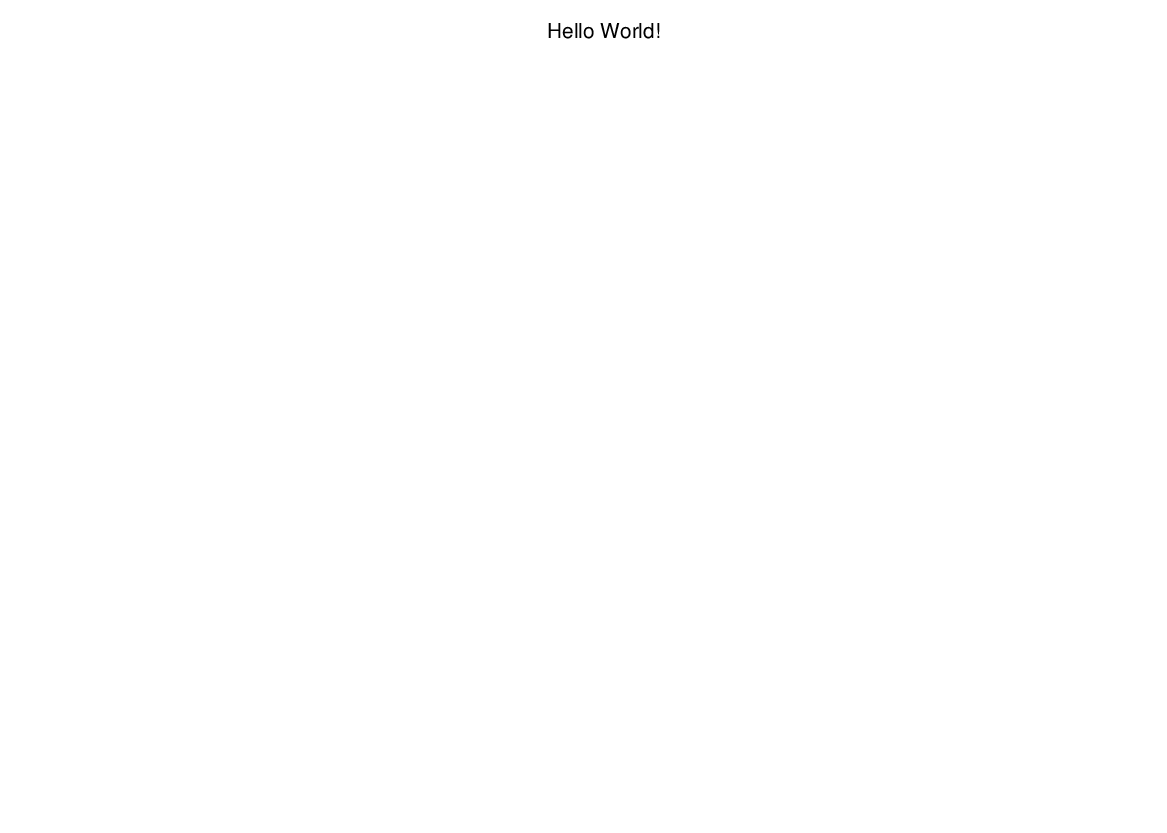
Shell + Graphviz (55)
echo 'graph{a[label="Hello World!"]}'|dot -Tpng>h.png
Python with PIL 122 Chars
from PIL import Image,ImageDraw;d=Image.new("RGB",(70,9));i=ImageDraw.Draw(d);i.text((0,0),"Hello World!");d.save("a.png")
It could probably be much smaller but I haven't worked with PIL extensively and made this in 5 minutes.
Output:

Fortran 90, 104 94 bytes:
Aight, game on. Fortran 90, using the g2 graphics library and implict typing, so "d" is a real:
d=g2_open_gd('h',80.,12.,g2_gd_png)
call g2_string(d,1,1,'Hello world!')
call g2_close(d)
end
Needs to have the g2 library installed, then just compile with
gfortran -lg2 -fsecond-underscore p.f90
Thanks Kyle Kanos for suggesting to drop "program p"!
I'm pretty satisfied that I beat C#, C + Cairo, Java, Javascript, Python and Ruby! And now also Perl!
Example output:

PHP + gd2 - 86 bytes
<?imagestring($i=imagecreatetruecolor(97,16),4,2,0,'Hello world!',65535);imagepng($i);
imagecreatetruecolor is used instead of the shorter imagecreate, because colors can used directly without having to allocate them with imagecolorallocate. 65535 corresponds to hex color #00FFFF, a.k.a. cyan. I could have used 255 for blue, but it's fairly hard to see on a black canvas.

If the requirement that the background must be white or transparent is to be strictly enforced, I think the best that can be done is 98 bytes:
<?imagestring($i=imagecreatetruecolor(97,16),4,2,0,'Hello world!',imagefilter($i,0));imagepng($i);
The 0 sent to imagefilter is the value of the constant IMG_FILTER_NEGATE, which of course negates the image. The result, 1, is then used as the paint color (#000001):

Another option at 108 bytes:
<?imagestring($i=imagecreatetruecolor(97,16),4,2,imagecolortransparent($i,0),'Hello world!',1);imagepng($i);
Setting black to be transparent, and drawing with #000001 instead.

PHP + No Library - 790+ bytes
<?
echo pack('CA3N2',137,'PNG',218765834,13);
echo $ihdr = pack('A4N2C5','IHDR',45,7,1,0,0,0,0);
echo hash('crc32b',$ihdr,true);
$data =
  '--------0  0      0 0                        0    0 0---'.
  '--------0  0      0 0                        0    0 0---'.
  '--------0  0  00  0 0  00    0   0  00  0 0  0  000 0---'.
  '--------0000 0  0 0 0 0  0   0   0 0  0 00 0 0 0  0 0---'.
  '--------0  0 0000 0 0 0  0   0 0 0 0  0 0    0 0  0 0---'.
  '--------0  0 0    0 0 0  0   0 0 0 0  0 0    0 0  0  ---'.
  '--------0  0  000 0 0  00     0 0   00  0    0  000 0---';
$bytes = join(array_map(chr,array_map(bindec,str_split(strtr($data,' -',10),8))));
$cmp = gzcompress($bytes);
echo pack('N',strlen($cmp));
echo $idat = 'IDAT'.$cmp;
echo hash('crc32b',$idat,true);
echo pack('NA4N',0,'IEND',2923585666);
Ahh, that's better. No bloat; exactly as much as required, and not a chunk more.
The result is this 109 byte png:

Or, URI encoded (which seems to be trending...) at 168 bytes:
data:image/png;base64,iVBORw0KGgoAAAANSUhEUgAAAC0AAAAHAQAAAAC0VvlnAAAANElEQVR4nGPIv/7//+8LDFAq51r15mgBBu7Q3Wu1LjBkhO5aW3WBIfsqkLrBkBNWW1wtAACw2RlgLInRogAAAABJRU5ErkJggg
Supposing we wanted to cut that down a bit more, let's say we replace the data string with this:
$data =
  '--------0  0      0 0                    0   0 0'.
  '--------0  0  00  0 0 000   0   0 000 00 0 000 0'.
  '--------0000 0 00 0 0 0 0   0 0 0 0 0 0  0 0 0 0'.
  '--------0  0 00   0 0 0 0   0 0 0 0 0 0  0 0 0  '.
  '--------0  0  000 0 0 000   00 00 000 0  0 000 0';
(and update the header to the new dimensions, 40x5), the output would be this 96 byte png:

Which URI encodes to 150 bytes:
data:image/png;base64,iVBORw0KGgoAAAANSUhEUgAAACgAAAAFAQAAAAAft5MoAAAAJ0lEQVR4nGPIv/7//y6GnCvlLosYuEJLQ1cxZF4tDV3NkBNS5LoIANqBDTt5Av0NAAAAAElFTkSuQmCC
I think that's about as small as you're going to be able to get, and still be considered "human readable".
Further Analysis
You may have noticed that we've been toting along an extra byte at the beginning of each scanline (denoted by --------). This isn't solely for decoration. Each byte specifies the filtering used by each scanline. According to the PNG specification, "Filtering transforms the PNG image with the goal of improving compression." So let's try that.
The are five different filtering operations which can be applied independently to each scanline. The PHP implementation that I used for each can be seen here: http://codepad.org/xCQpBPC3 where $bytes represents the raw bytes for the current scanline, and $prior represents the raw, unfiltered bytes for the scanline above the current.
Let's start with the first 45x7 image. Seven scanlines each with 5 different filterings makes 78125 different possibilities to grind through. The initial encoding of the data block was 52 bytes in length, and after a bit of grinding zlib found a one byte improvement using filtering pattern [1, 1, 1, 1, 0, 0, 0] (that is, the first four scanlines with Sub filtering, and the last three unfiltered). The result is this 108 byte png:

Which of course looks identical to the last. But I'm not convinced that zlib is producing the best possible encoding, and I think i have good reason to be skeptical. I decided to try AdvanceComp (which uses the same DEFLATE engine used for 7-zip), and Zopfli, an implementation which claims to "find a low bit cost path through the graph of all possible deflate representations." Sure enough, Zopfli mananged to compress the same data data pattern [1, 1, 1, 1, 0, 0, 0] down to 50 bytes, producing this 107 byte png:

Once again, visually identical. (As a point of interest, it should probably be mentioned at this point that AdvanceComp with the setting -z3 (compress-extra (7z)) didn't manage to find anything shorter than 60 bytes - the data was left uncompressed. It seems it refuses to compress anything this short). The above URI encodes to 165 bytes:
data:image/png;base64,iVBORw0KGgoAAAANSUhEUgAAAC0AAAAHAQAAAAC0VvlnAAAAMklEQVR4AWPMz9Bg+HMVRuVkLbVYsZWR2yvtU+0yhozQXWurLjBkXwVSNxhywmqLqwUA+IMVKa7QjrYAAAAASUVORK5CYII
Fully 11 bytes shorter than squeamish ossifrage's attempt at more or less an identical image.
Onwards to the 40x5 image. Five lines with 5 filterings each means we only have 3125 possibilities this time. The original encoding was 39 bytes in length, and with a bit of grinding, zlib found quite a few 38s. The one I've chosen is [1, 0, 0, 2, 0], which contains the largest number of unfiltered lines, and Sub and Up filters on lines 0 and 4, which are the simplest. Zopfli wasn't able to improve this result any further. The result is this 95 byte png:

Which URI encodes to 149 bytes:
data:image/png;base64,iVBORw0KGgoAAAANSUhEUgAAACgAAAAFAQAAAAAft5MoAAAAJklEQVR4nGPMz9Bg2M2Qc6XcZREDV2hp6Cqm+AYGBkaGnJAi10UAju4JJ/1zkEIAAAAASUVORK5CYII
You might be tempted to think that the last 18 or so bytes of this aren't necessary. After all, this 121 byte URI will still display correctly, at least in Chromium:
data:image/png;base64,iVBORw0KGgoAAAANSUhEUgAAACgAAAAFAQAAAAAft5MoAAAAIUlEQVR4nGPMz9Bg2M2Qc6XcZREDV2hp6Cqm+AYGBkaGnJAi10U
But if you save it to a file, it will break in very many image viewers. In fact, any compliant decoder is required to report an error. So what have we chopped off?
From end towards beginning:
- 4 bytes - CRC32 for
IENDchunk (always0xAE426082) - 4 bytes -
IENDchunk marker (alwaysIEND) - 4 bytes -
IENDchunk length (always0x00000000) - 4 bytes - CRC32 for
IDATchunk - 4 bytes - Adler32 for zlib data
- 1 byte - Stop marker for zlib data
Additionally adjusting the IDAT length marker down by 5 (to compensate for the bytes we deleted) seems to "fix" the image in Windows Previewer.
Javascript! 105 104 101
c=document.createElement('canvas');open(c.toDataURL(c.getContext('2d').fillText('Hello world!',0,9)))
Outputs this size-optimized and pretty image:

Here is a cool trick, only 37 chars: placehold.it/png/99&text=Hello+world! (+7 chars for the protocol).
This generates a 239 bytes long png image with 99px of width and height.
I know it's not programming, but this is a website that generates placeholder images.
You should visit http://placehold.it.
Ruby 192 chars:
I use RMagick RVG (Ruby Vector Graphics).
require 'rvg/rvg';include Magick;RVG::dpi = 72;RVG.new(1.5.in, 1.5.in){|canvas|canvas.background_fill = '#C0C0C0';canvas.text(10, 100){|title|;title.tspan("Hello World!")}}.draw.write('hw.png')
output:

Processing, 38 37
This might be considered cheating, but:
text("HeΠo World!",9,8);save(".png");

38 char solution:
text("Hello World!",9,9);save(".png");
Saves this image as .png:


Groovy, 133
Not going to win any points for size here as it's just an abbreviated Java.
No color setting:
i=new java.awt.image.BufferedImage(75,30,2);i.graphics.drawString('Hello World',5,20);javax.imageio.ImageIO.write(i,'PNG',System.out)
With setting color (164):
i=new java.awt.image.BufferedImage(75,30,2);g=i.graphics;g.color=java.awt.Color.RED;g.drawString('Hello World',5,20);javax.imageio.ImageIO.write(i,'PNG',System.out)
Formatted:
i = new java.awt.image.BufferedImage(75,30,2)
g = i.graphics
g.color = java.awt.Color.RED
g.drawString('Hello World',5,20)
javax.imageio.ImageIO.write(i,'PNG',System.out)

MATLAB, 41 chars
@gerrit posted a MATLAB solution as well, but since I don't have enough rep to comment, I'll post mine too. (The output is the same as his, so I don't want to take up more space with the resulting PNG).
axis off,title 'Hello world!',print -dpng
Groovy, 151 (or 202 with a black text)
a rewrite of the proposed Java version. Resulting image is with white text on a transparent background. Add 50 chars to have black text !
import java.awt.image.BufferedImage as B
B b=new B(80,9,2)
b.graphics.drawString("Hello world!",5,9)
javax.imageio.ImageIO.write(b,"png",new File("p"))
The version with black text:
import java.awt.*
import java.awt.image.BufferedImage as B
B b=new B(80,9,2)
b.graphics.with {setColor(new Color(0)); drawString("Hello world!",5,9); }
javax.imageio.ImageIO.write(b,"png",new File("p"))

Bash + DOT, 46 41
dot -Tpng<<<'graph{label="Hello World!"}'
This outputs a png into the standard output. It is saving a file, but I don't think that was a requirement.
Outout: 
R, 52 39 chars
png()
frame()
text(.5,1,"Hello World!")
Saves as Rplot001.png in current directory. To be run as a script in non-interactive (batch) mode.
Thanks to Sven Hohenstein and Michael Hoffman for updates!
Mouse: 0 chars
"right click" > "save image as"
Result:

EPL, 28
0,0,0,1,1,1,N,"Hello World!"
BASH + RST + ImageMagick = 43 chars
Just for fun, here's another (quite ugly) one:
echo 'Hello World!'|rst2pdf|convert - a.png
Output:

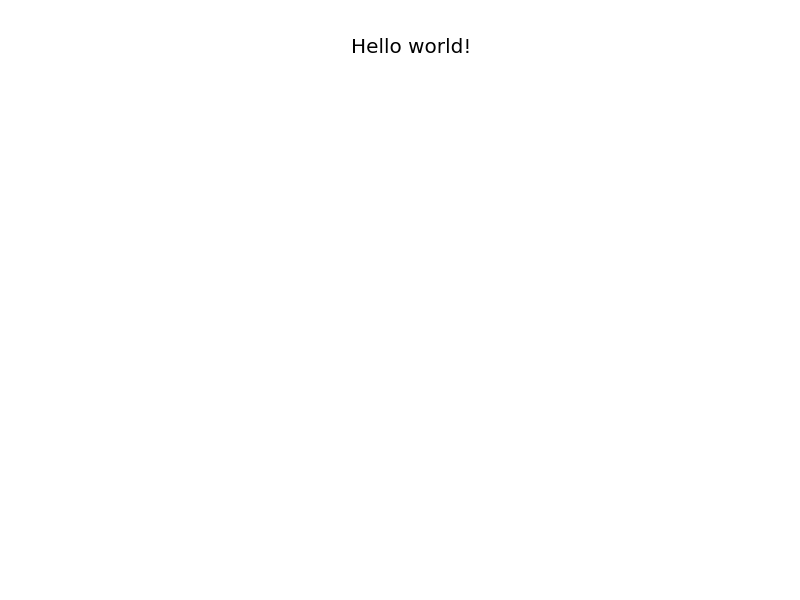
Python and Matplotlib - 66 65 chars
from pylab import*;title('Hello world!');axis('off');savefig('X')
Bit of whitespace, but it has the text and nothing else. File is saved as X.png:
TI-BASIC, 22
Text(0,0,"HELLO WORLD!
White background. Use TI-Connect if you wish to retrieve it from the calculator. Resulting PNG:

Rebol/View 45
save/png %i to-image layout[h1"Hello World!"]
writes a png image file named i into current directory

bash + netpbm: 31 chars
pbmtext "Hello world!"|pnmtopng
Will make:

Bash, using Google's chart API: 92 characters
curl http://chart.googleapis.com/chart?chst=d_text_outline&chld=|9|h|||Hello+world! > h.png

Further optimization: 33 characters
curl http://goo.gl/a8ntA4 > h.png

Mathematica 28 27
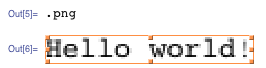
This creates and exports the sentence, "Hello world!", as a PNG image. 1 char saved by Mechanical snail.
".png"~Export~"Hello world!"
Testing
This imports the PNG image. The image was enlarged by dragging the image box handles.
Chloe used a Base64 encoded approach with 1494 characters, however you can easily reduce the size:
Anchor link - 166 chars
data:image/png;base64,iVBORw0KGgoAAAANSUhEUgAAAD8AAAAFAQAAAADaxQm5AAAAM0lEQVQIW2Mo0a+w3iKQz8NQ+r56r+71/BIGlnwg40J+GUhkz9lr78sYShQ57O6IKfIAAJypEkNzAX3zAAAAAElFTkSuQmCC
Paste this into your browser
make a PNG image that says "Hello world!" …
You'll hopefully excuse my very loose interpretation of the above requirement. :)
OSX bash:
printf '"Hello world!" and nothing else on a distinguishable background using only an image making API (eg ImageMagick) and return the image.' > hello.png
say -f hello.png
Sage notebook, 22
text("Hello world",0j)
PureBasic - 128 chars
UsePNGImageEncoder()
CreateImage(0,99,24)
StartDrawing(ImageOutput(0))
DrawText(0,0,"Hello World!")
SaveImage(0,"a.png",4673104)

Not the shortest here, but I have to support my favorite Basic language :)
edit: just in case there is a complain about the black background, at 133 chars:
UsePNGImageEncoder()
CreateImage(0,80,16)
StartDrawing(ImageOutput(0))
DrawText(0,0,"Hello World!",0,-1)
SaveImage(0,"a.png",4673104)

Data URI: 446
Following Chloe's idea, applied some basic optimisation to the image.
data:image/png;base64,iVBORw0KGgoAAAANSUhEUgAAAEEAAAALCAAAAAAFX7+TAAABBUlEQVQoz2P4Tylg+M8IohiRRUCIkC6E0sFlwhFBJo5kmPAdWSYmuTsgGa6y/3pMf/8yLYEJMcQwARXckmZi8YCawAAG//8L537ZxbEMaoKCwuvXCkogE2y0/nMyL1vC/BcmxKC6AqhAXurBc1kGkNUINzCBDIqFmsB84f//c8wgmcVs91j13d3U4EIMl0AKmM78/38GqJQXyQSWQ///H3sJMwGo7ALYhL/MQUq1wkK1cCEGsE+ZgSacAzKNkUxQ1/kygfEczBeKb18rKICDS4U58SUT8ye4EMQEBelHz+WAzEokE+6IM7HkI4ekLDgk/5cxnPrPK/4fLgQxARSSUdCQpBQAAFZKE8rQG60FAAAAAElFTkSuQmCC
Might be able to hack it further, but then would not be a perfectly conformant PNG and some viewers may not display it correctly.
Matlab: 47 characters
I'm not sure what exactly an Image making API is. This uses a figure/graph making API, which is arguably an image.
text(1,1,'Hello World!');axis off;print -dpng f

C + Cairo: 238 221 202 bytes
#include <cairo/cairo.h>
main(){cairo_surface_t*s=cairo_image_surface_create(0,99,50);cairo_t*c=cairo_create(s);cairo_move_to(c,0,9);cairo_show_text(c,"Hello world!");cairo_surface_write_to_png(s,"o");}
$ cc `pkg-config cairo --libs --cflags` mini.c && ./a.out && display o
Here is the un-minified version:
#include <cairo/cairo.h>
void main (int argc, char* argv[])
{
    cairo_t *cr;
    cairo_surface_t *surf;
    surf = cairo_image_surface_create (0, 99, 50);
    cr = cairo_create (surf);
    cairo_move_to (cr, 0, 9);
    cairo_show_text (cr, "Hello world!");
    cairo_surface_write_to_png (surf, "out.png");
}
Best enjoyed while listening to this song :)
Ghostscript command line incantation, 84 (i.e. Postscript) :
gs -sDEVICE=png16 -oa.png -c '/ 72 selectfont 9 9 moveto(Hello world!)show showpage'
Missing font message is intentional ;-). And proper (i.e. not hidden) name for our PNG file, too :-)
Perl, 95:
The whole command incantation:
perl -MGD::Simple -e'$i=new GD::Simple;moveTo$i 9,50;string$i "Hello world!";print$i->png'>.png
Because of (reasonable) module defaults, it's 95 characters (or 92 if single letter file name allowed).
On Windows we need to binmode STDOUT, the shortest way I think can be -M-encoding+ get rid of double colons:
perl -MGD'Simple -M-encoding -e"$i=new GD'Simple;moveTo$i 9,50;string$i 'Hello world!';print$i->png">.png
i.e. 105
Ruby, 138
I'm golfing this hole with just my putter. (I chose a PNG library without fonts or a string draw method.)
require'chunky_png';i=ChunkyPNG::Image.new 34,4
136.times{|v|i[*(v.divmod(4))]=9*(0xb0fae0f02e0eae0ece00eae0f0f0bf0f2f&1<<v)>>v};i.save ?h
Actual output is 34x4 pixels. (Enlarged below.) This plots very, very small and nearly transparent hand-drawn chars onto a very small transparent background. Image is saved to a PNG file named h.

Linux shell + various utilities: 48 bytes
My first thought was to print Hello World! in the console, and then take a screenshot (after a small delay to avoid the race condition) using scrot:
echo Hello World\!;scrot -d1
(28 bytes). Unfortunately, this fails the "and nothing else" requirement: it will generally show other things like window decorations.
So instead, do it inside a full-screen xterm. This covers up any other windows and hides window decorations. It also satisfies the background-color requirement, since xterm defaults to a white background.
Because xterm displays a black cursor, we also need to tell it to hide the cursor. That can be accomplished using a terminal escape sequence: ESC [ ? 2 5 l.
The option to make it full-screen is -fullscreen. However, it seems to work if you abbreviate the option to the shortest unambiguous possibility, -fu, saving 8 bytes.
The final code (48 bytes) is:
xterm -fu -e 'echo \x1b[?25lHello World!;scrot -d1'
(where \x1b denotes a literal ESC character, which takes 1 byte). By default, scrot writes the screenshot to a timestamped PNG file in the current directory.
It works on my system:

Java - 340 339 292 261 239 236 233 chars
This outputs a file just called p with a transparent background and white text:
import java.awt.image.*;class R{public static void main(String[]y)throws Exception{BufferedImage b=new BufferedImage(80,9,2);b.getGraphics().drawString("Hello World!",5,9);javax.imageio.ImageIO.write(b,"png",new java.io.File("p"));}}
Here a properly-indented version. Should be pretty clear what is going on:
import java.awt.image.*;

class R {
    public static void main(String[] y) throws Exception {
        // 2 = BufferedImage.TYPE_INT_ARGB
        BufferedImage b = new BufferedImage(80, 9, 2);
        b.getGraphics().drawString("Hello world!", 5, 9);
        javax.imageio.ImageIO.write(b, "png", new java.io.File("p"));
    }
}
You might argue that white text in a transparent background is awful for reading and the file being called just p without the .png extension is awful too. So this longer variant version with 290 chars use red text and outputs a file called p.png:
import java.awt.image.*;import java.awt.*;class R{public static void main(String[]y)throws Exception{BufferedImage b=new BufferedImage(80,9,2);Graphics g=b.getGraphics();g.setColor(Color.RED);g.drawString("Hello world!",5,9);javax.imageio.ImageIO.write(b,"png",new java.io.File("p.png"));}}
That properly-indented:
import java.awt.image.*;
import java.awt.*;

class R {
    public static void main(String[] y) throws Exception {
        // 2 = BufferedImage.TYPE_INT_ARGB
        BufferedImage b = new BufferedImage(80, 9, 2);
        Graphics g = b.getGraphics();
        g.setColor(Color.RED);
        g.drawString("Hello world!", 5, 9);
        javax.imageio.ImageIO.write(b, "png", new java.io.File("p.png"));
    }
}
C# - 168 chars
C# is better! ;)
using System.Drawing;class a{static void Main(){var s=new Bitmap(99,9);Graphics.FromImage(s).DrawString("Hello world!",new Font("",5),Brushes.Red,0,0);s.Save(".png");}}
Saves as .png in the current directory.
Rule abuse:
- Minimum font/image size has not been specified, so I settled for the minimum readable ;)
- Filename is empty (only extension!), but it works flawlessly.
To mirror the Java answer, here is the indented code:
using System.Drawing;
class a
{
    static void Main()
    {
        var s = new Bitmap(99, 9);
        Graphics.FromImage(s).DrawString("Hello world!", new Font("", 5), Brushes.Red, 0, 0);
        s.Save(".png");
    }
}
.net's API is a lot cleaner.