| Bytes | Lang | Time | Link |
|---|---|---|---|
| 099 | C msvc | 241015T183054Z | jdt |
| 023 | Processing | 140210T181911Z | The Guy |
| 023 | R | 131126T160243Z | Sven Hoh |
| 011 | Quomplex | 131212T011152Z | Timtech |
| 025 | Mathematica | 131126T175524Z | DavidC |
| 044 | ExtJS Javascript | 131126T231925Z | F. Hauri |
| 057 | FLTK | 151122T155516Z | manatwor |
| 057 | Lua + LÖVE | 150802T121002Z | manatwor |
| 018 | Windows batch file | 140331T011811Z | Tessella |
| 024 | Windows command shell | 140331T002509Z | bacchusb |
| 093 | C# | 131127T082506Z | Noctis |
| 025 | Ti84Basic | 131126T233517Z | Timtech |
| nan | 140314T074213Z | Fozzedou | |
| nan | 140210T063418Z | luser dr | |
| 087 | C# | 131208T042418Z | James C. |
| 020 | Python | 131203T131936Z | ILikeTur |
| 056 | Shell script | 131203T101522Z | manatwor |
| 062 | Delphi | 131129T151830Z | R-D |
| 072 | C# | 131129T094848Z | Johnbot |
| 019 | bash | 131127T125159Z | F. Hauri |
| 117 | Java | 131126T185436Z | swilliam |
| 020 | Matlab | 131126T155726Z | Sven Hoh |
| 050 | Ghostscript | 131128T061046Z | luser dr |
| 017 | HTML kinda | 131127T145109Z | David Mu |
| nan | Factor | 131127T181410Z | Jon Purd |
| 011 | HTML Application | 131127T162251Z | Danko Du |
| 036 | Bash | 131127T132252Z | klingt.n |
| 023 | Powershell | 131127T093900Z | Danko Du |
| 026 | Windows Command Prompt | 131127T093105Z | Danko Du |
| 054 | Python 2/3 | 131127T075654Z | Ramchand |
| 020 | PowerShell 114 or | 131126T172623Z | Iszi |
| 011 | HTML | 131127T050953Z | Alvin Wo |
| 032 | AutoIt v3 | 131127T024020Z | Chris |
| 026 | AutoHotkey | 131127T020555Z | Broseph |
| 037 | Processing | 131127T004607Z | AJMansfi |
| 032 | JavaScript | 131126T233355Z | zzzzBov |
| 020 | Dyalog APL | 131126T204045Z | marinus |
| 029 | Rebol 2 | 131126T220755Z | Izkata |
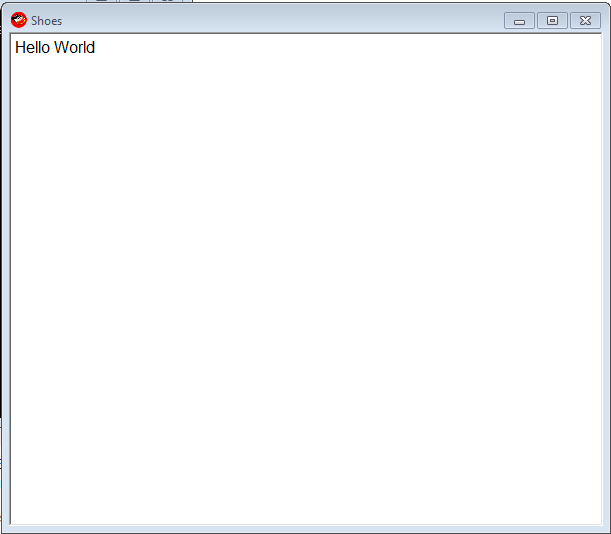
| 028 | Ruby with Shoes | 131126T214655Z | Doorknob |
| 027 | Groovy | 131126T185417Z | FGreg |
| 157 | Java | 131126T204607Z | Cruncher |
| 044 | APLX | 131126T203734Z | Mirrored |
| 023 | Windows Batch | 131126T184605Z | Johannes |
| 077 | Groovy | 131126T184810Z | smcg |
| 034 | Tcl/Tk | 131126T170013Z | Johannes |
| 032 | Shell | 131126T151549Z | Hasturku |
C (msvc), 99 bytes
#include<Windows.h>
main(){for(CreateWindowExA(0,"EDIT","hello world",1<<28,0,0,99,20,0,0,0,0);;);}
Creates a tiny Window.

Processing, 23
Based on my answer here: Make a PNG image with "Hello World!" with programming APIs, in the shortest code possible
text("HeΠo World!",9,8);

24 char non-cheating solution:
text("Hello World!",9,9);

R, 23
plot(1,m="Hello World")
This opens a plot window.
Mathematica 29 27 25
With 1 byte saved thanks to CatsAreFluffy.
DialogInput@"hello world"
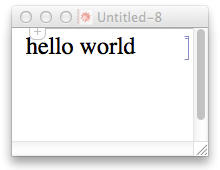
ExtJS (Javascript) 44
new Ext.Window({html:'Hello world',}).show()
new Ext.Window({html:'Hello world',}).show()<link rel="stylesheet" type="text/css"
href="http://dev.sencha.com/deploy/dev/resources/css/ext-all.css"/>
<script type='text/javascript'
src="http://dev.sencha.com/deploy/dev/adapter/ext/ext-base.js"></script>
<script type='text/javascript'
src="http://dev.sencha.com/deploy/dev/ext-all.js"></script>FLTK, 57 characters
Function{}{}{Fl_Window{}{}{Fl_Box{}{label{Hello World}}}}
Ungolfed:
Function {} {} {
    Fl_Window {} {} {
        Fl_Box {} {
            label {Hello World}
        }
    }
}
Sample output:

Lua + LÖVE: 57 characters
function love.draw()love.graphics.print("Hello World")end
Sample run:
bash-4.3$ ls -l
total 4
-rw-rw-r-- 1 manatwork manatwork 57 Aug  2 13:16 main.lua

bash-4.3$ love .
Sample output:

Windows batch file, 18
@set/p=Hello World
Save as a batch file, and run by double clicking. Looks just how you'd expect.

Windows command shell, 24 characters
Runs as is from command line or by saving to .cmd or .bat file.
start echo "Hello World"
C#, 93
u̶s̶i̶n̶g̶ ̶S̶y̶s̶t̶e̶m̶;̶c̶l̶a̶s̶s̶ ̶P̶r̶o̶g̶r̶a̶m̶{̶s̶t̶a̶t̶i̶c̶ ̶v̶o̶i̶d̶ ̶M̶a̶i̶n̶(̶)̶{̶C̶o̶n̶s̶o̶l̶e̶.̶O̶u̶t̶.̶W̶r̶i̶t̶e̶(̶"̶h̶e̶l̶l̶o̶ ̶w̶o̶r̶l̶d̶"̶)̶;̶C̶o̶n̶s̶o̶l̶e̶.̶R̶e̶a̶d̶K̶e̶y̶(̶)̶;̶}̶}̶
If you didn't need the screen to stay open, it'll be 81:
using System;class Program{static void Main(){Console.Out.Write("hello world");}}
As per shaming comment (so obvious, yet overlooked):
using System;class A{static void Main(){Console.Out.Write("hello world");Console.ReadKey();}}
Nice catch :)
Ti84-Basic, 25
ClrHome
Disp "HELLO WORLD
Arduino, 27
Serial.print("Hello World")
Place this in void setup()
Game Maker Language, 40
show_message_ext("Hello World","","","")
I'm pretty sure this is the shortest way without adding any extension packages.
PureBasic
Console Window - 42 bytes
OpenConsole()
Print("Hello World")
Input()
If console windows are not allowed, and actual GUI windows are required:
GUI Window - 96 bytes
OpenWindow(0,0,0,99,99,"")
TextGadget(0,0,0,99,99,"Hello World")
While WindowEvent()<>13116:Wend
C+xcb+Cairo 2540 (82 lines)
Not exactly short. :) This is literally the PNG hello world from the Cairo docs, with just enough xcb to open a window and find the parameters needed to register the window with Cairo.
//xcr.c
//cc -o xcr $(pkg-config --cflags --libs cairo xcb xcb-icccm) xcr.c -lcairo -lxcb -lxcb-icccm
#include <stdlib.h>
#include <string.h>
#include <cairo.h>
#include <cairo-xcb.h>
#include <xcb/xcb.h>
#include <xcb/xcb_image.h>
#include <xcb/xcb_aux.h>
#include <xcb/xcb_icccm.h>

int main (int argc, char *argv[])
{
    int width = 300, height = 400;
    int scrno;
    xcb_screen_t *scr;
    xcb_connection_t *connection;
    xcb_screen_iterator_t iter;
    xcb_drawable_t win;
    unsigned int white;
    xcb_visualtype_t *visual_type;
    xcb_depth_iterator_t depth_iter;

    connection = xcb_connect(NULL,&scrno);
    iter = xcb_setup_roots_iterator(xcb_get_setup(connection));
    for (; iter.rem; --scrno, xcb_screen_next(&iter))
        if (scrno == 0)
        {
            scr = iter.data;
            break;
        }
    win = xcb_generate_id(connection);
    white = scr->white_pixel;
    xcb_create_window(connection, XCB_COPY_FROM_PARENT,
            win, scr->root,
            0, 0,
            width, height,
            5,
            XCB_WINDOW_CLASS_INPUT_OUTPUT,
            scr->root_visual,
            XCB_CW_BACK_PIXEL,
            &white);
    xcb_icccm_set_wm_name(connection, win, XCB_ATOM_STRING, 8, strlen("xcr"), "xcr");
    xcb_map_window(connection, win);
    xcb_flush(connection);

    depth_iter = xcb_screen_allowed_depths_iterator(scr);
    for (; depth_iter.rem; xcb_depth_next(&depth_iter)) {
        xcb_visualtype_iterator_t visual_iter;

        visual_iter = xcb_depth_visuals_iterator(depth_iter.data);
        for (; visual_iter.rem; xcb_visualtype_next(&visual_iter)) {
            if (scr->root_visual == visual_iter.data->visual_id) {
                visual_type = visual_iter.data;
                goto visual_found;
            }
        }
    }
visual_found: ;

    {
        cairo_surface_t *surface =
            cairo_xcb_surface_create (connection, win, visual_type, width, height);
        cairo_t *cr = cairo_create (surface);

        cairo_select_font_face (cr, "serif", CAIRO_FONT_SLANT_NORMAL, CAIRO_FONT_WEIGHT_BOLD);
        cairo_set_font_size (cr, 32.0);
        cairo_set_source_rgb (cr, 0.0, 0.0, 1.0);
        cairo_move_to (cr, 10.0, 50.0);
        cairo_show_text (cr, "Hello, world");

        cairo_surface_flush(surface);
        xcb_flush(connection);

        sleep(100);

        cairo_destroy (cr);
        //cairo_surface_write_to_png (surface, "hello.png");
        cairo_surface_destroy (surface);
    }

    xcb_disconnect(connection);
    return 0;
}
C# 87
Ungolfed:
using s = System.Console;
class C
{
    static void Main()
    {
        s.Write("Hello World");
        s.Read();
    }
}
Golfed:
using s = System.Console;class C{static void Main(){s.Write("Hello World");s.Read();}}
Window will stay open until user inputs a carriage return
Python: 20 characters
input("Hello World")
Technically would be correct right? If you save it to a script and don't call it from a shell. Meh, I think the best python solution has been given already.
Shell script: 56 character
convert -size 99x9 xc: -draw 'text 0,10 Hello\ World' x:
Sample output:

Delphi - 73 62
uses Dialogs;begin MessageDlg('Hello World',mtCustom,[],0)end.
Edit after @manatwork and @Gareth 's suggestions. Which actually brings me to a character count of 62.
C#, 72
class P{static int Main(){System.Console.Write("hello world");for(;;);}}
Based on the answer by @Noctis. I would have suggested it as a comment if I had enough Rep.
bash 20 19 chars
Thanks @manatwork for the useless space after -p!
read -pHello\ World
In action:
echo 'read -pHello\ World' >/tmp/helloworld.sh
chmod +x /tmp/helloworld.sh
Than double click from file manager:
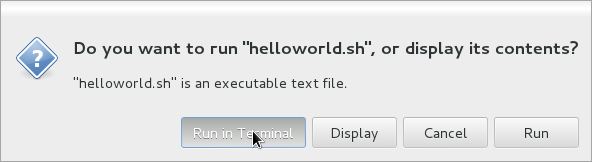
And see:
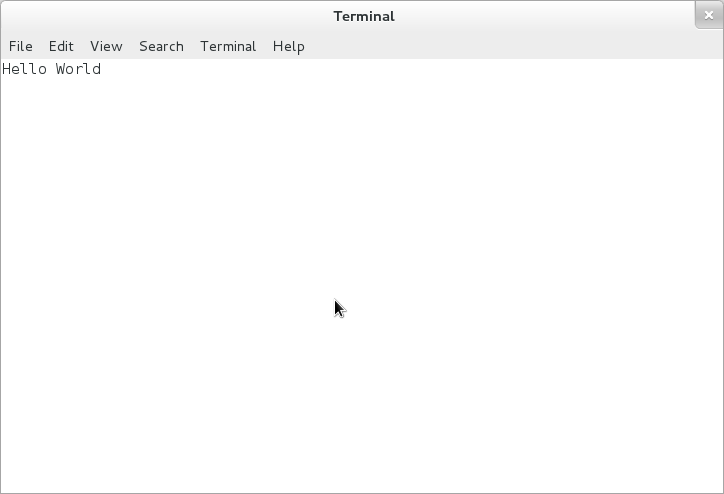
Having bash as default shell.
19 16
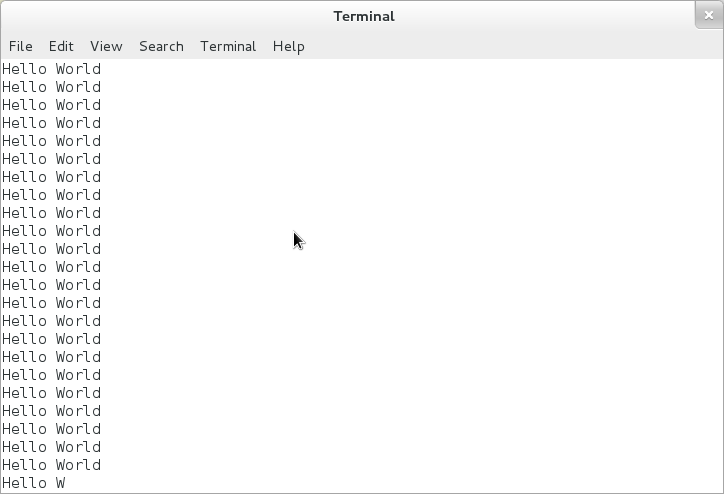
As question stand for only Hello World and Nothing else, the window have to stay but nothing like print text only once or so on, I think this match requirement too!
yes Hello\ World
There is only 16 chars.
echo >/tmp/helloworld.sh 'yes Hello\ World'
With same procedure this give:
Java, 117 chars
import java.awt.*;class C{public static void main(String[]a){new Frame(){{add(new Label("Hello World"));show();}};}}
With formatting:
import java.awt.*;

class C {
    public static void main(String[] a) {
        new Frame() {
            {
                add(new Label("Hello World"));
                show();
            }
        };
    }
}
We can avoid having to explicitly declare a variable by using initializer blocks inside an anonymous subclass of Frame. Interestingly, using awt, it's just as many characters to import java.awt.*; as it is to just fully qualify both classnames.
Matlab, 30 27 20
title('Hello World')
Are plot windows allowed? It does not have any buttons inside.
Ghostscript 50
0 0 moveto/Courier 20 selectfont(Hello World)show
Could make it 49 by using a 9-point font, but it's a little hard to read.
Can make a smaller window by invoking gs with a geometry argument for an additional 8 chars.
gs -g200x30 hello.ps
HTML (kinda), 17
data:,Hello World
Paste that into your browser's address bar.
Javascript, 25
open("data:,Hello World")
This uses your browser's window.open and a data uri.
A Data URIs's mime-type and charset default to text/plain;charset=US-ASCII when omitted.
Javascript, 19
eval($("s").text())
This one only works when this answer is the top (or accepted) answer and it is run on THIS stackoverflow page (via your JavaScript console). :-)
open("data:,Hello World");
Factor, 36 code + 23 imports = 59
USING: ui ui.gadgets ; "Hello World" <label> "" open-window
When this is run inside the listener, the imports will be brought in automatically. You only need them to deploy a standalone executable.
HTML Application, 11
Hello World
Save the file as something.hta and run it. Unlike HTML viewed in a browser, an HTML Application does not add any extra chrome (e.g. adress bar) to the window.

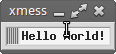
Bash (36 chars)
xmessage -buttons "" "Hello World!"
Looks like crap, but works as requested.
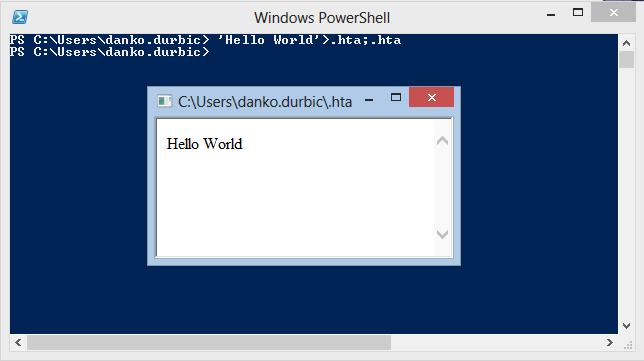
Powershell, 23
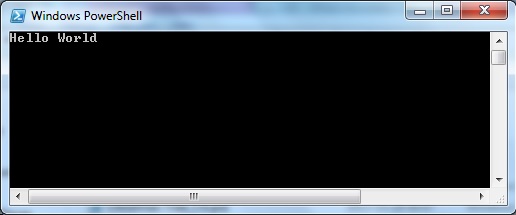
'Hello World'>.hta;.hta
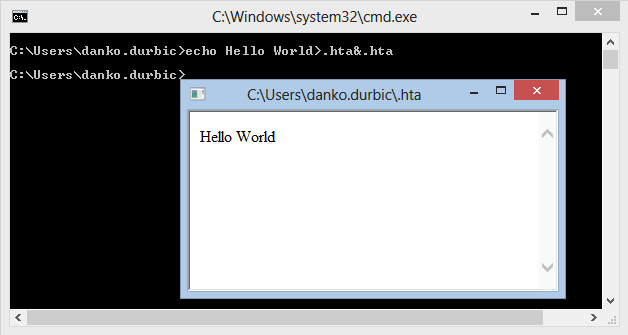
Windows Command Prompt, 26
echo Hello World>.hta&.hta
Python 2/3, 54 characters
Capitalize the t in tkinter to make it work on Python 2.
__import__("tkinter").Label(text="Hello World").pack()
PowerShell: 162 124 114 or 20
The Long Way Around
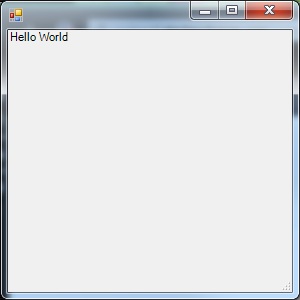
($t=($a='New-Object Windows.Forms')+".Label"|iex).Text='Hello World';($x=iex $a".Form").Controls.Add($t);$x.Show()
Since PowerShell really doesn't have any built-in GUI functionality, I'm having a hard time coming up with anything shorter than this which I feel really fits the original spirit of the challenge. (Or, at least, fits within the parameters several of us have assumed were implied.)
Changes from original:
- Removed window size definition. Apparently, it's optional and the default is plenty large enough.
- Incorporated changes provided by SpellingD in comments. Note: The window which spawns will hang - you'll need to kill PowerShell via Task Manager.
Alternative 20-Character Approach
Removing some assumed-implied requirements, we can also meet this challenge a-la Johannes Kuhn with this:
'Hello World';for(){}
Save as a .ps1 file. Make sure the system's ExecutionPolicy allows unsigned scripts. Right-click and select "Run with PowerShell".
HTML, 11
Hello World
Screenshot:
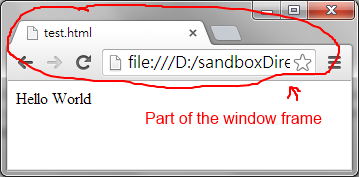
I guess this shouldn't count, but I think it would be interesting to see such an answer here.
AutoIt v3, 32
ToolTip("Hello World")
Sleep(9^9)
AutoHotkey, 26
GUI,Add,Text,,Hello World!
Processing, 37 chars:
void draw(){text("Hello World",0,9);}
Various things used to reduce strokes:
- Sketch window is spawned by default; no need to manually create it
- Using
drawis shorter thansetup(although the text is then redrawn each frame) - Uses default size, background, fill, font, and font size
- You don't actually need all 10 pixels height for the text
JavaScript, 32
open('javascript:"Hello World"')
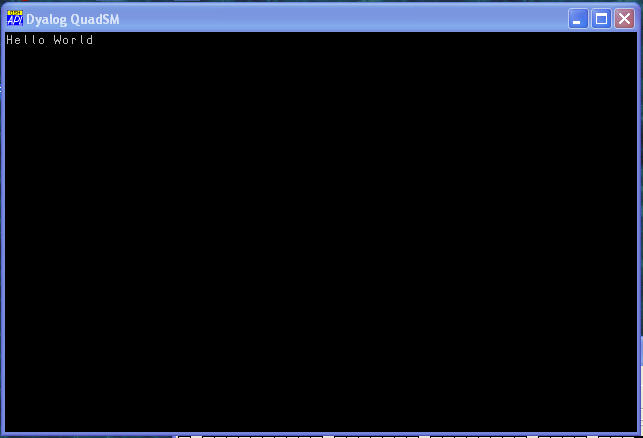
Dyalog APL (20)
⎕SM←'Hello World'1 1
Picture:
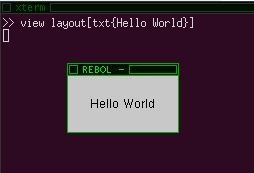
Rebol 2, 29
view layout[txt{Hello World}]
Groovy, 68 27
Using console.
print"Hello World";for(;;);
Using Frame.
new java.awt.Frame(){{add new java.awt.Label("Hello World")}}.show()
Inspired by @swilliams Java answer.
Java - 157
using DrawString
Ungolfed:
import java.awt.*;
class A extends Frame {
    public static void main(String[]a){
        new A().show();
    }
    public void paint(Graphics g)
    {
        g.drawString("Hello World",9,50);
    }
}
Golfed:
import java.awt.*;class A extends Frame{public static void main(String[]a){new A().show();}public void paint(Graphics g){g.drawString("Hello World",9,50);}}
APLX, 44
'A' ⎕WI 'New' 'Document' 'text' 'Hello World'
You could probably get it down from there.
Windows Batch, 23
@pause|echo Hello World
- Opens a black window that shows
Hello World, nothing else. - Now the windows stays open
- There are no buttons in the window.
Groovy, 77
import javax.swing.*
f=new JFrame()
f.add(new JLabel("Hello World"))
f.show()
Note: the window will be super tiny and you'll need to resize it to view the text.
Tcl/Tk, 34
pack [label .l -text Hello\ World]
Shell, 32
xmessage -buttons '' Hello World